
The best AI video generator for filmmaking: choose a model per shot
We gave five video models the same start frame and the same motion prompt, then checked fifteen real clips frame by frame for what each model got right, what it got wrong and what it cost. The answer to "which model is best" turned out to be "for which shot, and at what budget?"
Updated · 11 min read · By the PromptLab team
The short version
- There is no single best AI video model. Pick one per shot, based on what that shot needs most: physics, identity, sound, length or price.
- In our like-for-like test (October 2026: same start frame, same motion prompt), Seedance 2.0 Fast followed the shot best, but one take cost about as much as 3 Kling 2.5 Turbo takes, which came close.
- Starting all five from one approved still kept the character recognizable on every model. The differences were obedience: the cheapest model ignored "static camera" and one mid-priced model rode out of the side of the frame.
- Price buys polish, not guaranteed obedience: on a crowded, multi-action prompt our Seedance clip simplified the choreography. Split multi-action moments into several shots instead of paying more for one.
- The model landscape changes fast. Before you commit a budget, benchmark two to four current models on the hardest shot in your film.
In this guide
Is there a best AI video generator?
This is lesson 4 of the free course Make a short film with AI: you have a shot list, a consistent character and motion prompts, and now you need to decide which model renders each shot.
The honest answer to "what is the best AI video generator?" is that the question is too big. Video models are trained and tuned differently, so each has a profile: one handles fast physical motion, another keeps a face stable, another is cheap enough to iterate on freely. A short film contains all of those problems, often in the same minute. So instead of looking for one winner, cast models the way you would cast a crew: shot by shot, for what each shot needs.
An octopus barista behind a copper espresso bar pours four latte-art hearts simultaneously with four arms while two more grind beans and one wipes the counter, warm café light, handheld cinematic, photorealistic
The clip above ran on Seedance 2.0 Fast, the priciest model in this lesson. It nailed the hard parts of the look: the copper bar, the milk pouring in believable streams, the foam resolving into neat latte-art hearts, a handheld camera that pushes in and tilts down. It did not follow the choreography. We asked for four hearts poured by four arms while two more grind beans and one wipes the counter. We got two jugs, three cups and no grinding, and by the end of the push-in the octopus's face has left the frame. At 305 credits for five seconds, that is a useful lesson: price buys polish, not guaranteed obedience.
It is only half the story, though. When we gave five models the same start frame and one clear motion prompt, the same Seedance 2.0 Fast model (this time image-to-video) came closest to doing exactly what we asked. The next section shows that test, and why the right answer still depends on the shot and the budget.
Same shot, five models: a like-for-like AI video test
A fair comparison changes only one thing: the model. So in October 2026 we took one start frame, an edit of the bear character from the consistent characters lesson, and one motion prompt with three beats (mount, start the engine, ride out through the door) plus a camera instruction. Then we ran it image-to-video on five models at 720p, without native audio.
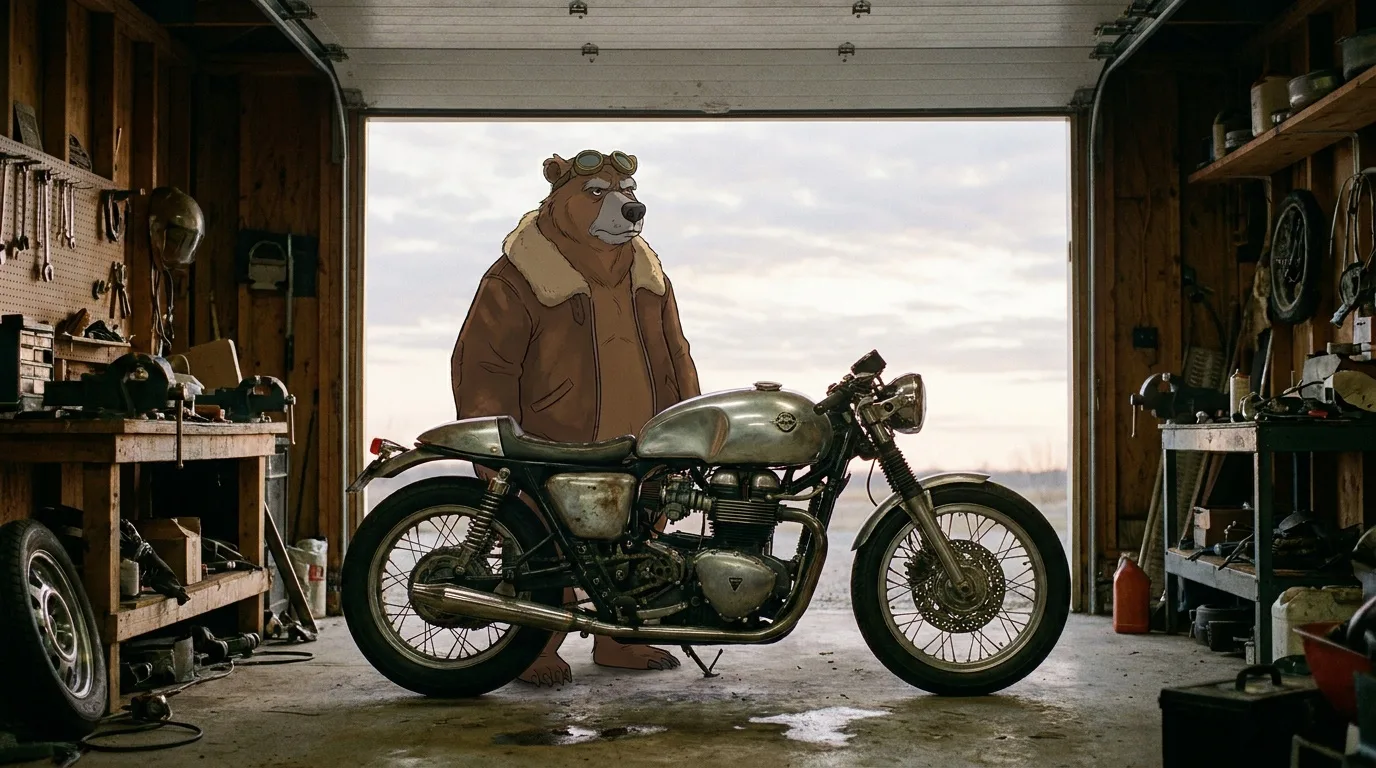
The bear from the character sheet, same grey muzzle, torn left ear, leather jacket and brass goggles, standing beside a vintage café racer motorcycle in a cluttered wooden garage at dawn, garage door open to a pale sky, cinematic wide shot, 35mm film look
We stepped through every clip and checked frames at 0.2, 1.5, 2.5, 3.5 and 4.8 seconds (plus 5.8 on the six-second Veo clip). One take per model, so read this as a dated snapshot, not a ranking:
The bear swings a leg over the motorcycle, starts the engine and rides slowly out through the open garage door into the dawn light, static camera
Followed every beat: seated by 1.5 s, turned toward the door by 3.5 s, and a small figure riding into the distance by 4.8 s. The camera never moves, and the illustrated look, goggles and sheepskin collar hold throughout. The best result, and the most expensive.
Mounts by 1.5 s, holds the static camera and turns toward the door at about 4.4 s, but only reaches the doorway as the six-second clip ends. The bear's fur drifts from illustrated to realistic shag, a style change you would notice next to other shots.
Mounts (awkwardly: at 1 s the bear sprawls over the tank), turns and rides out through the door with the camera static. It ends just past the threshold with its feet still down. Close to the Seedance result for a fraction of the price.
A clean mount and the only clip with a visible engine start: a puff of exhaust at 3.5 s. Then it rides sideways out of the right edge of the frame instead of through the door, so the shot does not land where the prompt asked.
Mounts and rides out through the door, but ignores "static camera": the camera pushes in by 2.5 s, then moves to the doorway behind the bear. The cheapest clip in the test, and fine as a draft of the move.
Three things stand out. First, every model kept the bear recognizable, because every clip started from the same approved still; image-to-video does most of the identity work for you. Second, the differences are in obedience: where the shot ends (Kling 3.0 left the frame) and whether the camera holds (PixVerse V6 moved it). Third, style drift is model-specific: Veo 3.1 Fast pulled an illustrated character toward photorealism, which matters if the rest of your film keeps the drawn look.
What the same shot cost on each model
| Render | Model | Credits | Plan value | Per second |
|---|---|---|---|---|
| The bear swings a leg over the… | Seedance 2.0 Fast · 5 s | 305 | $3.05 | 61 cr |
| The bear swings a leg over the… | Veo 3.1 Fast · 6 s | 150 | $1.50 | 25 cr |
| The bear swings a leg over the… | Kling 2.5 Turbo · 5 s | 88 | $0.88 | 18 cr |
| The bear swings a leg over the… | Kling 3.0 · 5 s | 105 | $1.05 | 21 cr |
| The bear swings a leg over the… | PixVerse V6 · 5 s | 57 | $0.57 | 11 cr |
The test cost 705 credits ($7.05) in total, and the single Seedance take was 43% of it. One Seedance 2.0 Fast take (305 credits, 61 per second) cost as much as about 3 Kling 2.5 Turbo takes (88 credits each) or 5 PixVerse V6 takes (57 credits each). Veo 3.1 Fast (150 credits) and Kling 3.0 (105 credits) sat in between.
That is the real trade-off. If the move matters and a cheaper model needs four or five retakes to land it, one premium take can be the cheaper outcome. If Kling 2.5 Turbo gets you there in two takes, as its single take nearly did here, it wins comfortably on cost. And for a rough draft of the blocking, the PixVerse clip told us almost everything for a sliver of the cost. Spend on the shots where obedience is the point.
What to judge an AI video model on
Public leaderboards rank models by blind preference votes. That tells you which clip viewers liked, not whether it did what your scene needed. A film needs more specific things. These are the nine criteria we score video models on, and how to test each one quickly:
| Criterion | What it means in a film | How to test it |
|---|---|---|
| Motion realism and physics | Weight, momentum, liquids, cloth and hands that behave | A pour, a fall or a vehicle at speed |
| Prompt adherence | Every requested action happens, in order | Two or three actions in one prompt, then count them |
| Identity and product stability | Faces, wardrobe and labels hold from first to last frame | Image-to-video from your approved character or packshot |
| Native audio | Dialogue, effects and ambience generated in sync | One line of dialogue plus one impact sound |
| Max duration and extension | How long one take can run, and whether it can be continued | Your longest planned shot |
| Start/end frames and references | Control over where the shot begins, ends and who is in it | A transition between two of your stills |
| Resolution | Detail that survives a big screen or a crop to vertical | Pause on a frame and zoom to 100% |
| Speed | How many iterations fit in a working session | Time a few runs |
| Price per second | What a take costs, multiplied by every retake | The live estimate before you run |
Weight them per shot. A product close-up lives or dies on stability. A chase lives on physics. A dialogue scene needs sound and lip sync. A two-second B-roll insert mostly needs to be cheap.
AI video model comparison: ten more real clips
The same-shot test is the fairest evidence on this page. The ten clips below are supporting evidence: each one used a different prompt, so they show what a model can do with a given kind of shot, not which model is better. Every clip is a real render with its exact prompt, model and cost. The video files on this page are silent, so judge the picture only.
Text-to-video: ambitious prompts, no start frame
A grizzly bear in a worn leather jacket and aviator goggles rides a vintage café racer motorcycle along a coastal highway at golden hour, camera tracking alongside, fur rippling in the wind, waves crashing below, cinematic
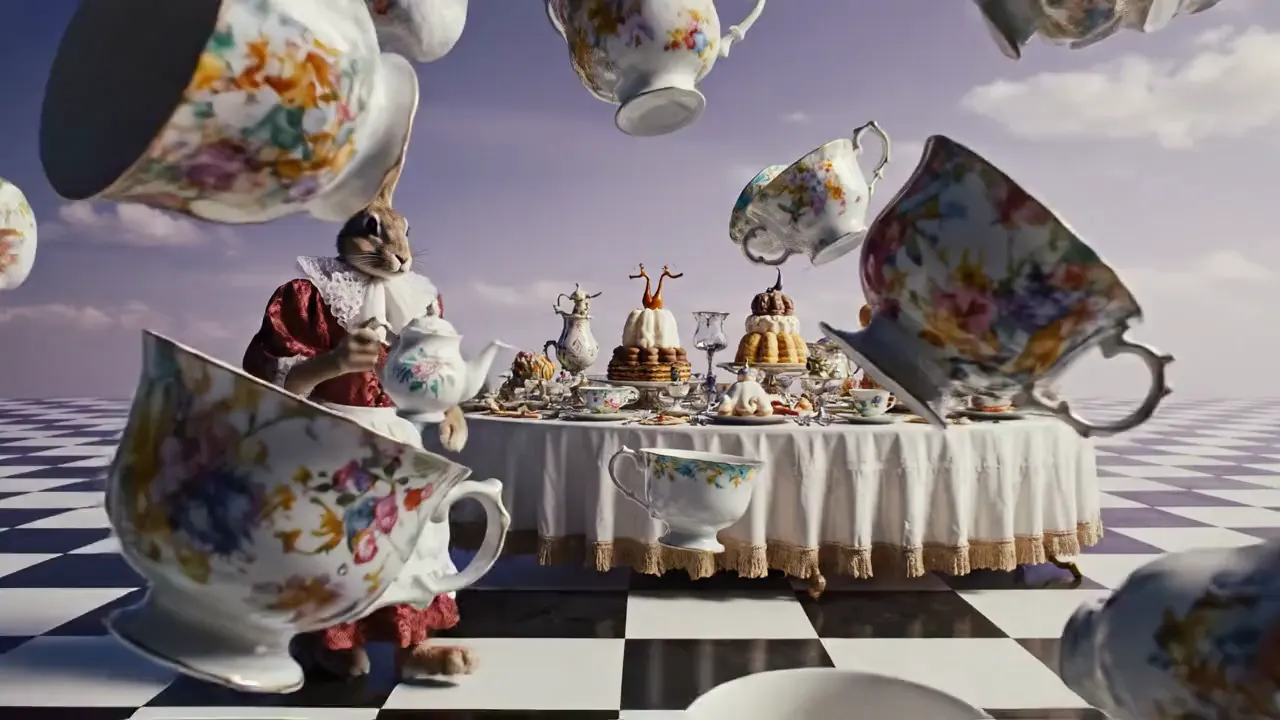
Slow push-in on a surreal Alice in Wonderland tea party: oversized porcelain teacups float and spin slowly, a hare in a brocade waistcoat pours tea that flows upward, checkerboard floor, lavender sky, high-fashion editorial, dreamy
- Kling O3 Pro (bear on a motorbike) was the cleanest result in the test. The camera tracks alongside, the background streaks with motion blur, waves break on the rocks, and the bear, its goggles, the jacket and the bike stay the same for all five seconds. Almost everything in the prompt made it into the clip.
- Veo 3.1 Fast (Alice tea party) delivered the art direction: a slow push-in past floating porcelain, a checkerboard floor, a lavender sky. It quietly normalized the two odd requests. The tea pours down into a cup instead of flowing upward, the hare's brocade waistcoat became a red brocade dress with a white apron, and for most of the clip the hare's face is hidden behind the teapot.
- Seedance 2.0 Fast (octopus barista), shown at the top, had the most convincing liquids and texture and the loosest grip on the choreography.
Image-to-video: start from a still you approved
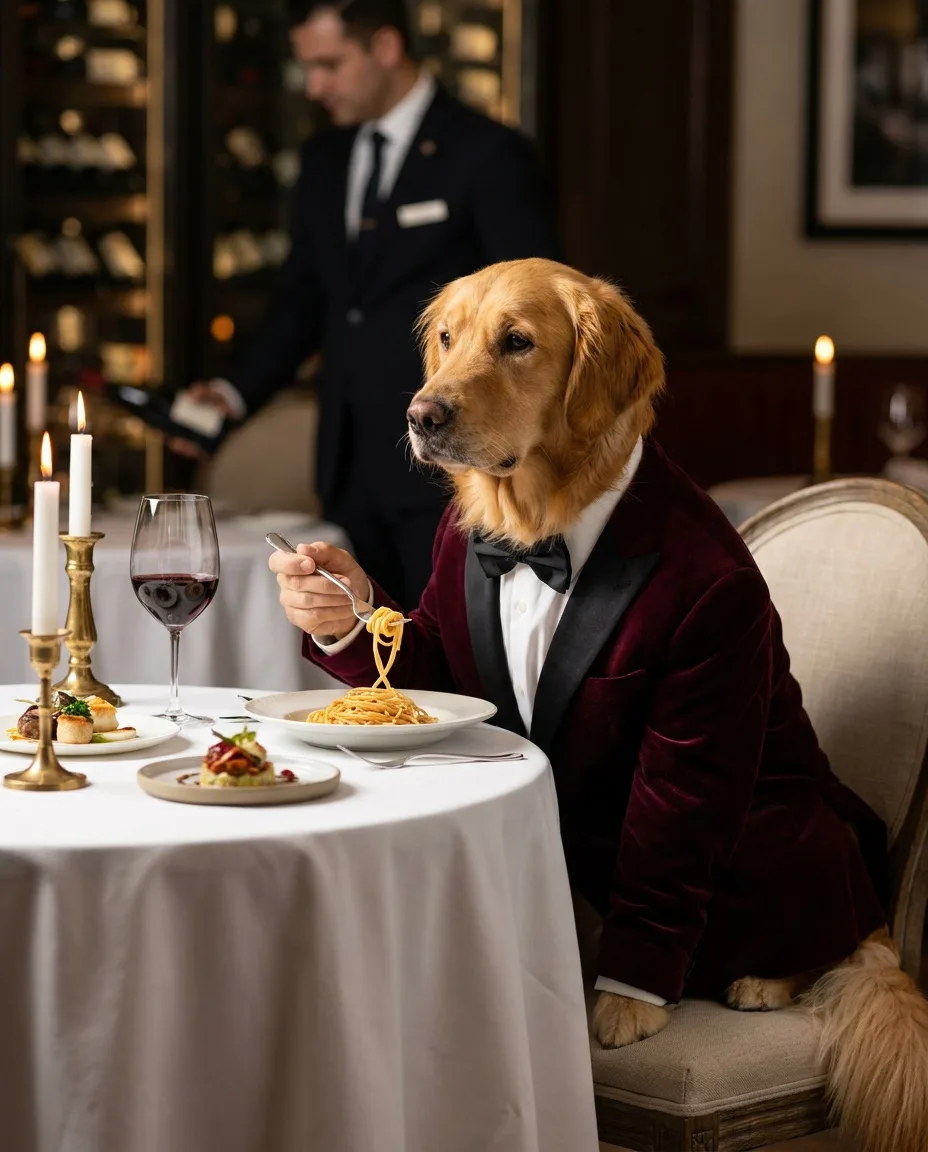
A golden retriever wearing a velvet dinner jacket and bow tie, seated at a Michelin-star restaurant, delicately twirling spaghetti with a silver fork, candlelight, white tablecloth, sommelier blurred in the background, editorial food photography, 85mm, shallow depth of field
The dog twirls the spaghetti on the fork, lifts it and glances at the camera with quiet satisfaction, candle flames flicker, subtle camera push-in, cinematic
Kling 3.0 followed all three beats of the motion prompt in order: the dog twirls the spaghetti, lifts it and turns to look at the camera, while the sommelier keeps working in the background. Because the clip starts from the still, the dog's face and velvet jacket match the start frame. This is why the image-to-video lesson recommends locking a still first: you approve identity cheaply as an image, then pay for motion once. The same model rode out of frame in the same-shot test above, which is the point: one take per model is a hint, not a verdict.
Slow dolly-in on the perfume bottle as condensation droplets form and slide down the amber glass, a beam of light sweeps across the facets, haze drifting, luxury commercial
The sunglasses rotate slowly in mid-air, fine sand drifting below them, the sky colours shifting from pink to orange, product commercial
- Kling 2.5 Turbo (perfume) did the job a product shot needs: a slow push-in, light beams and haze shifting behind the bottle, and the invented "Aurum & Amber" label still legible in the final frame.
- PixVerse V6 (sunglasses) cost 57 credits. The glasses spin a full turn, faster than "slowly", and the temples dip into the sand and kick up small puffs. The frame shape holds well and the clip ends close to its opening pose, which makes it an easy loop.
Cheap B-roll: four vertical clips at 57 credits each
Macro shot of golden honey pouring slowly over a stack of pancakes, glistening, soft morning light, vertical food video
Neon jellyfish drifting upward through dark water, bioluminescent trails, dreamy slow motion, vertical video
A small friendly robot carefully watering a bonsai tree on a sunny balcony, gentle camera drift, vertical video
A dachshund in a yellow raincoat splashing through puddles on a rainy city street, slow motion, cinematic, vertical video
All four ran on PixVerse V6 text-to-video. The honey pour has a believable, viscous drip down the stack. The jellyfish drift as a group before the camera closes in on one glowing bell. The robot keeps its design as the camera drifts and it steps around the bonsai. The dachshund splashes toward the camera in slow motion, though it mostly splashes in place rather than covering ground, and the background reads more like a park path than a city street. None of these is a hero shot, but as inserts, transitions and texture they are hard to beat at the price.
What AI video costs per second
This is the table that changes how people plan. Here is every clip from the gallery above. Same length of clip, same platform, very different bills:
| Render | Model | Credits | Plan value | Per second |
|---|---|---|---|---|
| A dachshund in a yellow raincoat… | PixVerse V6 · 5 s | 57 | $0.57 | 11 cr |
| Macro shot of golden honey pouring… | PixVerse V6 · 5 s | 57 | $0.57 | 11 cr |
| A small friendly robot carefully… | PixVerse V6 · 5 s | 57 | $0.57 | 11 cr |
| Neon jellyfish drifting upward… | PixVerse V6 · 5 s | 57 | $0.57 | 11 cr |
| The sunglasses rotate slowly in… | PixVerse V6 · 5 s | 57 | $0.57 | 11 cr |
| Slow dolly-in on the perfume bottle… | Kling 2.5 Turbo · 5 s | 88 | $0.88 | 18 cr |
| A grizzly bear in a worn leather… | Kling O3 Pro · 5 s | 141 | $1.41 | 28 cr |
| The dog twirls the spaghetti on the… | Kling 3.0 · 5 s | 105 | $1.05 | 21 cr |
| Slow push-in on a surreal Alice in… | Veo 3.1 Fast · 6 s | 150 | $1.50 | 25 cr |
| An octopus barista behind a copper… | Seedance 2.0 Fast · 5 s | 305 | $3.05 | 61 cr |
Across all the five-second clips in this lesson, a shot cost from 57 to 305 credits: roughly 5 times as much at the top as at the bottom. Two things drive most of that spread: the model tier, and the settings you choose. On most providers, higher resolution and native audio raise the per-second price, so a model can cost noticeably more with sound switched on than off. The live estimate in the Playground shows the price for your exact settings before you run.
Retakes multiply everything. A two-minute film cut from five-second shots is about 24 shots. With 3 takes per shot, that is 72 clips. At the prices we paid in the same-shot test (plus Kling O3 Pro from the gallery):
| 72 clips on | Credits | Plan value |
|---|---|---|
| PixVerse V6 (57 per 5 s clip) | 4,104 | $41.04 |
| Kling 2.5 Turbo (88 per 5 s clip) | 6,336 | $63.36 |
| Kling 3.0 (105 per 5 s clip) | 7,560 | $75.60 |
| Kling O3 Pro (141 per 5 s clip) | 10,152 | $101.52 |
| Veo 3.1 Fast (150 per 6 s clip) | 10,800 | $108.00 |
| Seedance 2.0 Fast (305 per 5 s clip) | 21,960 | $219.60 |
A mixed plan is usually the sensible one: cheap models for inserts, texture and drafts of the blocking, a mid-priced model for most story shots, and premium credits only for the two or three shots the film hangs on. The planning lesson shows how to mark those shots in your shot list before you render anything.
Which AI video model for which shot (October 2026)
This table combines the criteria above with what we saw in our own renders: the same-shot test first, the gallery clips second. Treat the right-hand column as a starting shortlist, not a verdict.
| Shot type | What matters most | Worked in our tests |
|---|---|---|
| Key story shot where the action and end state must land | Prompt adherence, a camera that does what it is told | Seedance 2.0 Fast; Kling 2.5 Turbo as the cheaper first try |
| Locked-off camera | The camera instruction is obeyed | Seedance 2.0 Fast, Kling 2.5 Turbo or Veo 3.1 Fast held it; PixVerse V6 did not |
| Illustrated or stylized character in motion | Style holds across the clip | Seedance 2.0 Fast and the Kling models kept our drawn look; Veo 3.1 Fast drifted toward realism |
| Vehicle, chase, tracking shot | Motion realism, stable subject at speed | Kling O3 Pro (text-to-video, gallery) |
| Small character beat from an approved still | Identity, small acting choices in order | Kling 3.0 (dog clip); check where the shot ends |
| Product hero shot | Label and shape stability, slow controlled motion | Kling 2.5 Turbo (image-to-video) |
| Surreal or stylized set piece | Art direction, many elements in one frame | Veo 3.1 Fast (it may normalize impossible physics) |
| Liquids, texture, tactile close-ups | Physics and surface detail | Seedance 2.0 Fast; PixVerse V6 on a budget |
| Several simultaneous actions | Prompt adherence | None fully. Split it into shots |
| B-roll, inserts, loops, drafts of a move | Price per take | PixVerse V6 (check the camera move) |
| Dialogue with lip sync | Native audio or a lipsync pass | Not tested here; see lesson 5 |
Veo 3.1 vs Kling 3.0 vs Seedance 2.0: what each offers
People search for head-to-heads like "Veo 3.1 vs Kling 3.0" or "Seedance vs Veo" expecting a winner. The more useful comparison is capabilities, because they decide which shots a model can do at all. As listed by the model makers and hosting providers at the time of writing (check the model page before you plan around any of it):
| Model | Clip length | Sound | Control |
|---|---|---|---|
| Veo 3.1 | Up to 8 s (ours: 6 s); extend a clip from its last second | Native audio: dialogue, effects, ambience | First and last frame; up to 3 reference images |
| Kling 3.0 | Up to 15 s, with multi-shot generation | Native audio (optional) | Start and end frame; reference "elements" |
| Seedance 2.0 | 4 to 15 s | Native audio, on by default | Mixed image, video and audio references |
| PixVerse V6 | Up to 15 s | Optional native audio | Transitions between two images; extension |
| Kling 2.5 Turbo | Short clips (ours: 5 s) | No audio option listed | Start frame plus optional end frame |
Three practical consequences for filmmakers:
- Long takes are chained, not prompted. Even 15 seconds is short for a scene. Plan shots of 3 to 8 seconds and continue from the last frame when you need a longer move.
- Reference rules differ. Seedance 2.0 is widely reported to refuse reference images that contain real human faces, so a photographic actor reference may need another model. AI-generated characters from the consistent characters lesson avoid the problem.
- Native audio is a convenience, not a soundtrack. Each clip invents its own sound, so room tone (and any music the model adds) changes at every cut. Most films still build the soundtrack afterward.
How to benchmark AI video models on your own shot
Generic comparisons, including this one, cannot tell you how a model handles your character, your product or your hardest move. A small benchmark can, and it costs far less than a film's worth of retakes on the wrong model.
Pick the hardest shot in your film
The one with the most motion, the most important face or the most complex action. If a model handles that, the easy shots will follow.
Lock the inputs
Same start frame, same motion prompt, same duration and aspect ratio on every model, as in our same-shot test above. Change one thing and the test stops meaning anything.
Run two to four models, two takes each
One take can be lucky. Two takes show you how consistent a model is, which matters when you need retakes later.
Score against a rubric, not a vibe
Count the actions that happened. Pause on the first frame, the middle and the last: check the face, the hands and any text. Note the cost and how long you waited.
Write the winner into your shot list
Record the model, the reason and a fallback for every shot, then render.
Do
- Compare at full speed first, then frame by frame
- Judge what the shot needs, not the prettiest clip
- Keep the losing takes; they become B-roll
Avoid
- Changing the prompt between models
- Choosing on one lucky seed
- Paying premium prices for inserts nobody will study
PromptLab's Benchmark is built for exactly this: one prompt and the same references across up to four models side by side, rubric ratings for prompt alignment, resemblance and style, and a share link if you want your team or audience to vote. Its dashboard then ranks models by win rate, speed and cost across all your tests.
Put the model choice in your shot list
Once you have a winner per shot type, write it down where the whole film is planned. A line per shot keeps the budget honest and makes retakes fast, because nobody has to remember which model produced which take.
Shot [number] · [duration] s · [shot type] · model: [model] · why: [deciding criterion] · fallback: [second model] · budget: [takes] × [credits per take]
With picture locked to a model plan, the film still sounds like nothing: our clips on this page are silent, and even native audio rarely survives the cut intact. The next lesson, AI sound design, covers voice, music, ambience and lip sync, and how to mix them into something that feels finished.
Questions people ask
What is the best AI video generator right now?+
There is no single best one: models differ in physics, prompt adherence, identity stability, audio, length and price, and new versions ship every few weeks. In our like-for-like test the most obedient model was also the most expensive, but a much cheaper one came close. Shortlist two to four current models and test them on your hardest shot before choosing.
Is Veo 3.1 or Kling 3.0 better for short films?+
They suit different shots. In our October 2026 same-shot test, Veo 3.1 Fast held a static camera and rode the bear toward the door but drifted the drawn character toward realism, while Kling 3.0 showed the engine starting but rode out of the side of the frame; in another test Kling 3.0 followed a three-beat character action cleanly. Compare both on your own shot.
Seedance vs Veo: which should I use?+
In our same-shot test (October 2026), Seedance 2.0 Fast followed the motion prompt best and kept the character's style, while Veo 3.1 Fast only reached the door by the end of its clip; Seedance cost 305 credits against 150 for Veo. On a crowded multi-action prompt Seedance simplified the choreography, and it is widely reported to refuse reference images with real human faces.
How much does AI video cost per second?+
It varies widely between models and settings. In our October 2026 tests a five-second clip cost between 57 and 305 credits (100 credits = $1 of plan value), roughly 5 times as much at the top; resolution and native audio usually raise the price.
Can AI make a full short film with one model?+
It can, but most films come out better when each shot uses the model that suits it: a cheap model for inserts, a stable image-to-video model for characters and products, and a premium model only for the shots the film depends on.
Keep learning
Image to video prompts: direct the motion, not the picture
Lesson 3 of the free course. Your start frame already decides the shot. Here is how to write the motion prompt: one camera move, one action, an end state, and the vocabulary to direct it.
AI sound design: how to add voice, music and effects to AI video
A silent clip looks like a demo; the same clip with room tone, a voice and a music bed looks like a film. Here is how to build each layer of an AI soundtrack and mix them so the cut feels finished.
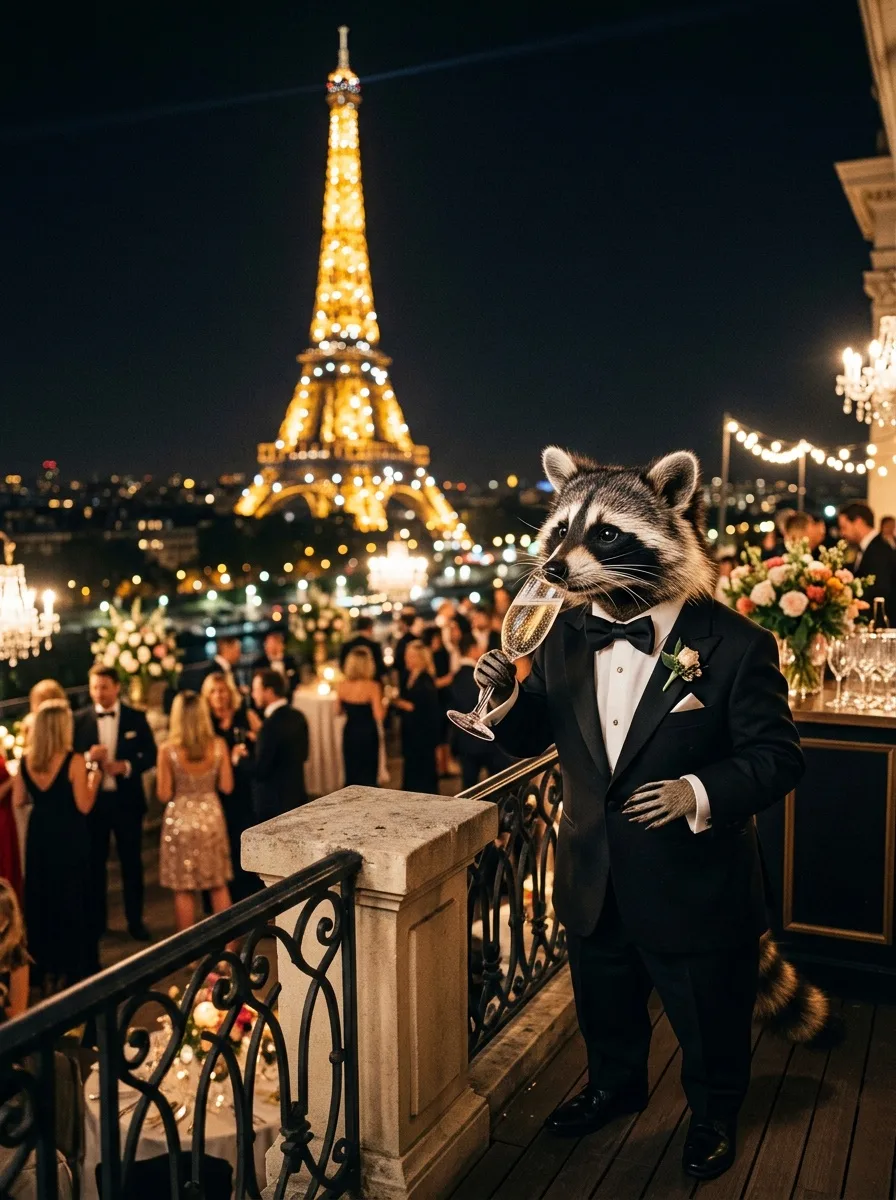
The best AI image generator, tested: one prompt on four models (October 2026)
Leaderboards tell you which model wins on average. This is a dated, first-hand test: one demanding prompt on four popular models, checked item by item, with real costs and render times, plus a method to run the same test on your own work.
Run these prompts on every model, side by side.
PromptLab puts Flux, Nano Banana, Kling, Veo, Seedance and dozens more in one workspace. See the cost before you click, keep the prompts that win.