How to make a short film with AI: plan it shot by shot
Lesson 1 of the free course. Before you render a single clip, turn your idea into a logline, a beat sheet and a shot list designed around what AI video does well, then storyboard it with cheap stills and price the whole film.
Updated · 9 min read · By the PromptLab team
The short version
- An AI film is built from short shots, usually 4 to 10 seconds each. Plan the film as a shot list, not as one long prompt.
- Design every shot around one subject, one action and one camera move. Tell the story with pictures, not dialogue.
- Pick the aspect ratio before the first render, because composition is baked into every frame you generate.
- Storyboard with stills that cost a few credits, then animate only the frames you approved.
- Budget in credits per shot times takes. The same 5- to 6-second shot cost us between 57 and 305 credits depending on the video model.
In this guide
What making a short film with AI actually involves
This is the first lesson of Make a short film with AI, a free six-lesson course. By the end you will have a plan for a one-minute film that you can generate, voice and cut in the following lessons.
The most useful thing to understand first is the unit of work. Video models do not make films. They make shots: a single continuous clip, typically 4 to 10 seconds, sometimes up to 15 on newer models. A short film is dozens of those shots, generated one at a time and assembled in an edit, exactly like live-action footage. People who type a whole story into one prompt get one confused clip. People who plan shots get a film.
A grizzly bear in a worn leather jacket and aviator goggles rides a vintage café racer motorcycle along a coastal highway at golden hour, camera tracking alongside, fur rippling in the wind, waves crashing below, cinematic
The clip above is a single shot from the example film we plan in this lesson. It works because it asks for very little: one character, one action (riding), one camera move (tracking alongside) and a setting that explains itself. The bear stays in the same place in frame for the full five seconds while the coast streams past, which is what a tracking shot should do. Every shot in your film should be this easy to describe.
The workflow this course follows has six stages, one per lesson:
- Plan: logline, beat sheet, shot list, format and budget (this lesson).
- Lock the look: style frames and a consistent character.
- Animate: image-to-video prompts with deliberate camera direction.
- Choose models per shot.
- Sound: voice, music and effects.
- Edit, pace and export.
From idea to logline and beat sheet
Start with one sentence. A logline names a character, what they want and what stands in the way or what changes. If you cannot write it, you do not have a film yet, only a mood. Ours:
Then break the minute into beats. For a 60-second short, five beats is plenty: each one gets roughly 10 to 15 seconds, which is two or three shots.
| Beat | What happens | Time |
|---|---|---|
| 1. Setup | Dawn in the garage. The jacket, the goggles, the bike. | 0–14 s |
| 2. Departure | Engine starts, the bike rolls out onto an empty coast road. | 14–19 s |
| 3. The ride | Speed, wind, ocean. The joy of the road. | 19–40 s |
| 4. Arrival | The lighthouse appears. Someone is waiting. | 40–50 s |
| 5. Payoff | Two old friends watch the sun go down. | 50–61 s |
Notice what the story avoids. There is no dialogue, only two characters, and three locations. That is not a limitation of imagination; it is a choice that plays to the medium.
Plays to AI video's strengths
- Stories told through action, faces and landscapes
- One or two recurring characters with a distinctive look
- Few locations, each with a strong visual identity
- Moments that read in 5 seconds: a glance, a reveal, a departure
- Surreal or impossible images that would cost a fortune to shoot
Fights the medium
- Long dialogue scenes that depend on precise lip sync
- Crowds of named characters who must all stay consistent
- Complex physical interaction: fights, hands passing objects back and forth
- Readable signs, screens and documents that carry the plot
- A single continuous take longer than the model can generate
How to write a shot list for AI video
The shot list is where an AI film is won or lost. Each row should be something a video model can do in one generation. Four rules keep it that way:
- One action per shot. "He zips his jacket" is a shot. "He zips his jacket, grabs his keys and walks to the bike" is three.
- One camera move per shot. A push-in, a pan or a locked-off frame. Combining moves is where clips start to warp.
- 4 to 10 seconds. Most models generate 5 or 8 seconds well. Plan shorter shots than you think: edits are what make a film feel fast.
- Write the end state. Note where the shot finishes ("bike exits frame left", "he looks up"). It gives you a clean cut point and a clear motion prompt later.
Here is the full shot list for our one-minute bear film. Shot 5 is the clip at the top of this page.
| # | Shot | Camera | One action / end state | Sec |
|---|---|---|---|---|
| 1 | Extreme close-up, paw on a jacket zipper, garage at dawn | Locked-off | Zips the jacket to the collar | 5 |
| 2 | Medium shot, bear by the bike, window light | Slow push-in | Pulls goggles down, looks toward the door | 5 |
| 3 | Close-up, boot on the kick-starter | Locked-off | Kicks once, exhaust puffs | 4 |
| 4 | Wide, garage door onto an empty coast road at sunrise | Locked-off | Bike rolls out and away from camera | 5 |
| 5 | Side-on, bear riding along the coast, waves below | Tracking alongside | Rides, fur rippling in the wind | 5 |
| 6 | Aerial, tiny bike on a winding cliff road | Slow pull-back | Bike rounds a bend | 6 |
| 7 | Point of view over the handlebars | Forward, handheld | Road curves left along the guardrail | 5 |
| 8 | Front three-quarter close-up of the rider | Tracking backward | Bear grins into the wind | 5 |
| 9 | Wide, the bike crests a hill | Locked-off | A lighthouse is revealed on the headland | 5 |
| 10 | Medium, a fox on a mint-green scooter by the lighthouse | Slow push-in | Fox turns toward the sound of the engine | 5 |
| 11 | Two-shot, bear pulls up beside the fox | Locked-off | Bike stops, both look out to sea | 5 |
| 12 | Wide silhouette, two bikes, sun touching the sea | Very slow pull-back | Holds for the title card | 6 |
Twelve shots, 61 seconds. Every row is a single verb and a single camera instruction, which makes each one a realistic generation. Shot 10 borrows the fox from the variable-matrix renders in lesson 2, where one prompt template turns a bear and a fox into frames that look like they belong to the same film.
Choose the aspect ratio and format up front
Decide where the film will live before you generate anything. Composition is baked into every frame, and cropping a 16:9 shot down to 9:16 later throws away two thirds of the picture and usually the subject's surroundings with it.
| Destination | Generate at | Planning note |
|---|---|---|
| YouTube, festivals, your portfolio | 16:9 | Room for landscapes and two-shots. You can add letterbox bars in the edit for a wider look. |
| TikTok, Reels, Shorts | 9:16 | Favor close-ups and single subjects. Keep action in the middle third, clear of captions and buttons. |
| Feed posts | 1:1 or 4:5 | Center-weighted compositions. Good for a teaser cut of the film. |
Check the ratios your chosen models support before you commit. Many video models offer only 16:9, 9:16 and sometimes 1:1. In image-to-video, the start frame's shape usually decides the clip's shape, so generate your storyboard stills at the final ratio too. If you need both a horizontal and a vertical version, plan them as two compositions rather than one crop.
AI storyboard from script: stills first, motion second
Rendering every shot straight to video is the most expensive way to find out your idea does not work. A still costs a fraction of a clip, so storyboard first: turn each row of the shot list into an image prompt, generate a few options, and only animate the ones you approve.
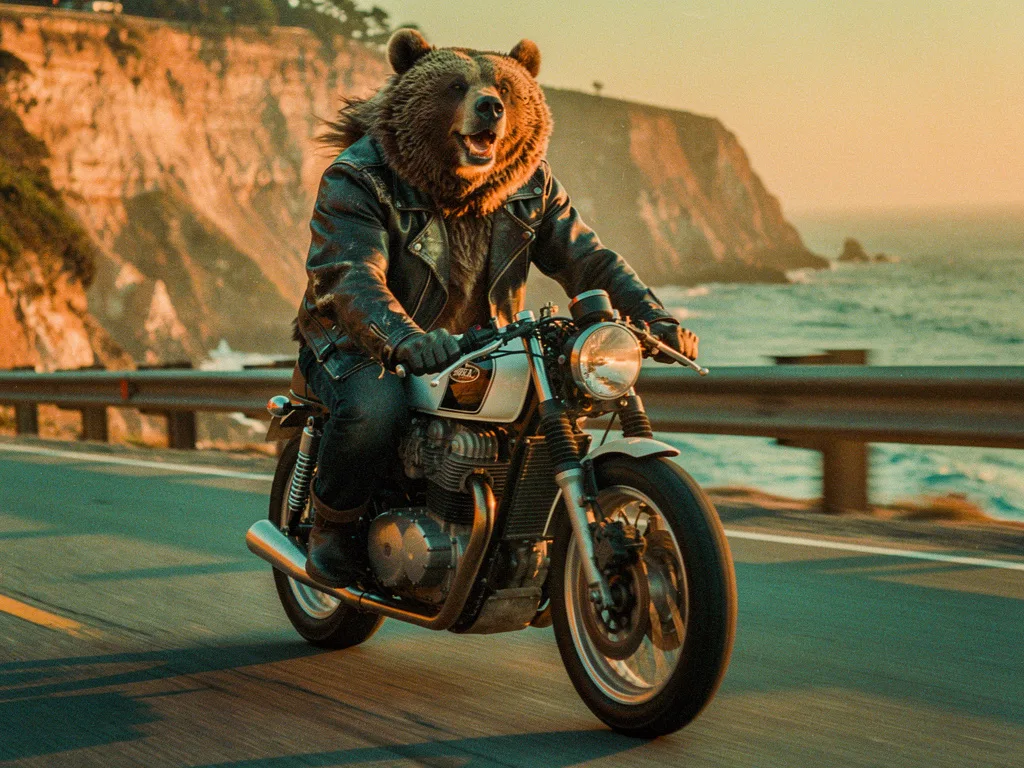
A grizzly bear in a leather jacket riding a vintage café racer motorcycle through the Pacific Coast Highway, cinematic golden hour, 35mm film photograph, slight motion blur, joyful
A grizzly bear in a worn leather jacket and aviator goggles rides a vintage café racer motorcycle along a coastal highway at golden hour, camera tracking alongside, fur rippling in the wind, waves crashing below, cinematic
These two renders are the same idea, a grizzly in a leather jacket on a café racer on the coast road. The still ran on Flux 2 Pro for 8 credits; the clip ran on Kling O3 Pro for 141. Look closely and you will also see they are not the same bear. The clip's prompt added goggles, but even apart from those the coat color and the face differ. They were generated from text on two different models with no shared reference, so each model invented its own bear. That is the consistency problem lesson 2 solves: it builds a character sheet for this bear and carries his jacket, collar and goggles into the garage and lighthouse shots of this film. It is also the main reason to animate from approved stills rather than generating every shot from text.
Write one image prompt per shot
Describe the frame as it looks at the start of the shot: subject, framing, setting, light. Keep the style words identical in every prompt so the board looks like one film.
Generate three or four options on a cheap model
You are testing composition and story, not final quality. An inexpensive model such as Flux 2 Pro (8 credits per image in our renders) is enough at this stage.
Lay the frames out in order and read the board
Put the approved stills in sequence with their durations. Missing beats, repeated angles and confusing jumps are obvious here and cost nothing to fix.
Re-render finals with references
Once the board works, regenerate the keeper frames at full quality with your character and style references attached, so every shot shows the same character.
Animate only the approved frames
Each final still becomes the start frame of an image-to-video generation. The picture is already decided, so the motion prompt only has to describe what moves.
How to make AI video longer than 8 seconds
People ask this constantly about AI video, and the honest answer is that you rarely need to. Films are made of cuts. The average shot in a modern film is a few seconds long, and a one-minute short with ten to fifteen shots will feel better paced than one long generated take. When you genuinely need a longer continuous shot, you have four options:
- Pick a model with longer clips. At the time of writing, Kling 3.0 and Seedance 2.0 both generate up to 15 seconds, while Veo 3.1 tops out at 8. Longer clips cost more and give the model more time to drift, so check each model's limits on the catalog.
- Extend from the last frame. Export the final frame of a clip and use it as the start frame of the next generation, with a prompt that continues the motion. Some models build this in: Veo 3.1's scene extension generates each new clip from the final second of the previous one.
- Use first and last frames. Generate the start and end stills, then ask a model that supports both to animate the move between them. You control exactly where the shot lands, which makes the next cut clean. Lesson 3 shows one: the bear riding toward the lighthouse, landing on a frame where he has pulled up below it.
- Hide the join with a cut. Cut to a close-up or a reaction shot, then back. The audience accepts a jump in time between two shots far more readily than a visible seam inside one.
What an AI short film costs in credits
Budget a film the way a producer does: number of shots, times takes per shot, times price per take. The price per take is the variable that moves most. To see how much, we rendered a version of shot 4 (the bear riding out of the garage) from the same start frame, with the same motion prompt, on five video models:
| Render | Model | Credits | Plan value | Per second |
|---|---|---|---|---|
| The bear swings a leg over the… | PixVerse V6 · 5 s | 57 | $0.57 | 11 cr |
| The bear swings a leg over the… | Kling 2.5 Turbo · 5 s | 88 | $0.88 | 18 cr |
| The bear swings a leg over the… | Kling 3.0 · 5 s | 105 | $1.05 | 21 cr |
| The bear swings a leg over the… | Veo 3.1 Fast · 6 s | 150 | $1.50 | 25 cr |
| The bear swings a leg over the… | Seedance 2.0 Fast · 5 s | 305 | $3.05 | 61 cr |
That is 57 to 305 credits for the same five or six seconds of footage: Seedance 2.0 Fast cost roughly 5 times as much as PixVerse V6. Applied to our twelve-shot film, with three takes per shot, the arithmetic looks like this at the prices we paid:
| Line item | Calculation | Credits | Plan value |
|---|---|---|---|
| Storyboard on Flux 2 Pro | 12 shots × 4 options × 8 | 384 | $3.84 |
| Character sheet and final start frames on Nano Banana Pro | 38 + 12 shots × 2 takes × 38 | 950 | $9.50 |
| Every shot on PixVerse V6 | 12 × 3 × 57 | 2,052 | $20.52 |
| 8 shots on Kling 2.5 Turbo, 4 hero shots on Seedance 2.0 Fast | 8 × 3 × 88 + 4 × 3 × 305 | 5,772 | $57.72 |
| Every shot on Seedance 2.0 Fast | 12 × 3 × 305 | 10,980 | $109.80 |
Most films land somewhere in the middle rows, because not every shot needs the premium model. Wide establishing shots, landscapes and simple motion often look fine on an inexpensive model. Save the expensive renders for the shots carrying the story: faces, hands, hero moments. Lesson 4, choosing the best AI video model, covers which model to use for which kind of shot.
In PromptLab, the Playground shows a live credit estimate before every run and failed runs are not charged, so you can keep a running total against your shot list as you go.
Shot list and prompt template you can copy
Keep one card per shot. It doubles as your prompt sheet: the image prompt makes the start frame, the motion prompt animates it, and the notes keep continuity across the film.
[character with one defining trait] wants [goal], but [obstacle or change], until [turning point].
[shot size] of [character lock], [one pose at the start of the shot], [setting], [light and time of day], [style suffix], [aspect ratio]
[subject] [one action], [end state], [environment motion], [one camera move], [speed or pacing word]
Fill in the shot list, write a card for each row, and storyboard it. Before you animate anything, you need the bear in shot 1 to be the bear in shot 12. That is the subject of the next lesson: how to keep characters consistent in AI video.
Questions people ask
Can AI make a full movie?+
Not in one generation. Current video models produce clips of roughly 4 to 15 seconds, so a film is planned as a shot list, generated shot by shot and assembled in an edit, with sound added separately or by models that generate audio.
How do I make AI video longer than 8 seconds?+
Use a model that supports longer clips, extend a clip from its last frame, or animate between a first and last frame. For most films the better answer is to plan several shorter shots and cut between them.
How much does it cost to make an AI short film?+
It depends mostly on the video model. In our tests the same 5- to 6-second shot cost between 57 and 305 credits (100 credits = $1), so the video renders for a twelve-shot, one-minute film with three takes per shot range from about $20.52 to $109.80.
Can I make an AI short film for free?+
You can plan, storyboard and animate a few shots for free: new PromptLab accounts get 1,000 free credits. Storyboard with inexpensive image models and test motion on low-cost video models before spending on premium renders.
Should I use text-to-video or image-to-video for a short film?+
Use image-to-video for most shots. Generating an approved still first lets you control composition and keep characters consistent, and the video model then only has to add motion.
Keep learning
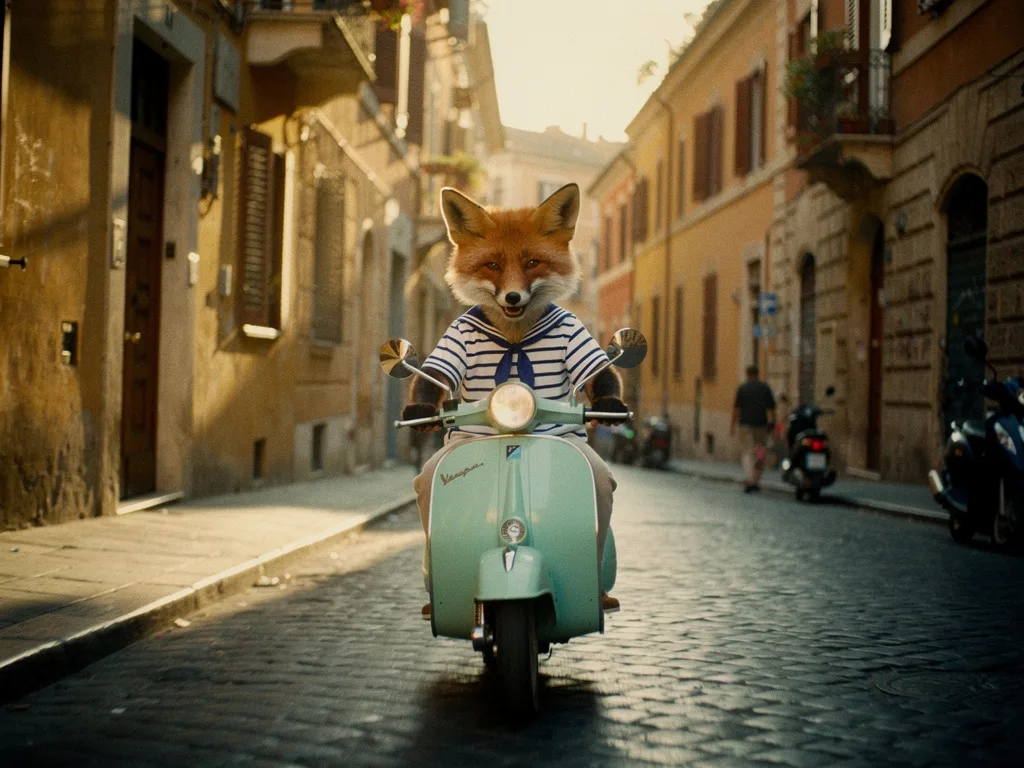
Consistent characters in AI video: lock the look before you animate
Lesson 2 of the free course. Why AI characters change from shot to shot, and the workflow that stops it: a style bible, a character sheet, reference images, and animating only frames you have already approved.
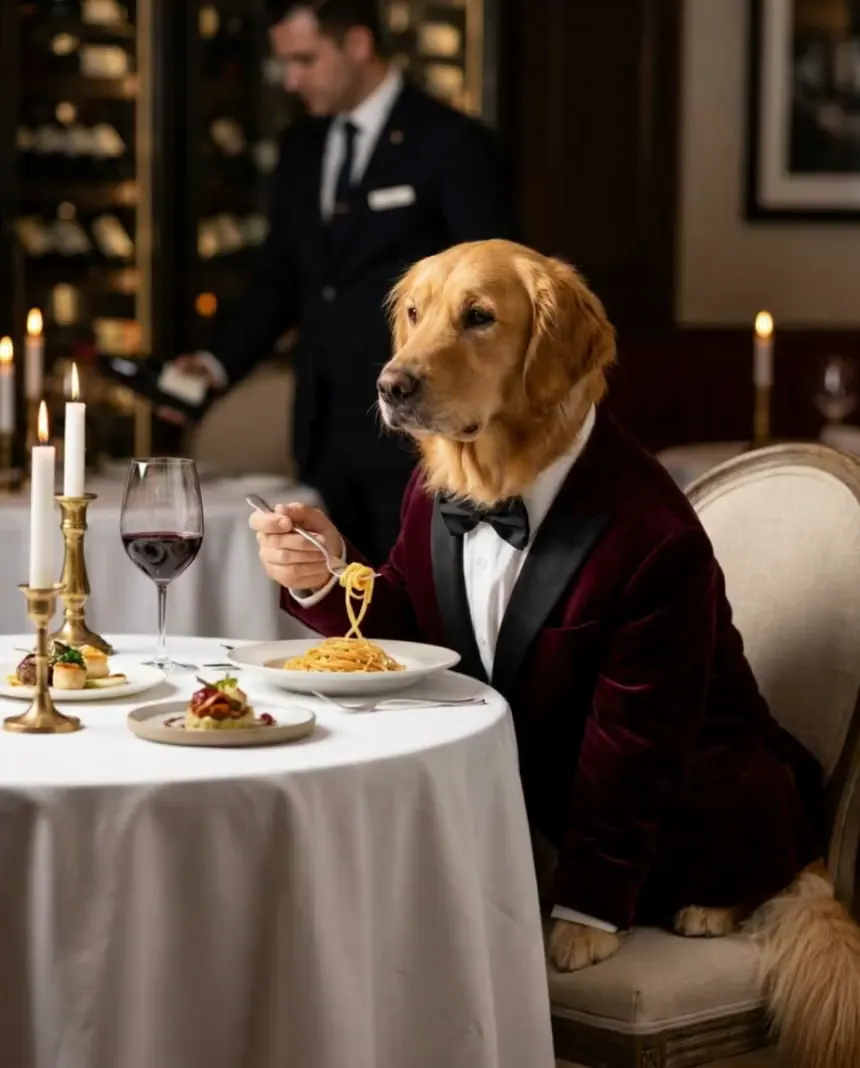
Image to video prompts: direct the motion, not the picture
Lesson 3 of the free course. Your start frame already decides the shot. Here is how to write the motion prompt: one camera move, one action, an end state, and the vocabulary to direct it.
The best AI video generator for filmmaking: choose a model per shot
We gave five video models the same start frame and the same motion prompt, then checked fifteen real clips frame by frame for what each model got right, what it got wrong and what it cost. The answer to "which model is best" turned out to be "for which shot, and at what budget?"
Run these prompts on every model, side by side.
PromptLab puts Flux, Nano Banana, Kling, Veo, Seedance and dozens more in one workspace. See the cost before you click, keep the prompts that win.