AI product photography: prompts, light and packshots that sell
A practical guide to AI product shots that look like a campaign rather than a stock photo: how to structure the prompt, pick a surface, light it like a photographer, and keep your real product accurate.
Updated · 13 min read · By the PromptLab team
The short version
- Write product prompts in a fixed order: product, material, surface, light, genre. Most models pay the closest attention to the opening words.
- The surface tells the story. One strong material contrast (amber glass on wet volcanic stone) beats a busy set.
- Name the light like a photographer would: a single shaft of light, rim light, high-speed flash, caustics.
- Text-to-image invents a lookalike. For your real SKU, upload a packshot as a reference and prompt the scene around it.
- Explore on low-cost models (4–9 credits per image in our tests), then render finals on the model that wins your side-by-side test.
In this guide
What AI product photography is good at, and where it isn't
AI image models are now good enough that a well-prompted product shot is hard to tell apart from a studio photo at feed size. They are at their best on the expensive parts of a shoot: building a set, finding a location, waiting for the light, and trying ten art directions before lunch. A campaign concept that would need a set builder and a day of studio time becomes a few minutes of iteration and a few credits per try.
They are weaker where product photography is unforgiving. From text alone, a model draws a perfume bottle, not your bottle. Label typography, logo geometry, the exact shade of a colorway and small physical details drift between generations. That does not rule AI out for real products; it changes the workflow. You use text-to-image to find the scene and the light, and a reference or edit model to put your actual product into it. Both halves are covered below.
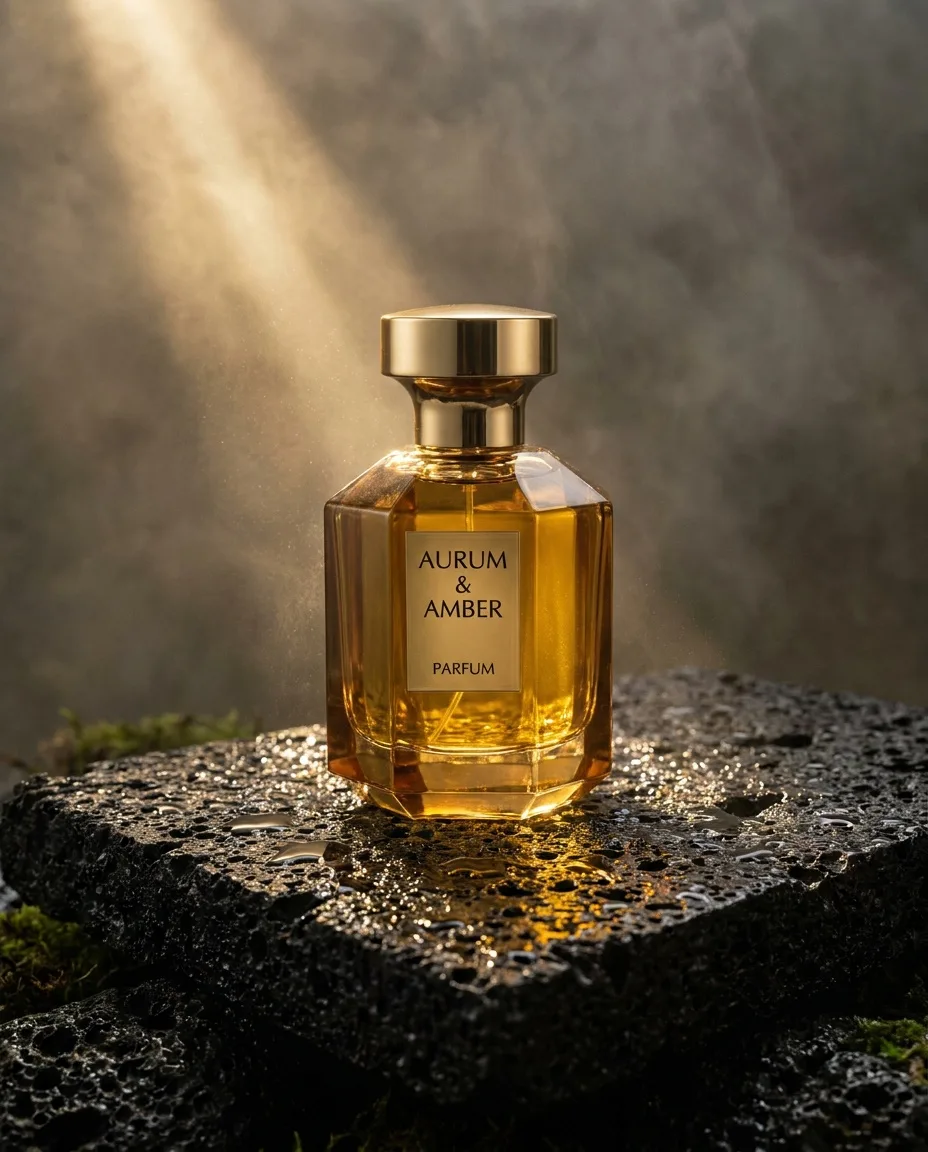
Luxury perfume bottle of faceted amber glass with a brass cap, standing on wet black volcanic stone, water droplets, a single shaft of warm light cutting through haze, premium beauty campaign photography
The shot above is a good example of what the models do well. Nothing in it is complicated: a bottle, a rock, water and a single light source. Its quality comes from restraint and from naming things a photographer would name. That is the pattern to copy.
The anatomy of a product prompt
Most weak product prompts are a pile of adjectives: stunning, premium, 8k, ultra-realistic, award-winning. Models have seen those words attached to millions of mediocre images, so they carry almost no information. What carries information is the same thing a creative brief carries: what the object is made of, what it sits on, where the light comes from, and what kind of photograph this is.
Luxury perfume bottle of faceted amber glass with a brass cap, standing on wet black volcanic stone, water droplets, a single shaft of warm light cutting through haze, premium beauty campaign photography
- Subject what the picture is of
- Detail materials, wardrobe, texture
- Setting where, and what surrounds it
- Light source, direction, time of day
- Style medium, genre, reference
Read it left to right and you have a shot list:
- Subject first. Name the product category in plain words. Most models pay the closest attention to the opening of a prompt, so this is where the thing you are selling goes.
- Materials and finish. "Faceted amber glass with a brass cap" does more for realism than any quality keyword, because glass, metal and their reflections are what the eye checks.
- Surface and props. One surface, at most one or two props. Wet stone gives reflections and texture for free.
- Light. One named source with a direction or quality. More on this below.
- Genre. "Premium beauty campaign photography" tells the model which part of its training to imitate: clean, retouched, high-end advertising, not a marketplace listing.
[product] of [material and finish], [placement] on [surface], [one or two props], [light source and direction], [campaign genre] photography, [aspect ratio] for [channel]
Choose a surface that tells the story
In product photography the surface is the cheapest piece of storytelling you have. A dive watch on cooling lava says "built for extremes" before anyone reads a spec. Sunglasses floating over desert sand say travel and heat. Coral-colored headphones on real coral make the colorway the hero. Each of these is a single, strong contrast between the product and what it rests on.
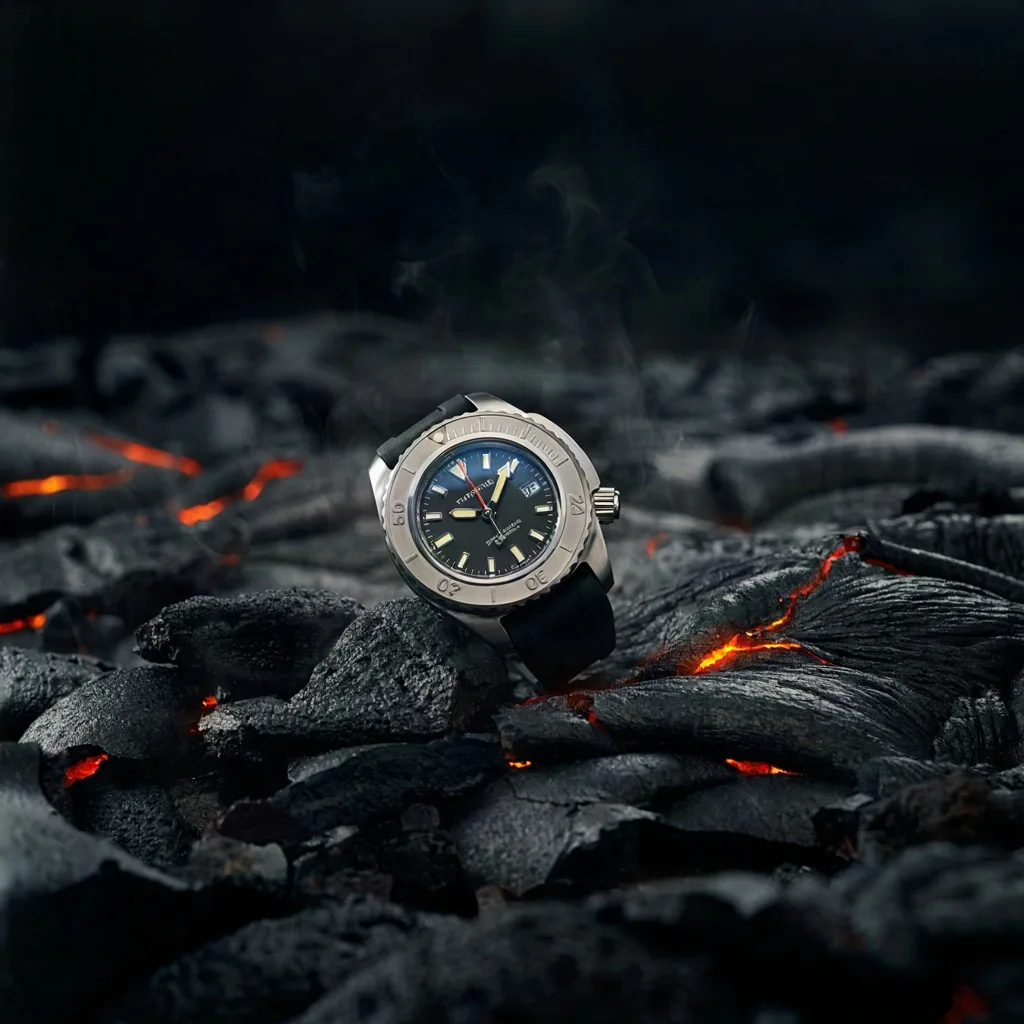
A titanium dive watch resting on cooling black lava with glowing orange cracks, steam rising, dramatic macro product photography
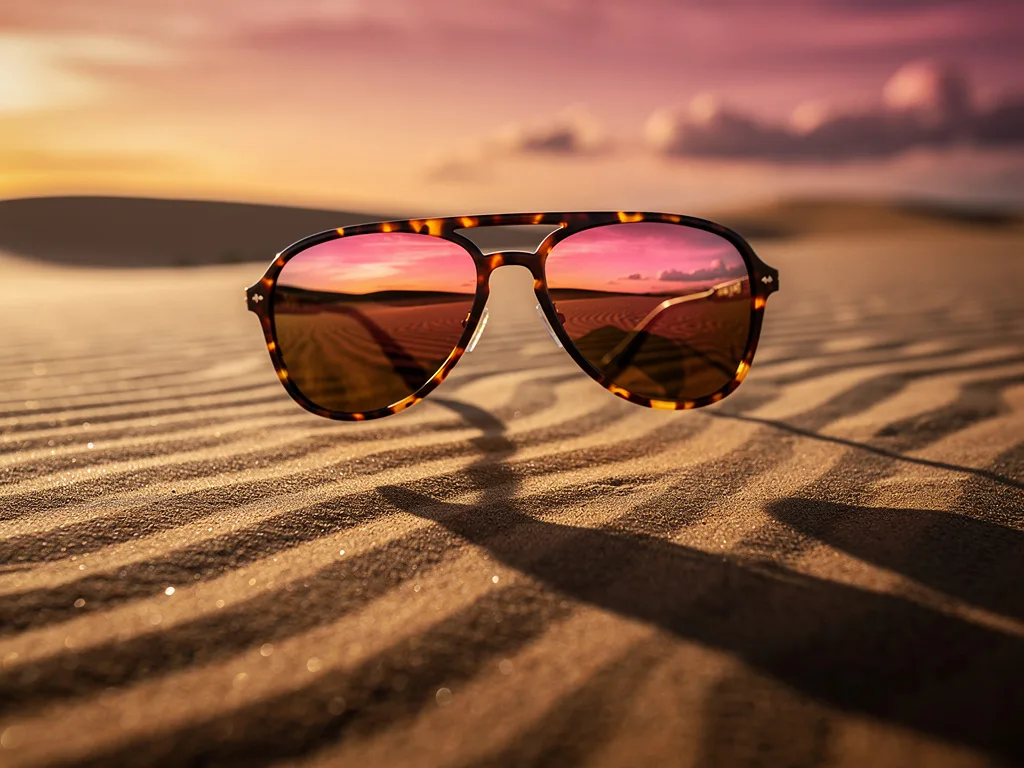
Tortoiseshell aviator sunglasses floating above rippled desert sand at dusk, the lenses reflecting a pink and orange sky, long shadow, luxury eyewear campaign, hyper-detailed
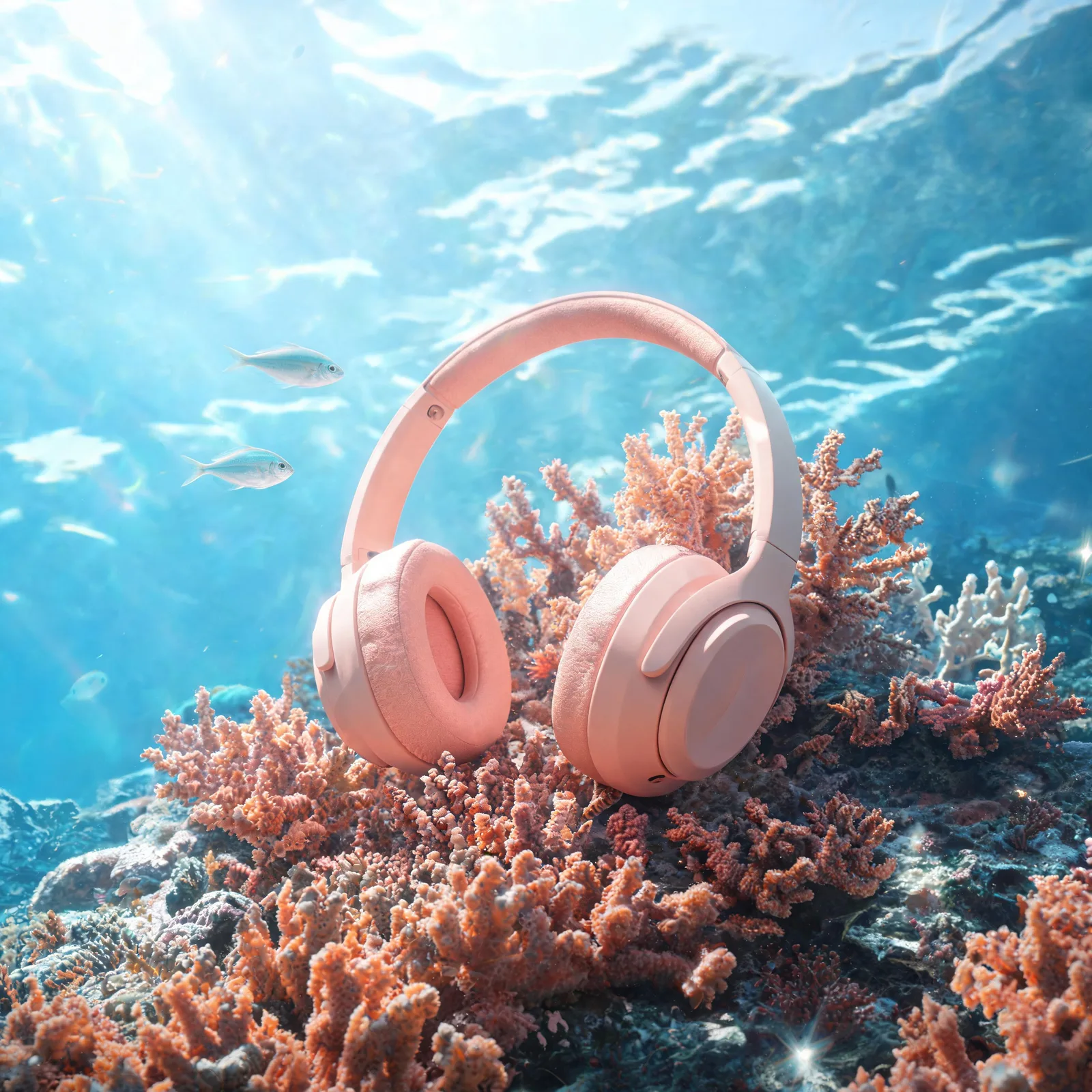
Over-ear headphones in matte coral colour resting on a bed of real coral underwater, caustic light ripples, small fish passing, product photography
A few surfaces that reliably read as premium, and what they imply:
| Surface | Reads as | Good for |
|---|---|---|
| Wet black stone, slate | Raw, elemental luxury | Fragrance, spirits, watches |
| Travertine, plaster, sandstone | Calm, natural, "clean" | Skincare, candles, ceramics |
| Rippled sand at dusk | Warmth, travel, summer | Eyewear, sun care, swimwear |
| Brushed steel, black acrylic | Precision, tech | Electronics, tools, audio |
| Water surface, underwater | Fresh, cool, hydrating | Drinks, skincare, colorways |
| Seamless colored paper | Playful, direct-to-consumer | Snacks, cosmetics, toys |
Light it like a photographer
Light is where AI product shots most often give themselves away. Without direction, models default to a soft, even, shadowless glow that looks like a 3D render. The fix is to name a single, specific light the way a photographer would describe their setup. These are the terms that have the most visible effect in our tests:
- A single shaft of light / hard window light: one bright beam with deep shadows around it. Instantly dramatic, great for glass and liquids.
- Rim light / backlight: outlines the silhouette and separates the product from a dark background. Use it for dark products on dark sets.
- High-speed studio flash: freezes motion (splashes, powder, crumbs) with crisp edges.
- Softbox overhead / diffused daylight: gentle, even and honest. The default for e-commerce and skincare.
- Caustics: the rippling light patterns water throws. Reads as fresh and summery.
- Golden hour / dusk: warm, low, long shadows. Lifestyle rather than studio.
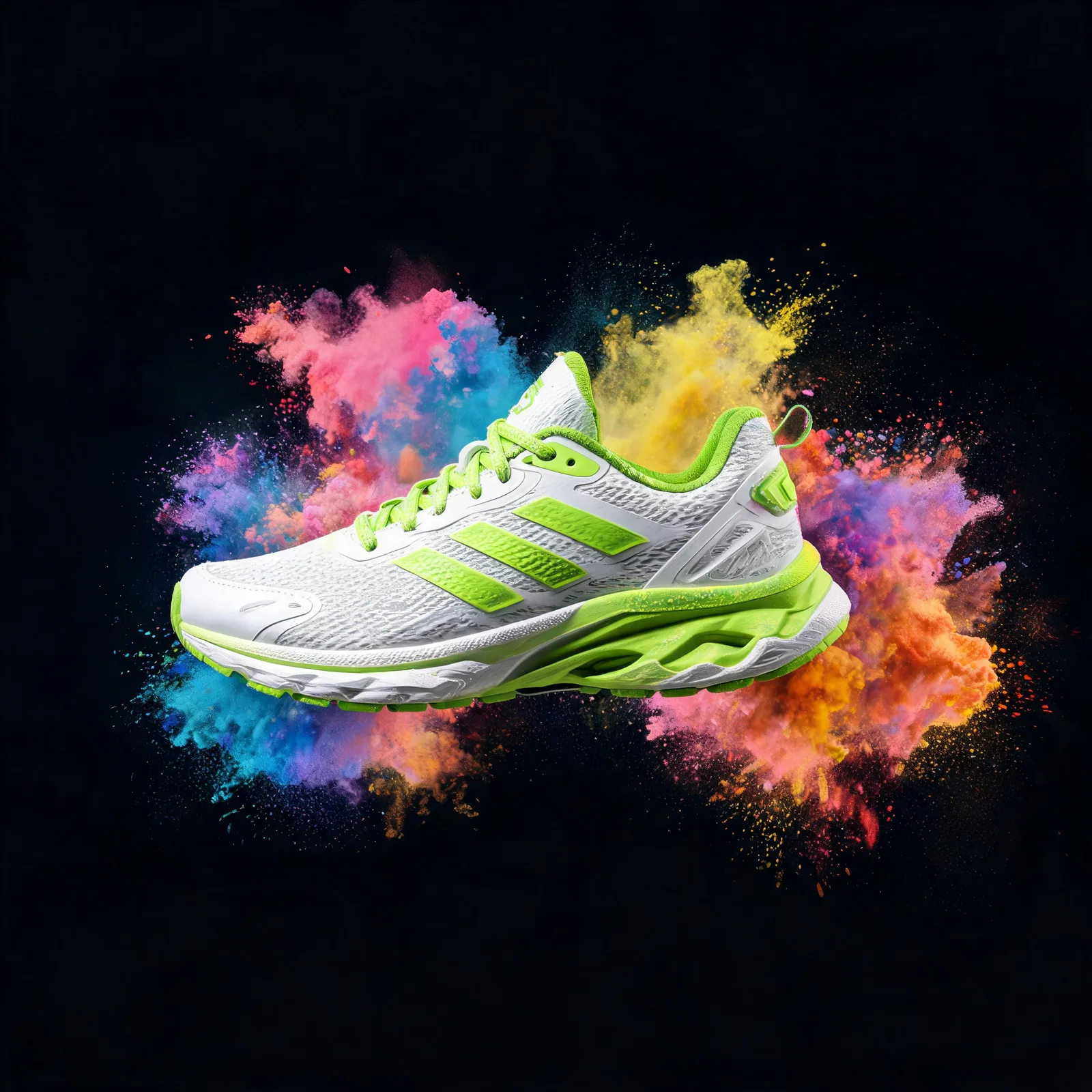
A white and lime running shoe suspended mid-air, bursting through clouds of coloured holi powder, black background, high-speed studio flash, product advertisement
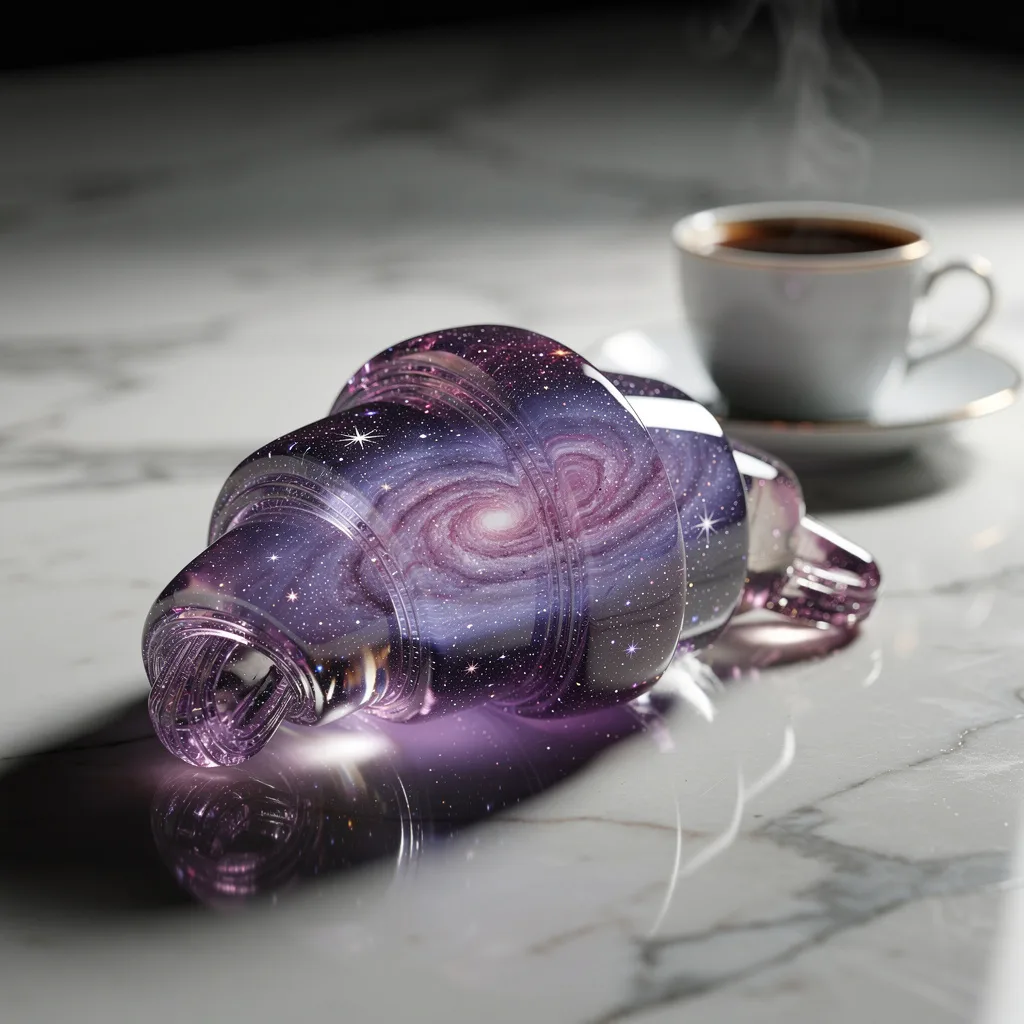
A croissant made of translucent glass, inside it a swirling purple galaxy with tiny stars, on a marble counter next to an espresso cup, macro food photography, dramatic rim light
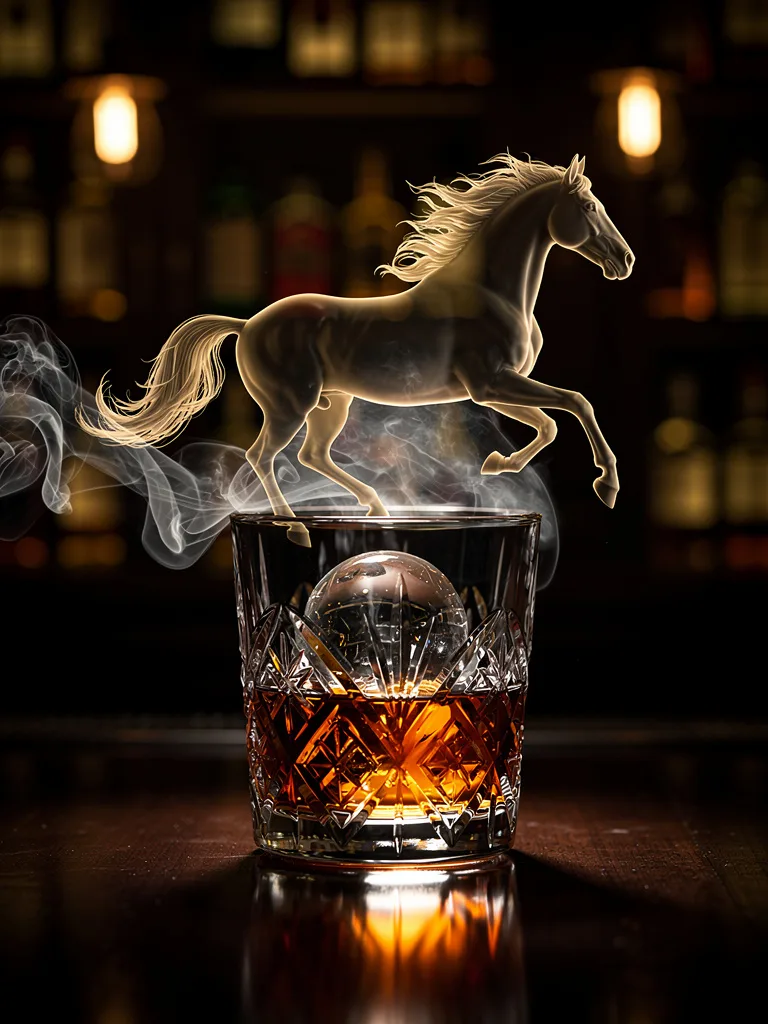
A crystal whisky glass with a single large ice sphere, smoke curling around it in the shape of a galloping horse, dark moody bar, luxury spirits advertisement
Pair the light with one word about mood ("moody", "airy", "clinical") and stop there. Stacking three light sources in one prompt usually produces the flat, everything-lit look you were trying to avoid.
Concept shots: when the product becomes the idea
Clean packshots sell on marketplaces. Campaigns sell with an idea. AI is unusually good at the visual metaphor shot, where the product turns into, or causes, something that would be expensive or impossible to photograph: a lipstick whose tip blooms into rose petals, a running shoe exploding through clouds of powder, smoke curling into the shape of a galloping horse.
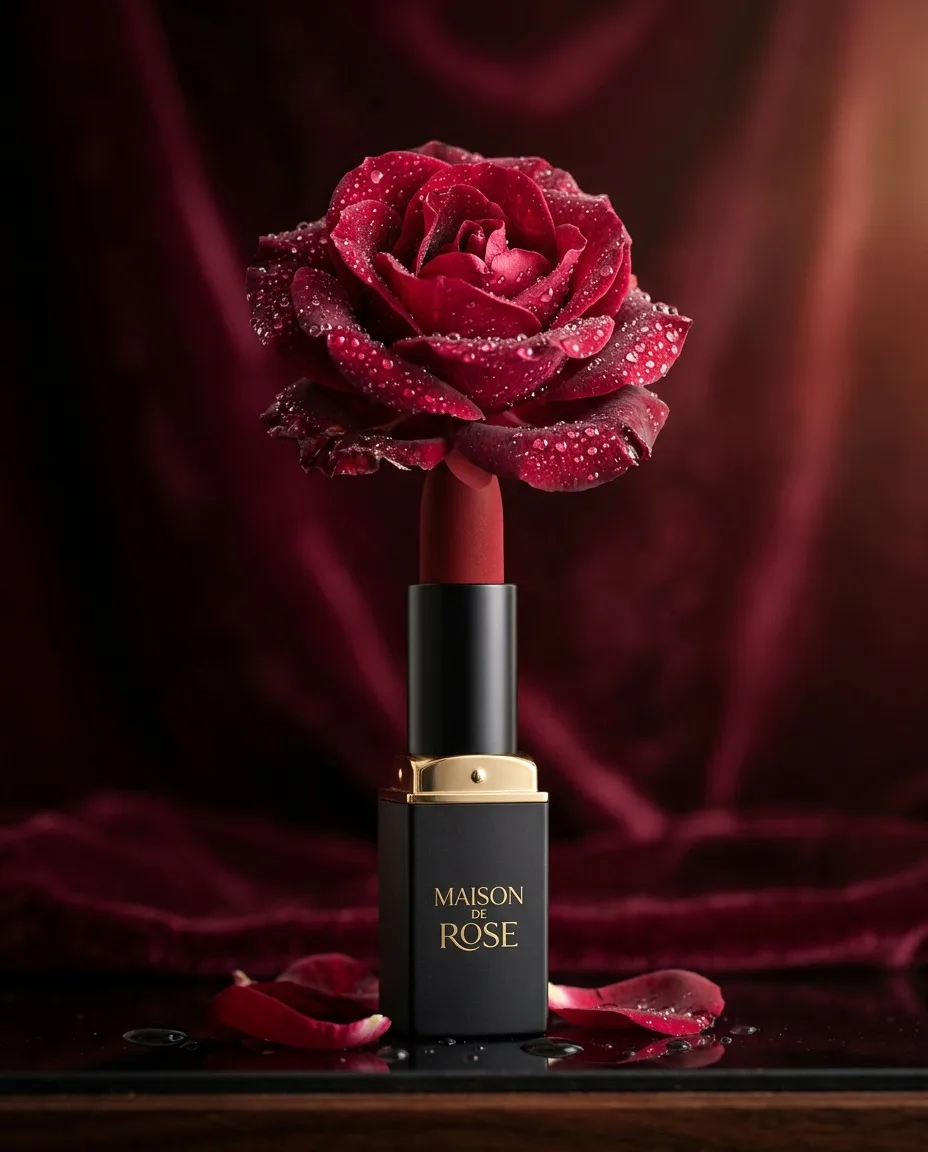
A matte red lipstick standing upright, its tip blooming into real rose petals, dew drops, deep burgundy backdrop, luxury cosmetics advertisement
A white and lime running shoe suspended mid-air, bursting through clouds of coloured holi powder, black background, high-speed studio flash, product advertisement
A crystal whisky glass with a single large ice sphere, smoke curling around it in the shape of a galloping horse, dark moody bar, luxury spirits advertisement
The trick is to tie the metaphor to one product attribute: scent becomes flowers, speed becomes an explosion of color, a spirit's heritage becomes a horse. Keep the product itself grounded and physically correct, and let only one element do something surreal. If the bottle, the background and the light are all magical, nothing is.
A [product] [grounded pose: standing upright / resting on / suspended mid-air], [one surreal transformation tied to a product benefit], [backdrop], [light], luxury [category] advertisement
Getting your real product into the shot
Everything so far produces a convincing product, but not necessarily yours. For a real SKU with a real label you need a model that accepts a reference image. Image-editing models such as Nano Banana Pro, Flux 2 and Seedream can take a photo of your product and place it in a new scene while keeping its shape, color and branding far more faithfully than a text description ever could.
Shoot a clean reference
A phone photo is fine: product centered, even daylight, plain background, label facing the camera. Two angles help if the product is not symmetrical.
Describe the scene, not the product
The reference already carries the product. Spend the prompt on surface, light and genre: "the bottle from the reference standing on wet black volcanic stone, a single shaft of warm light, beauty campaign photography". Ask explicitly to keep the label and logo unchanged.
Generate a batch, then compare models
Reference fidelity varies between models and between seeds. Run four to eight variations across two or three edit models and keep the one where the product survived intact.
Check the label at 100%
Zoom in on typography, logo and any legal text. Small text is the first thing to drift. If one detail is off, fix it with a targeted edit pass instead of re-rolling the whole image.
Upscale and export per channel
Upscale the winner, then crop or re-render at 1:1, 4:5 and 9:16 for each placement.
In PromptLab, the Playground's edit and reference tools only list models that support reference images, and the Benchmark runs the same reference and prompt across up to four of them at once, which is the fastest way to see which model respects your packaging.
From still to product video
Once you have a hero still, a five-second product clip is one more step. Image-to-video models animate the still you give them, so the product stays as you approved it and you only direct the motion. Product motion should be slow and physically simple: a dolly-in, a slow orbit, light sweeping across a surface, condensation forming. Fast camera moves and complex physics are where products melt or change shape.
Luxury perfume bottle of faceted amber glass with a brass cap, standing on wet black volcanic stone, water droplets, a single shaft of warm light cutting through haze, premium beauty campaign photography
Slow dolly-in on the perfume bottle as condensation droplets form and slide down the amber glass, a beam of light sweeps across the facets, haze drifting, luxury commercial
The same idea works at different prices. The perfume clip above ran on Kling 2.5 Turbo for 88 credits. The sunglasses below ran on PixVerse V6 for 57: a less expensive model is often enough for a simple rotation.
Tortoiseshell aviator sunglasses floating above rippled desert sand at dusk, the lenses reflecting a pink and orange sky, long shadow, luxury eyewear campaign, hyper-detailed
The sunglasses rotate slowly in mid-air, fine sand drifting below them, the sky colours shifting from pink to orange, product commercial
The trade-off is camera control. We gave PixVerse V6 the same perfume still twice, once asking for a slow orbit and once for a locked-off camera with a light sweep.
Slow orbit to the right around the perfume bottle, the bottle stays still and sharp, haze drifting through the beam of light
Locked-off camera, the bottle stays still, a beam of warm light slowly sweeps across the amber glass from left to right, then settles
Both clips push in on the bottle. The "orbit" adds only a slight turn, just enough that the label rotates out of view by the last frame, which is the opposite of what a product shot needs. The "locked-off" clip moves in too, and the beam stays where it was instead of sweeping across the glass. In our tests a push-in is what less expensive models tend to fall back to, so check the camera on every clip, and when the move matters, try a stronger model or set both the first and last frame.
Camera language for video is its own skill; the image-to-video prompting lesson covers it shot by shot.
Which model to use, and what it costs
There is no single best model for product photography. Some are better at glass and reflections, some at legible text, some at following a long brief literally. Prices vary a lot too: in this guide alone, the most expensive still cost about 10 times the cheapest. Here is what every product image and clip in this guide actually cost to render:
| Render | Model | Credits | Plan value | Per second |
|---|---|---|---|---|
| Luxury perfume bottle of faceted… | Nano Banana Pro | 38 | $0.38 | — |
| A matte red lipstick standing upright | Nano Banana 2 | 20 | $0.20 | — |
| A white and lime running shoe… | Seedream 5 Lite | 9 | $0.09 | — |
| Over-ear headphones in matte coral… | Seedream 5 Lite | 9 | $0.09 | — |
| Tortoiseshell aviator sunglasses… | Flux 2 Pro | 8 | $0.08 | — |
| A crystal whisky glass with a single… | Flux 2 Pro | 8 | $0.08 | — |
| A titanium dive watch resting on… | Ideogram 4 | 4 | $0.04 | — |
| Slow dolly-in on the perfume bottle… | Kling 2.5 Turbo · 5 s | 88 | $0.88 | 18 cr |
| The sunglasses rotate slowly in… | PixVerse V6 · 5 s | 57 | $0.57 | 11 cr |
| Slow orbit to the right around the… | PixVerse V6 · 5 s | 57 | $0.57 | 11 cr |
| Locked-off camera | PixVerse V6 · 5 s | 57 | $0.57 | 11 cr |
A sensible workflow is to explore on the inexpensive models (Ideogram 4 at 4 credits, Flux 2 Pro at 8) until the concept, surface and light are right, then render finals on two or three premium models side by side and keep the best. You pay premium prices only for images you already know you want. Current prices for every model are on the models and credits page, and our one-prompt, four-model comparison shows how differently they interpret the same brief.
Pre-flight checklist before you publish
Check
- Label, logo and small print match the real packaging at 100% zoom
- Reflections and shadows agree with the light you described
- Product proportions match the real item (caps, straps, buttons)
- Crops exist for every placement: 1:1, 4:5 feed, 9:16 stories, 16:9 web
- The image only implies features the product really has
Common giveaways
- Warped or nonsense lettering on the label
- A soft, shadowless glow with no clear light source
- Too many props competing with the product
- Liquids, smoke or powder that defy gravity in the wrong way
- Surfaces that repeat or smear at the edges of the frame
Finally, check your rights and disclosure rules. Commercial use of outputs depends on each model provider's license and on your plan, and some marketplaces and ad platforms ask you to label AI-generated or AI-altered imagery. Keep the prompt and model for every published image, so you can answer "how was this made?" in one click.
Questions people ask
Can AI product photography replace a real photoshoot?+
For concepts, campaign imagery, lifestyle scenes and social content, often yes. For catalog images where the exact product must be pixel-accurate, use AI to build the scene and a reference or edit model (or a real packshot composited in) to keep the product itself faithful.
How do I keep my product's label and logo accurate in AI images?+
Don't describe the product in text; upload a clean photo of it as a reference to an image-editing model, describe only the scene, and ask to keep the label unchanged. Generate several variations, compare models, and fix small text drift with a targeted edit pass.
What is the best AI model for product photography?+
It depends on the product. Run the same prompt on several models and compare: some handle glass and reflections best, others text and labels. Explore on low-cost models, then render finals on whichever wins your side-by-side test.
What aspect ratio should AI product photos be for ads?+
Render or crop 1:1 and 4:5 for feeds, 9:16 for stories and reels, and 16:9 or 3:2 for website heroes. Generating natively at the target ratio usually composes better than cropping later.
Can I use AI-generated product photos commercially?+
Generally yes, subject to each model provider's license terms and your plan. On PromptLab, commercial use is included on paid plans. Check marketplace and ad-platform rules on labeling AI-generated imagery.
Keep learning
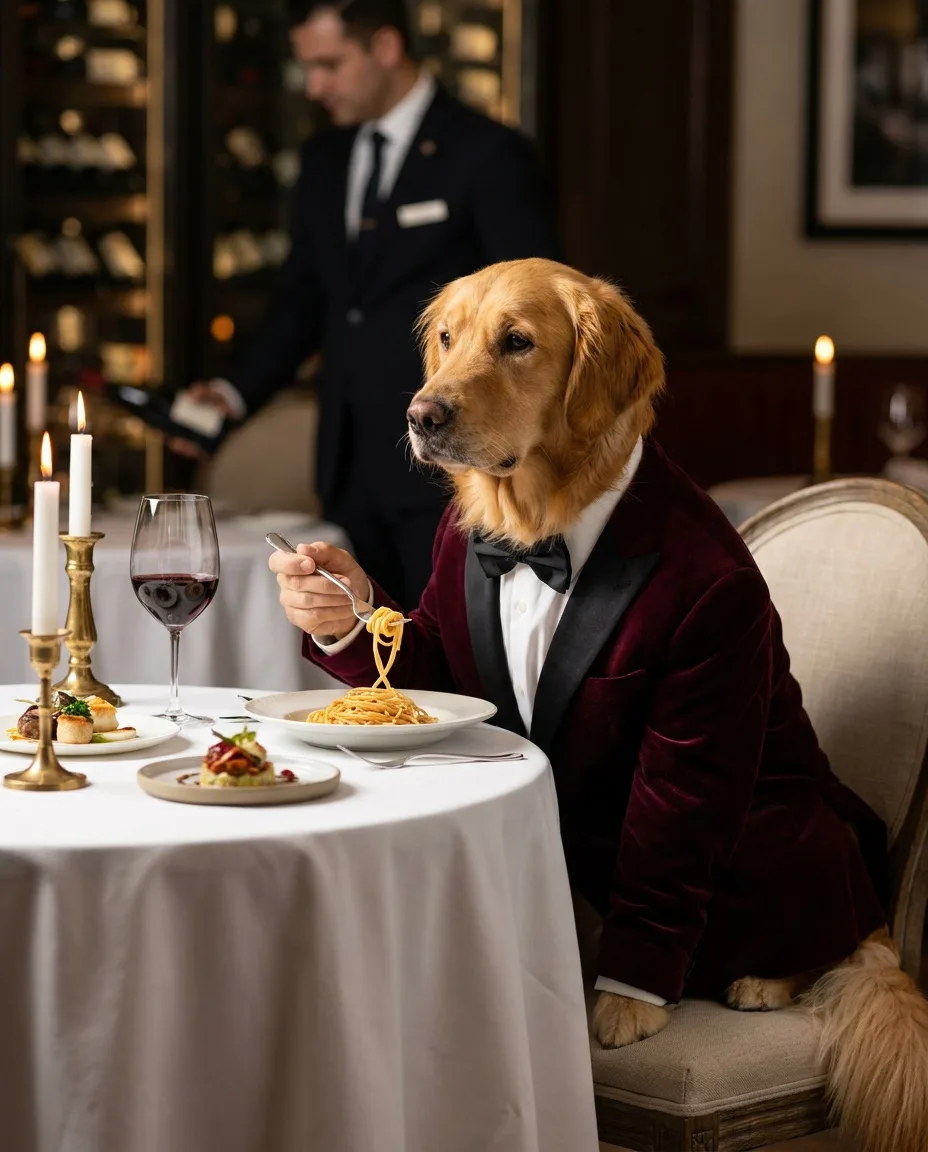
How to write image prompts: the anatomy, words and habits that work
A practical text-to-image prompt guide built on real renders: the order to write things in, the camera and style words that visibly change a picture, how to make AI images look real, and how to turn a good prompt into a reusable template.
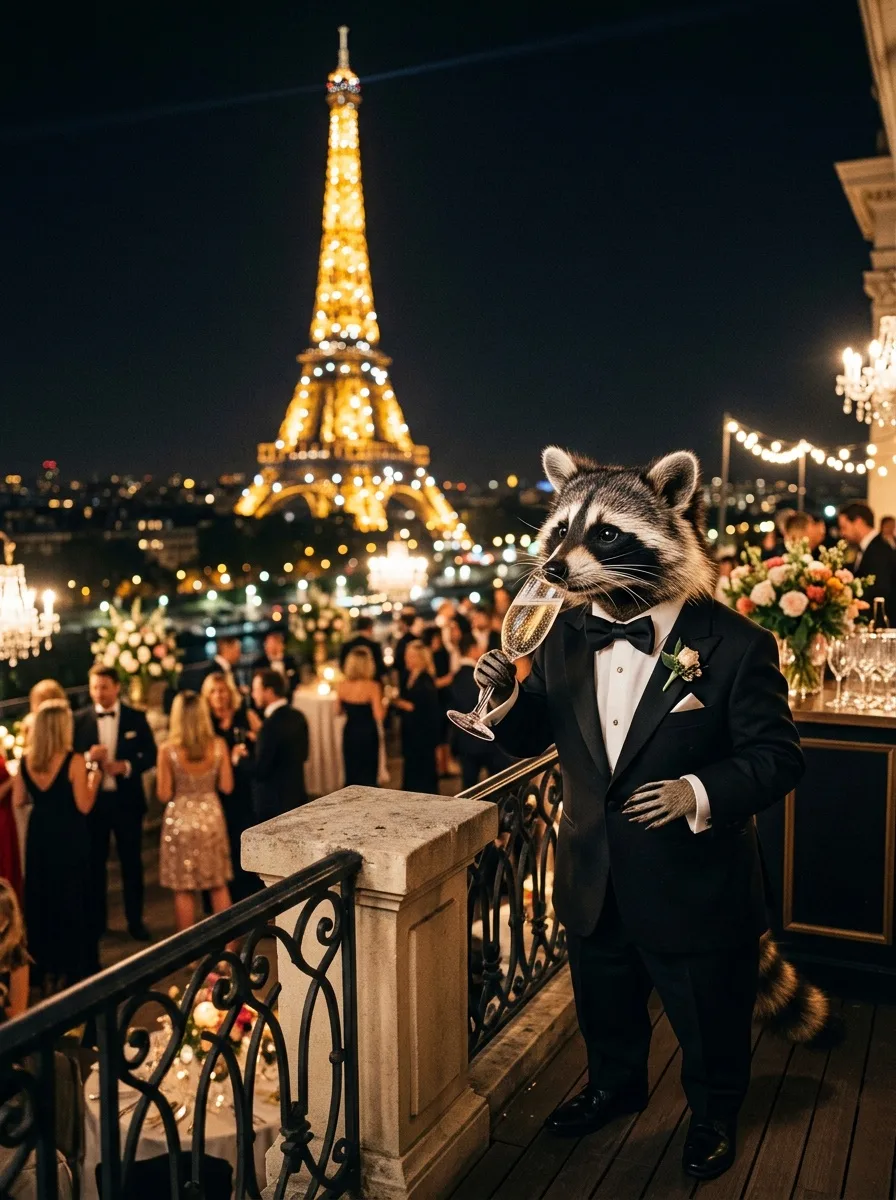
The best AI image generator, tested: one prompt on four models (October 2026)
Leaderboards tell you which model wins on average. This is a dated, first-hand test: one demanding prompt on four popular models, checked item by item, with real costs and render times, plus a method to run the same test on your own work.
Image to video prompts: direct the motion, not the picture
Lesson 3 of the free course. Your start frame already decides the shot. Here is how to write the motion prompt: one camera move, one action, an end state, and the vocabulary to direct it.
Run these prompts on every model, side by side.
PromptLab puts Flux, Nano Banana, Kling, Veo, Seedance and dozens more in one workspace. See the cost before you click, keep the prompts that win.