Image to video prompts: direct the motion, not the picture
Lesson 3 of the free course. Your start frame already decides the shot. Here is how to write the motion prompt: one camera move, one action, an end state, and the vocabulary to direct it.
Updated · 9 min read · By the PromptLab team
The short version
- In image-to-video, the start frame is the shot. The prompt should describe only what changes, not what the image already shows.
- Use one named camera move and one subject action per clip, plus an end state so the shot lands somewhere.
- Pacing words (slowly, gently, then settles) do more for realism than quality keywords.
- Use first and last frames when the shot must end on an exact composition. In our test the end frame overruled the text prompt.
- Most failures, from melting products to drifting faces, come from asking for too much motion in too little time. Simplify before you switch models.
In this guide
The start frame is the shot
This is lesson 3 of Make a short film with AI. You have a shot list from lesson 1 and approved, consistent start frames from lesson 2. Now you animate them.
Image-to-video changes what a prompt is for. In text-to-video, the prompt has to describe everything: subject, setting, light, framing and motion. In image-to-video, the first four are already decided by the picture you uploaded. The model starts from that exact frame. Your prompt only has to say what happens next.
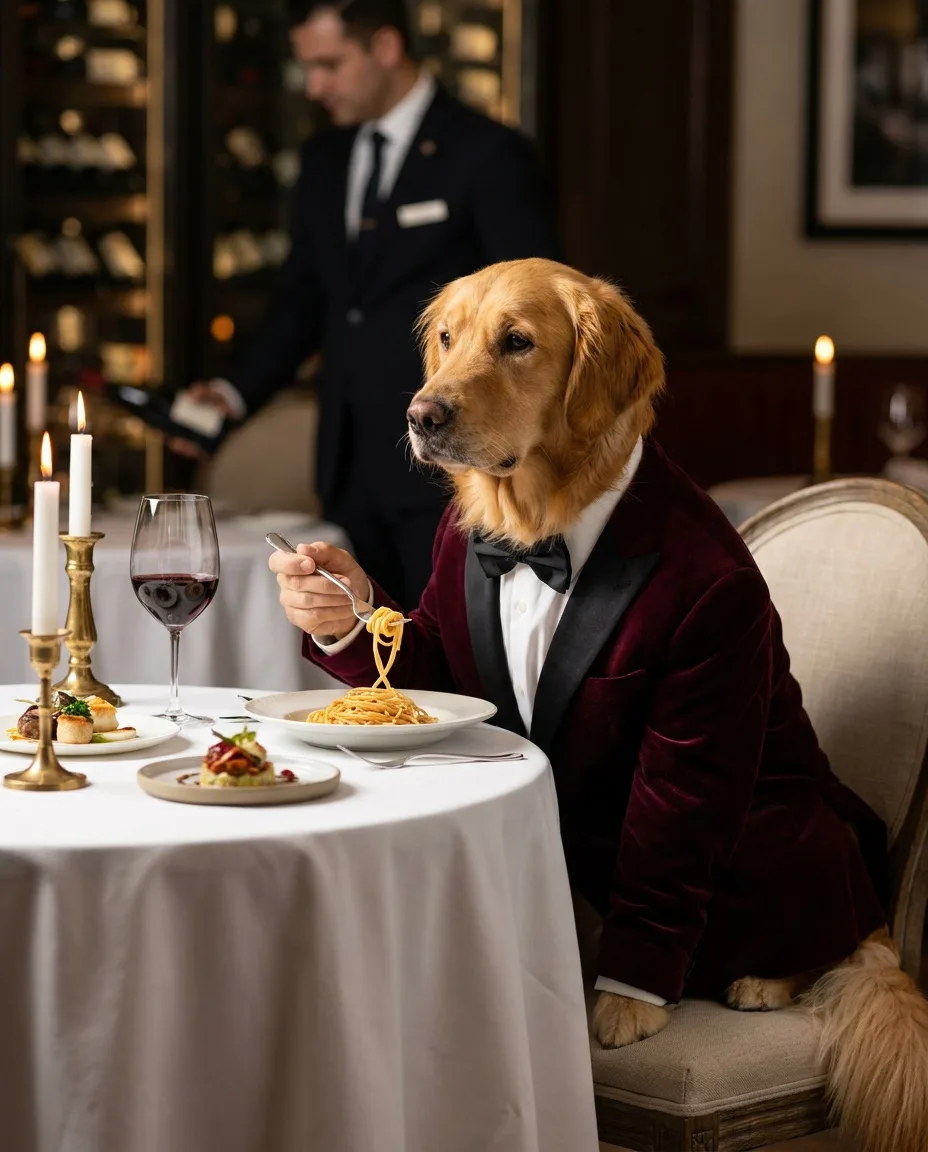
A golden retriever wearing a velvet dinner jacket and bow tie, seated at a Michelin-star restaurant, delicately twirling spaghetti with a silver fork, candlelight, white tablecloth, sommelier blurred in the background, editorial food photography, 85mm, shallow depth of field
The dog twirls the spaghetti on the fork, lifts it and glances at the camera with quiet satisfaction, candle flames flicker, subtle camera push-in, cinematic
Compare the two prompts above. The image prompt is long because it builds the scene: the velvet jacket, the candlelight, the blurred sommelier, the 85mm lens. The motion prompt does not mention any of that. It describes three beats of one continuous action (twirl, lift, glance), one environmental detail (the candles) and one camera move (a subtle push-in). The clip delivers exactly that: the dog twirls, raises the fork and ends looking into the lens, while the frame tightens slowly.
Anatomy of an image to video prompt
A good motion prompt has the same parts every time, in roughly this order: what the subject does, how it ends, what else moves, and what the camera does.
The dog twirls the spaghetti on the fork, lifts it and glances at the camera with quiet satisfaction, candle flames flicker, subtle camera push-in, cinematic
- Action what is happening
- Motion what moves, how the camera moves
- Camera lens, angle, framing, focus
- Style medium, genre, reference
- Subject and action first. Refer to the subject simply ("the dog", "the bottle"); the model can see it. Spend your words on the verb.
- An end state. "Glances at the camera" gives the clip somewhere to arrive. Without one, motion tends to wander or loop.
- Environment motion. One secondary movement (flames, haze, hair, water) makes a frame feel alive without competing with the action.
- One camera move, with a speed. "Subtle", "slow" and "gentle" are instructions, not decoration.
- A short style tag, optional. The image already carries the style; a single word like "cinematic" or "commercial" nudges the pacing.
The [subject] [one action, with a speed word], [end state], [one environment motion], [one camera move] [speed], [style tag]
Camera movement prompts: a vocabulary for AI video
The official prompting guides for Veo, Kling and Runway all use film-crew language. A named move like "dolly in" leaves the model far less to guess than "the camera goes closer". Each move also carries meaning. Pick it for what it tells the audience, not because it looks impressive.
| Move | What the camera does | What it communicates | Use it for |
|---|---|---|---|
| Dolly in | Physically travels toward the subject | Attention, intimacy, rising tension | Product heroes, emotional beats |
| Dolly out | Travels away from the subject | Isolation, ending, letting go | Final shots, a character left alone |
| Push-in | A slow, often subtle dolly in | "This matters" | Reactions, realizations, close-ups |
| Pull-back | Moves back to widen the frame | Reveal, context, scale | Showing where we are, a twist in the setting |
| Pan | Rotates left or right on a fixed point | Scanning, following, connecting two things | Landscapes, following a walk across frame |
| Tilt | Rotates up or down on a fixed point | Height, power, discovery | Revealing a tall subject, looking up at a character |
| Orbit / arc | Circles around the subject | Importance, a moment frozen in time | Products, hero reveals, two characters meeting |
| Tracking | Moves alongside, ahead of or behind a moving subject | Momentum, being with the character | Walking, running, driving |
| Crane / jib | Rises or descends vertically, often while tilting | Grandeur, opening or closing a scene | Establishing shots, finales |
| Handheld | Small organic shake and drift | Realism, urgency, documentary | Action, UGC-style ads, tense scenes |
| Locked-off | Does not move at all | Observation, calm, let the action play | Complex action, dialogue, comedy timing |
| Rack focus | Shifts focus from one plane to another | Redirecting attention | Foreground to background reveals |
Two practical notes. First, "zoom" is not the same as "dolly": a zoom magnifies without parallax and looks flatter, so ask for a dolly or push-in when you want depth. Second, the more complex the subject's action, the simpler the camera should be. Locked-off is underused in AI video and is often the best choice when a character has to do something precise.
Check that the camera did what you asked
Naming the move is necessary, not sufficient. We gave PixVerse V6 one perfume start frame (the same one behind the dolly-in clip in the next section) twice, once asking for a slow orbit and once for a locked-off camera, at 57 credits per clip:
Slow orbit to the right around the perfume bottle, the bottle stays still and sharp, haze drifting through the beam of light
Locked-off camera, the bottle stays still, a beam of warm light slowly sweeps across the amber glass from left to right, then settles
Both clips push in on the bottle. The "locked-off" clip ignores the instruction completely: the bottle grows steadily in the frame for five seconds, and the light beam we asked to sweep across the glass barely moves. The "orbit" is mostly the same push-in with a slight turn, enough that by the last frame the label has rotated toward the edge of the bottle. In this test the low-cost model fell back on a slow push-in whatever we asked for. So watch every clip for the move you requested, and when the move matters, use a stronger model or pin the ending down with a last frame (next section).
Subject action, pacing and end states
A five-second clip has room for one camera move and one action. Ask for more and the model will either skip instructions or compress them into unnatural, sped-up motion. Pacing words are how you tell it to use the full five seconds:
- Speed: slowly, gently, gradually, steadily, in slow motion, suddenly.
- Sequence: "then", "before", "as". "Lifts the cup, then pauses" reads as two beats of one action.
- End state: "comes to rest", "settles", "looks up at the camera", "exits frame left". The last frame is your next cut point.
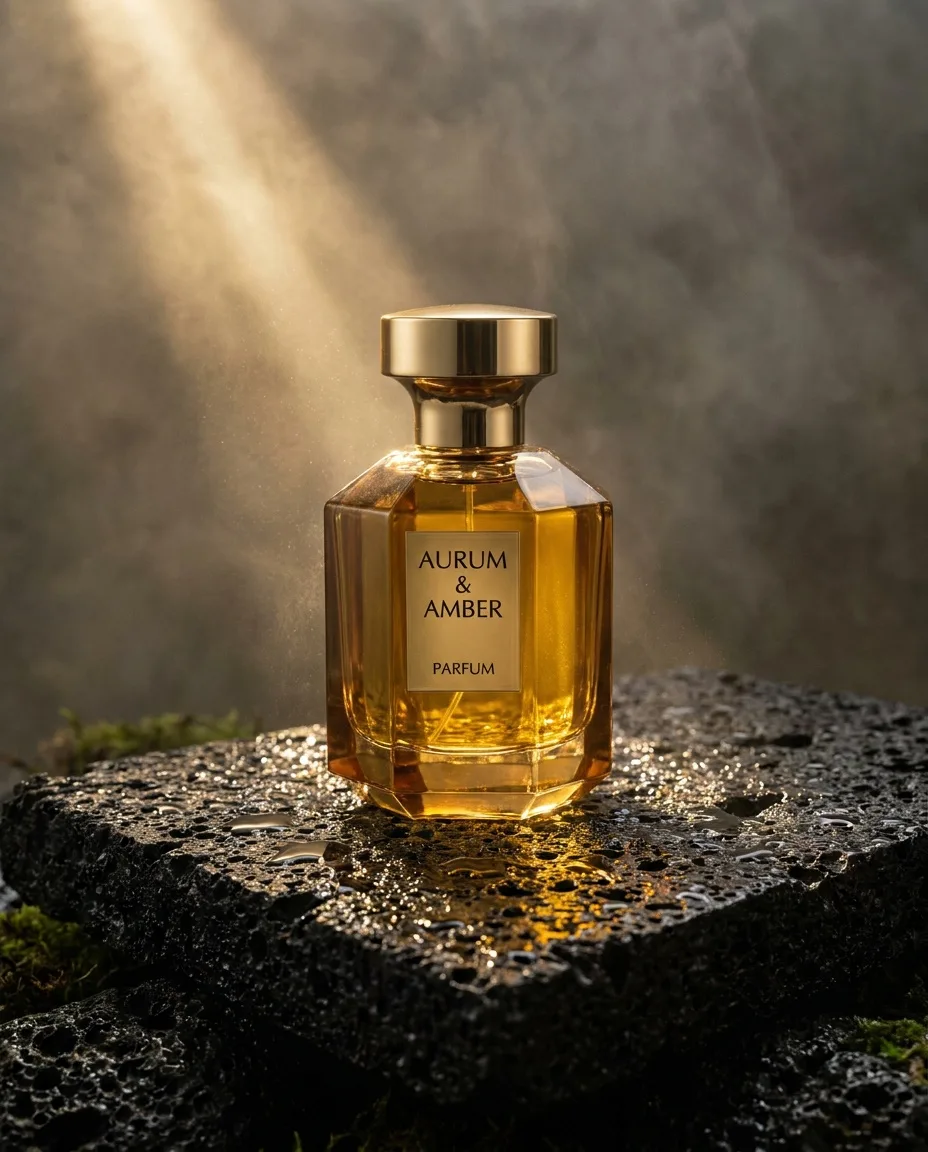
Luxury perfume bottle of faceted amber glass with a brass cap, standing on wet black volcanic stone, water droplets, a single shaft of warm light cutting through haze, premium beauty campaign photography
Slow dolly-in on the perfume bottle as condensation droplets form and slide down the amber glass, a beam of light sweeps across the facets, haze drifting, luxury commercial
The perfume clip shows how far a little motion goes. The camera dollies in slowly, the beam of light shifts and brightens through the haze, and the bottle itself does nothing. Because the product stays still and the move is slow, the "Aurum & Amber" label is still legible in the last frame. Products and text survive motion when the camera, not the object, does the moving.
Start and end frame AI video
Sometimes you need a shot to finish on an exact composition: the character in the doorway, the product centered for the end card, a match cut into the next shot. For that, give the model both ends. In first and last frame mode, you upload a start frame and an end frame and the model generates the motion between them. Veo 3.1 is one model that supports it, and Kling 2.5 Turbo, used below, is another; check the model page for which durations each allows with an end frame.
Make the end frame from the start frame
Use an edit or reference model to create the end frame from the start frame, changing only what should change: pose, camera position or time of day. Same character, same light, same lens.
Keep the gap plausible
The model has to invent a physically believable path between the two images. A head turn or a camera arc works; a character teleporting across the room produces morphing.
Describe the transition
The prompt names the move that connects the frames: "slow orbit to the right as she turns to face the camera". Do not re-describe either image.
Here is one from our bear film. The start and end frames are the ride and the arrival from lesson 2, and the prompt describes the move between them:
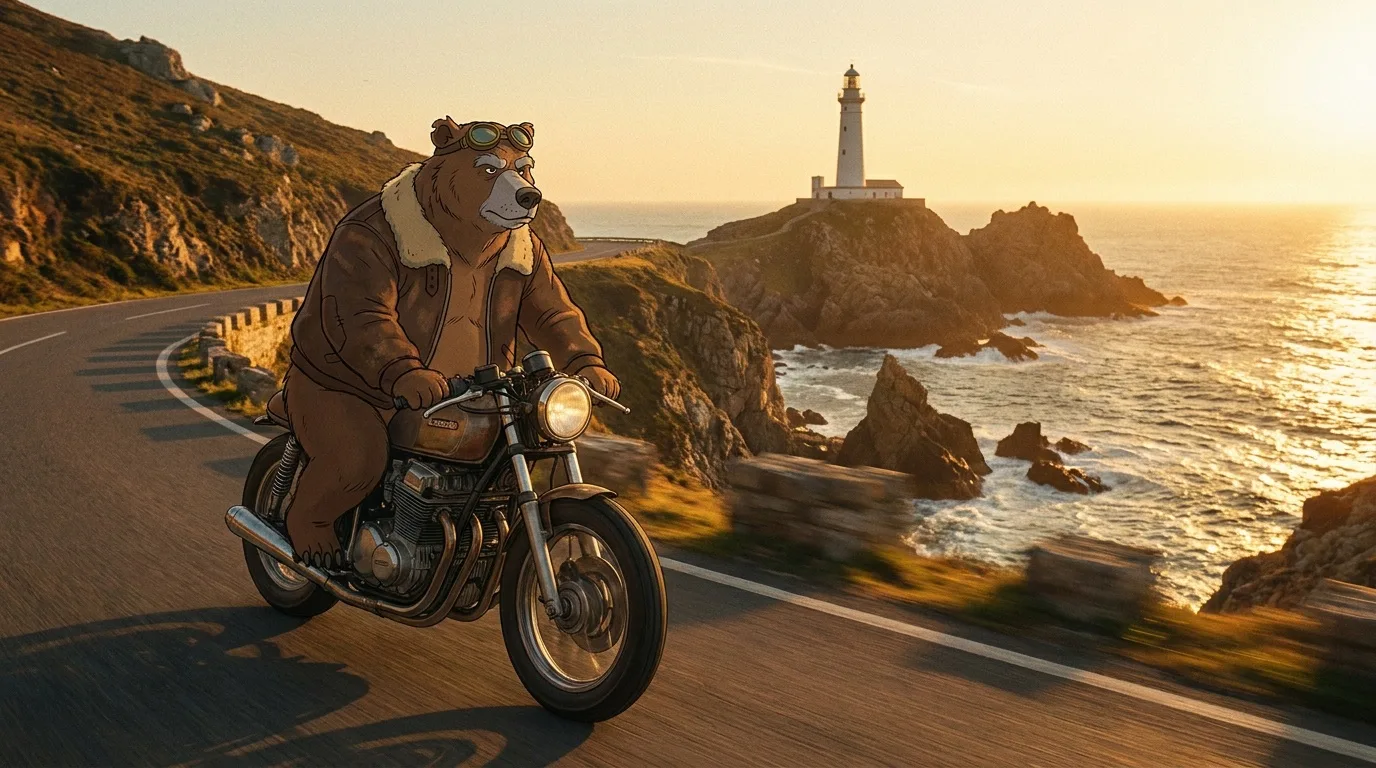
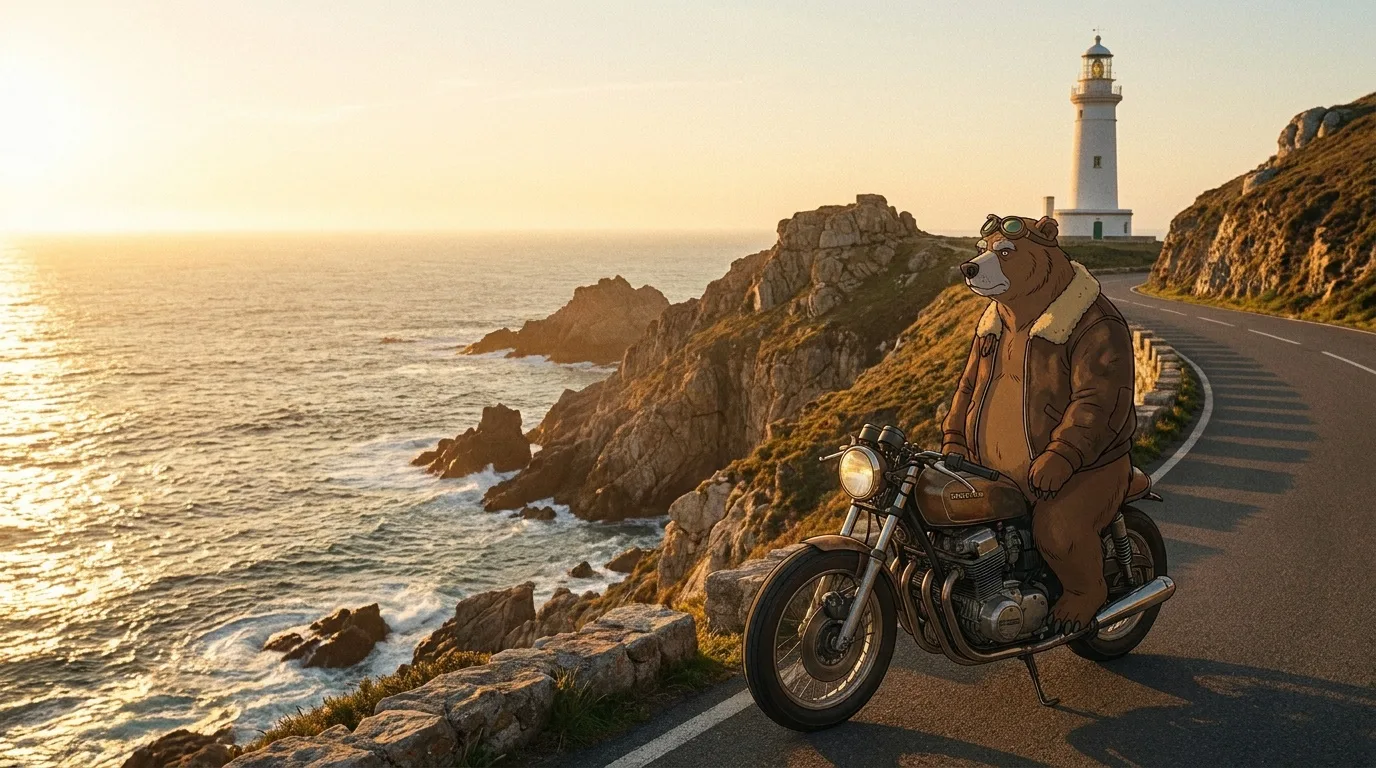
The bear slows the motorbike to a stop beside the lighthouse, climbs off and looks out to sea, slow tracking shot that settles into a locked-off wide
Kling 2.5 Turbo starts on the side-on ride, swings round behind the bear for a rear view along the coast with the sun ahead, and finishes on the end frame's composition with the lighthouse above the road. The two stills put the sea on opposite sides of the frame, and the camera move is how the model reconciled them. Notice what it did not do: the prompt says the bear "climbs off and looks out to sea", but the end frame shows him still seated, so the clip ends with him on the bike. When the prompt and the end frame disagree, expect the frame to win. Fix the frame, not the words.
First and last frames are also the cleanest way to build longer sequences: the end frame of shot 4 becomes the start frame of shot 5. In PromptLab, the Playground's Start End Frame tool lists only models that accept both frames, so you do not have to check each model's inputs yourself.
Common failure modes and how to fix them
Almost every bad clip is one of a handful of problems, and most have the same root cause: too much happening in too little time. Two of our own text-to-video renders show it.
Slow push-in on a surreal Alice in Wonderland tea party: oversized porcelain teacups float and spin slowly, a hare in a brocade waistcoat pours tea that flows upward, checkerboard floor, lavender sky, high-fashion editorial, dreamy
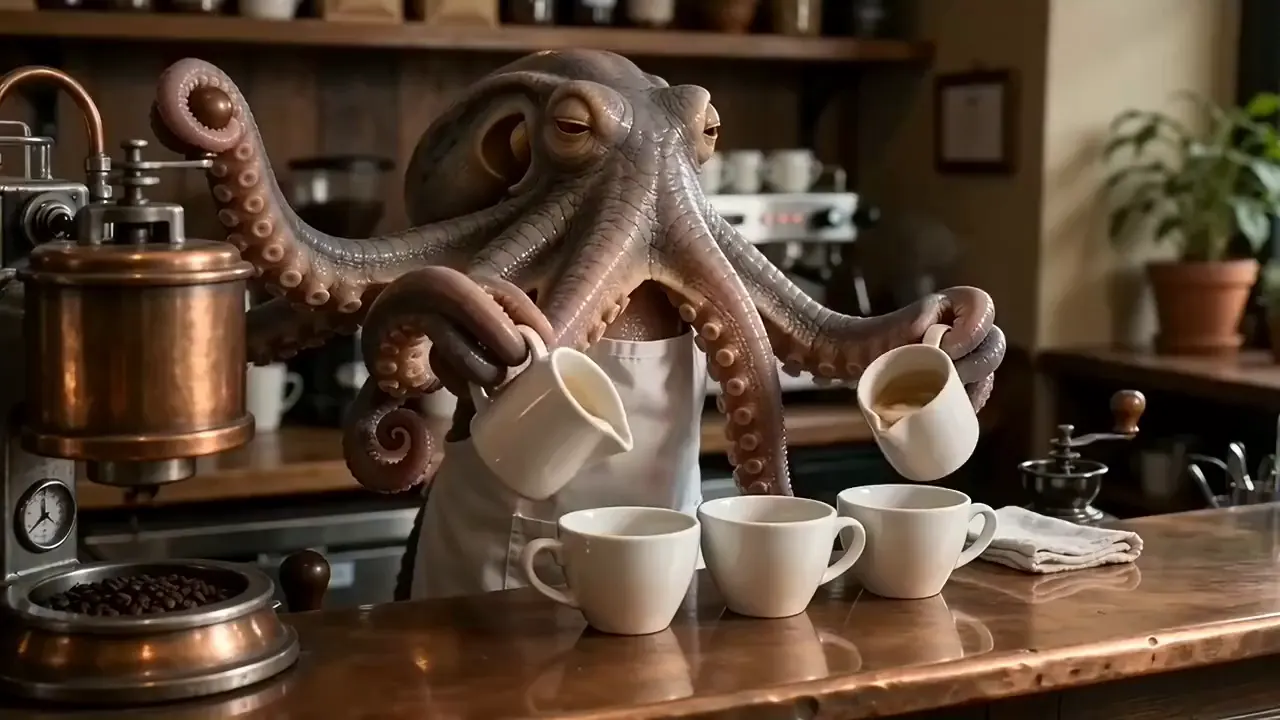
An octopus barista behind a copper espresso bar pours four latte-art hearts simultaneously with four arms while two more grind beans and one wipes the counter, warm café light, handheld cinematic, photorealistic
The tea party prompt asks for tea that "flows upward". The model poured it down into the cup, the way tea behaves in nearly every video it has seen, and its slow push-in ends with the hare's head out of the top of the frame because no end framing was given. The octopus prompt asks for seven arms doing three jobs at once. The clip shows two pitchers pouring into a row of cups before the camera drifts down to the latte art; the grinding and wiping never appear. At 305 credits, it was also one of the most expensive clips in this course.
| Problem | Usual cause | Fix |
|---|---|---|
| Product melts or changes shape | Fast motion or the object itself moving | Move the camera instead of the product; slow everything down |
| Extra limbs, merged fingers | Hands doing detailed work, unclear pose in the start frame | Simplify the action, fix the hands in the still, keep hands in clear view |
| Warped or swimming text | Labels turning or moving across the frame | Keep text facing the camera with a slow move, or add text in the edit |
| Face or identity drifts | Long clips, big head turns, a start frame far from the action | Shorter clips, a start frame close to the key pose, first and last frames |
| Instruction ignored | Too many actions, or physics the model rarely sees | One action per clip, put it first, split the rest into more shots |
| Subject leaves the frame | Camera move with no stated end framing | Name the end state: "ending on a close-up of her face" |
| Almost nothing moves | Prompt re-describes the image instead of the motion | Rewrite with verbs only: what moves, how, and where it ends |
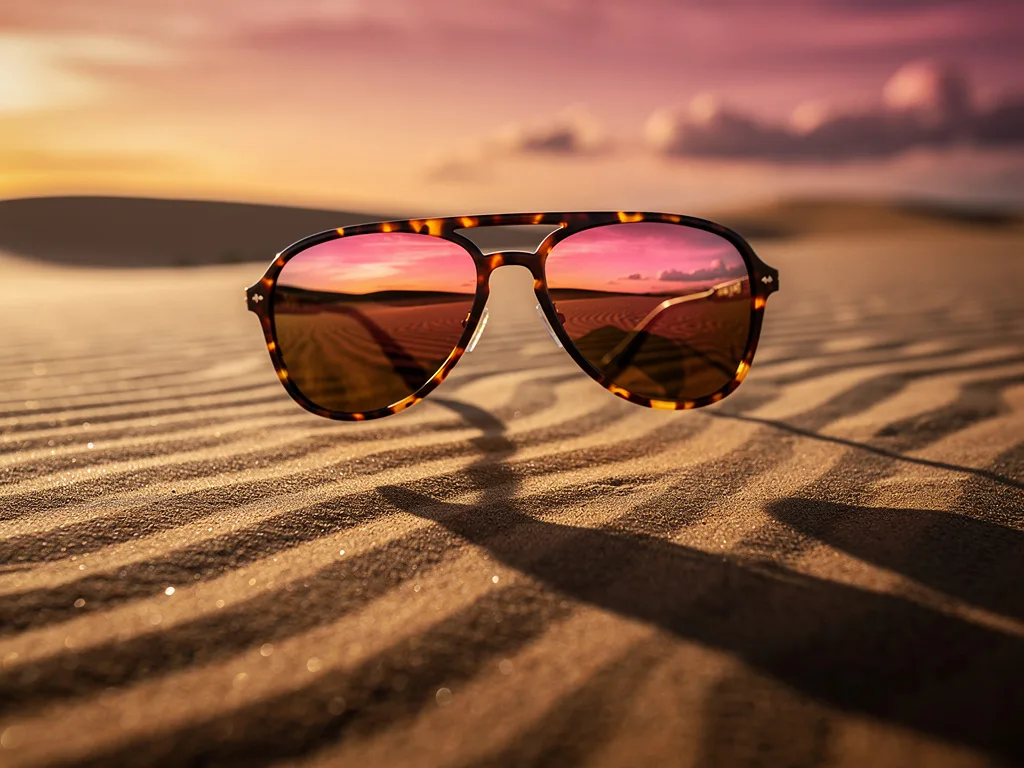
Tortoiseshell aviator sunglasses floating above rippled desert sand at dusk, the lenses reflecting a pink and orange sky, long shadow, luxury eyewear campaign, hyper-detailed
The sunglasses rotate slowly in mid-air, fine sand drifting below them, the sky colours shifting from pink to orange, product commercial
Rotation is the classic stress test for product geometry. This full turn ran on PixVerse V6 for 57 credits and holds together well at playback speed, with sand puffing up below. Step through it frame by frame and the temples and hinges are less precise mid-turn than in the front view. That is the trade-off of a cheap model, and the reason to test motion cheaply first and render the final on a stronger one.
Image to video prompt examples you can copy
Starting points for common shots. Each assumes the start frame already shows the subject, setting and light, so the prompt only covers motion. Adapt the bracketed parts.
- Product hero: "Slow dolly-in on the [product], a soft highlight glides across its surface, [haze / steam / droplets] drifting, ends centered on the label, luxury commercial"
- Character reaction: "[Character] slowly looks up from [object] toward the camera, a slight smile forms, hair moves in a light breeze, subtle push-in, cinematic"
- Establishing shot: "Slow crane up revealing [landscape] beyond, clouds drift across the sky, birds cross the frame, locked horizon, epic"
- Movement: "[Character] rides [vehicle] steadily along [road], camera tracking alongside at the same speed, [hair / fur / scarf] rippling in the wind"
- Food: "[Sauce / honey / syrup] pours slowly onto [dish] and spreads, steam rises, locked-off macro shot, soft morning light"
- Fashion: "The model turns slowly from profile to face the camera, the fabric of the [garment] sways, slow orbit to the left, editorial"
- Ending shot: "[Characters] stand still watching [horizon], the sun sinks, very slow pull-back to a wide silhouette, then holds"
A repeatable workflow, and what it costs
The image-to-video clips in this lesson ran on 3 different models at very different prices:
| Render | Model | Credits | Plan value | Per second |
|---|---|---|---|---|
| Slow orbit to the right around the… | PixVerse V6 · 5 s | 57 | $0.57 | 11 cr |
| Locked-off camera | PixVerse V6 · 5 s | 57 | $0.57 | 11 cr |
| The sunglasses rotate slowly in… | PixVerse V6 · 5 s | 57 | $0.57 | 11 cr |
| Slow dolly-in on the perfume bottle… | Kling 2.5 Turbo · 5 s | 88 | $0.88 | 18 cr |
| The bear slows the motorbike to a… | Kling 2.5 Turbo · 5.1 s | 88 | $0.88 | 17 cr |
| The dog twirls the spaghetti on the… | Kling 3.0 · 5 s | 105 | $1.05 | 21 cr |
That spread suggests a working method. Test a motion prompt on an inexpensive model first: if the action reads correctly at 57 credits, the prompt is probably right, and you can spend the premium credits on fidelity rather than on finding out the prompt was wrong. One caveat from the perfume test: if a cheap model ignores a camera instruction, the model may be the limit rather than the prompt, so try the same prompt on one stronger model before rewriting it. Then run the final take on two or three stronger models side by side and keep the best. The PromptLab Benchmark does this in one step with the same start frame and prompt on up to four models, and the catalog lists which models support image-to-video, first and last frames, and at what price.
Which model to use for which shot is the subject of the next lesson: how to choose the best AI video model for faces, products, landscapes and action, with side-by-side tests.
Questions people ask
What should I write in an image to video prompt?+
Only what changes: the subject's action, how it ends, any environmental motion, and one camera move with a speed. The start image already sets the subject, setting, light and style, so describing them again adds little.
What are the best camera movement prompts for AI video?+
Use real film terms such as dolly in, push-in, pull-back, pan, tilt, orbit, tracking shot, crane up, handheld and locked-off. Pick one per clip, add a speed word like slow or subtle, and check the result: in our tests a low-cost model pushed in on the subject even when asked for an orbit or a locked-off camera.
How do start and end frames work in AI video?+
You upload the first and last frame of the shot and the model generates the motion between them. It works best when both frames share the same character, light and lens and the change between them is physically plausible. If the prompt and the end frame disagree, expect the end frame to win.
Why does my product melt or morph in AI video?+
Usually because the object itself is moving fast or rotating. Keep the product still and move the camera slowly, shorten the clip, and use a stronger model for the final render.
How long should an image to video clip be?+
Five seconds is a good default for one action and one camera move. Use longer clips only when the action needs the time, since longer generations give the model more room to drift.
Keep learning
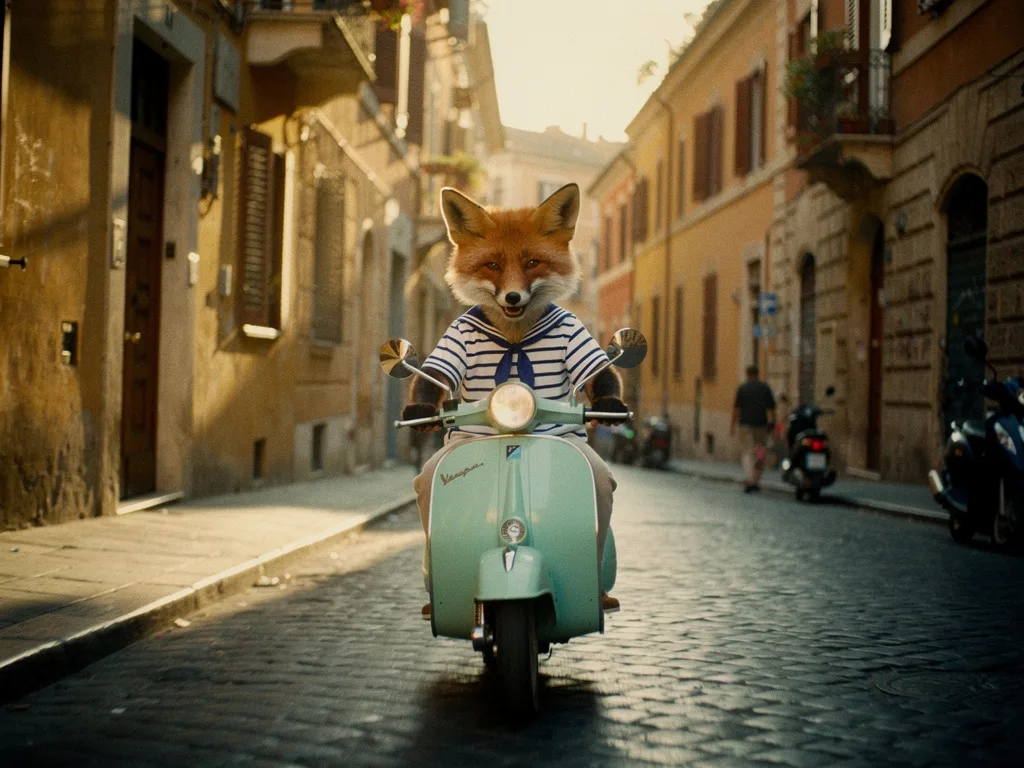
Consistent characters in AI video: lock the look before you animate
Lesson 2 of the free course. Why AI characters change from shot to shot, and the workflow that stops it: a style bible, a character sheet, reference images, and animating only frames you have already approved.
The best AI video generator for filmmaking: choose a model per shot
We gave five video models the same start frame and the same motion prompt, then checked fifteen real clips frame by frame for what each model got right, what it got wrong and what it cost. The answer to "which model is best" turned out to be "for which shot, and at what budget?"
AI product photography: prompts, light and packshots that sell
A practical guide to AI product shots that look like a campaign rather than a stock photo: how to structure the prompt, pick a surface, light it like a photographer, and keep your real product accurate.
Run these prompts on every model, side by side.
PromptLab puts Flux, Nano Banana, Kling, Veo, Seedance and dozens more in one workspace. See the cost before you click, keep the prompts that win.