How to write image prompts: the anatomy, words and habits that work
A practical text-to-image prompt guide built on real renders: the order to write things in, the camera and style words that visibly change a picture, how to make AI images look real, and how to turn a good prompt into a reusable template.
Updated · 10 min read · By the PromptLab team
The short version
- Write prompts in a fixed order: subject, detail, action, setting, light, camera, style, use. Lead with the subject; models such as Flux 2 pay the most attention to what comes first.
- Camera and genre words (85mm, macro, tilt-shift, editorial food photography) change the image; quality words like 8k and masterpiece barely do.
- Describe what you want instead of what you don't: 'an empty street at dawn', not 'no people'.
- Put exact text in quotation marks, keep it short and proofread it at full size. Left alone, models invent signs and even real brand names.
- Change one variable per run, then turn the winner into a template with variables and render the whole set.
In this guide
The anatomy of an image prompt
Image models reward the same thing a good creative brief has: concrete nouns in a sensible order. Most strong prompts, whichever model they are written for, contain some version of eight parts: subject, detail, action, setting, light, camera, style and use. Not every prompt needs all eight. Every prompt needs the first one first.
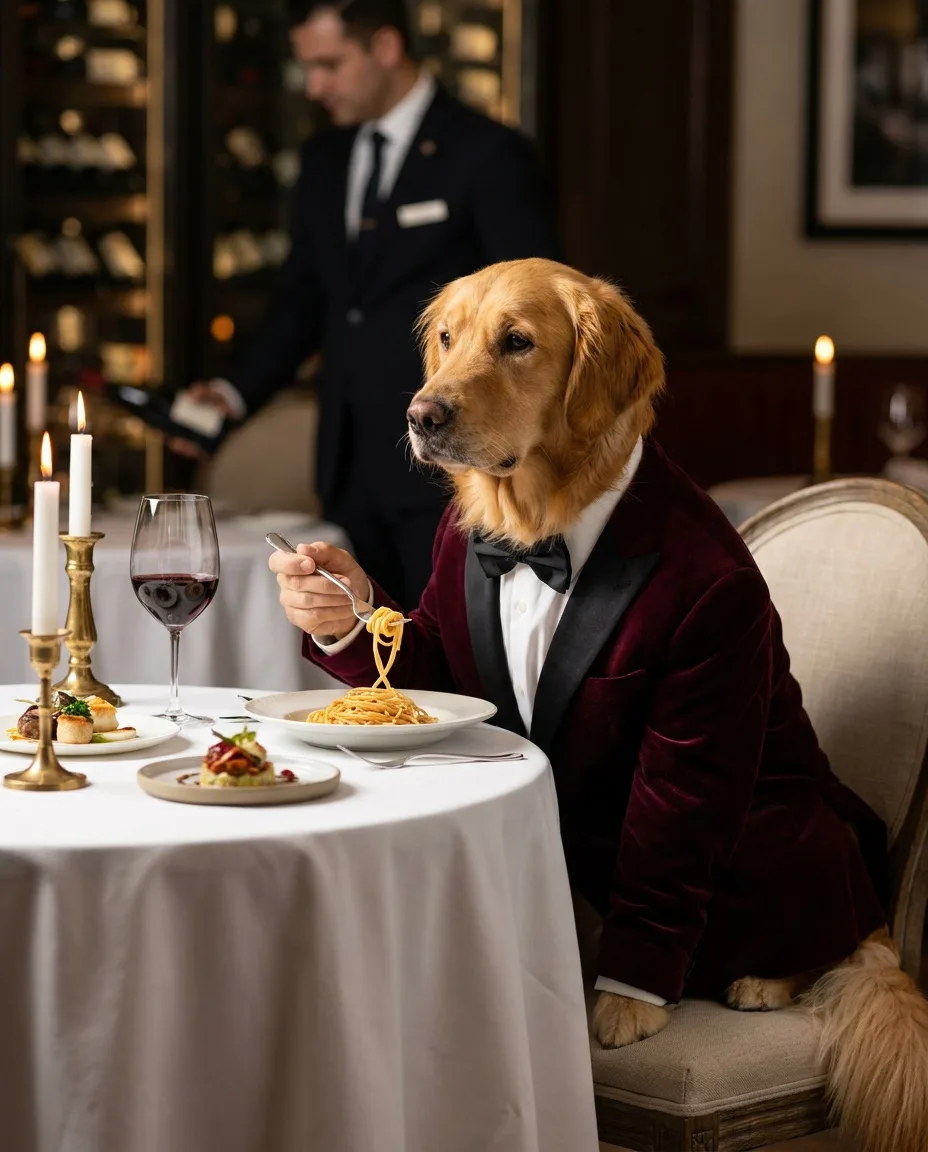
A golden retriever wearing a velvet dinner jacket and bow tie, seated at a Michelin-star restaurant, delicately twirling spaghetti with a silver fork, candlelight, white tablecloth, sommelier blurred in the background, editorial food photography, 85mm, shallow depth of field
- Subject what the picture is of
- Detail materials, wardrobe, texture
- Setting where, and what surrounds it
- Action what is happening
- Light source, direction, time of day
- Style medium, genre, reference
- Camera lens, angle, framing, focus
- Subject. The noun the picture is about, in plain words, at the very start.
- Detail. What makes this subject specific: material, wardrobe, color, texture.
- Action. One verb. An adverb ("delicately") earns its place if it adds character.
- Setting. Where it happens and what surrounds it, including what sits in the background.
- Light. One named, motivated source: candlelight, window light, overcast sky.
- Camera. Lens, angle, distance and focus.
- Style. What kind of picture this is: a genre, a medium, an era.
- Use. Where it will live, if that changes the composition: "magazine cover with room for a masthead", "banner with empty space on the right". Set the aspect ratio in the model's settings (this one is 4:5).
Here is how a vague idea turns into that prompt, one part at a time:
| Draft | What it adds |
|---|---|
| a dog in a fancy restaurant, beautiful, 8k, masterpiece | Nothing a model can act on: any dog, any restaurant, no light, and quality words in place of a genre |
| A golden retriever wearing a velvet dinner jacket and bow tie, seated at a Michelin-star restaurant | A specific subject, wardrobe with a material, and a setting with a price point |
| …delicately twirling spaghetti with a silver fork, candlelight, white tablecloth | An action that tells a story, a light source, a surface |
| …sommelier blurred in the background, editorial food photography, 85mm, shallow depth of field | Depth, a genre and a lens, which together decide what kind of photograph this is |
The render follows the brief closely: burgundy velvet with a satin lapel, lit candles, a sommelier softer than the dog. It also shows the limits. The model solved "a dog twirling spaghetti" by giving it a human hand, which we come back to in the realism section.
[subject], [defining details: material, wardrobe, color], [action], [setting and surroundings], [light source and direction], [lens, angle, focus], [genre of image], [use or format]
Camera and lens words that actually change the image
Camera vocabulary works because it describes visible properties of a photograph: how much is in focus, how large the subject is, where the viewer stands. These are the terms worth knowing; the renders below show several of them at work.
| Term | What it does | Use it for |
|---|---|---|
| 85mm portrait lens | Tighter framing, background compressed and soft | Portraits, fashion, any single subject |
| Shallow depth of field | Subject sharp, background melted into blur | Separating a subject from a busy setting |
| Macro | Small things fill the frame, very thin focus | Food details, miniatures, jewelry, insects |
| Tilt-shift | A narrow band of focus that makes real scenes look like models | Dioramas, cityscapes, playful food |
| Overhead / flat lay | Camera straight down, graphic layout | Food, products, outfits laid out |
| Wide angle (24–35mm) | More environment, stronger perspective | Interiors, landscapes, environmental portraits |
| Low angle / eye level | Camera height: power versus neutrality | Heroes, fashion, a pet's point of view |
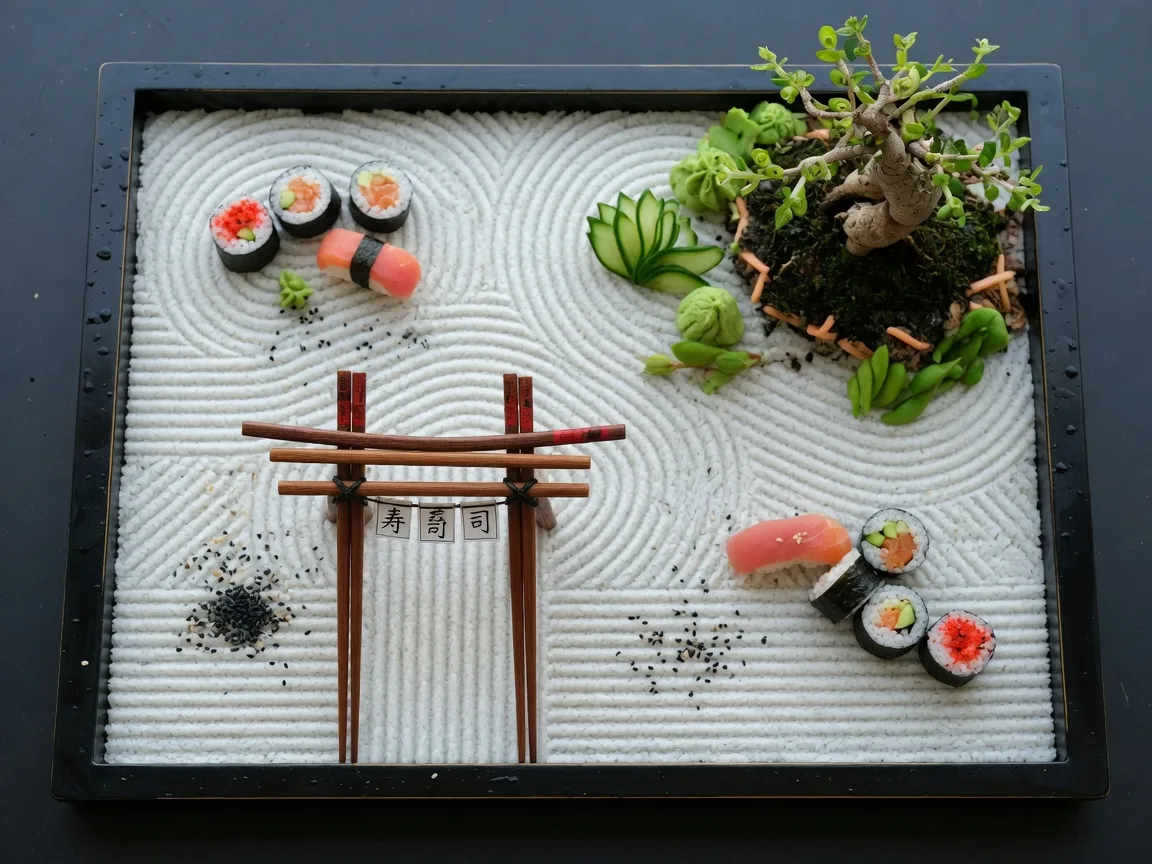
A sushi platter arranged as a tiny Japanese zen garden, raked rice sand, a bonsai made of wasabi, a miniature torii gate of chopsticks, overhead shot, soft daylight
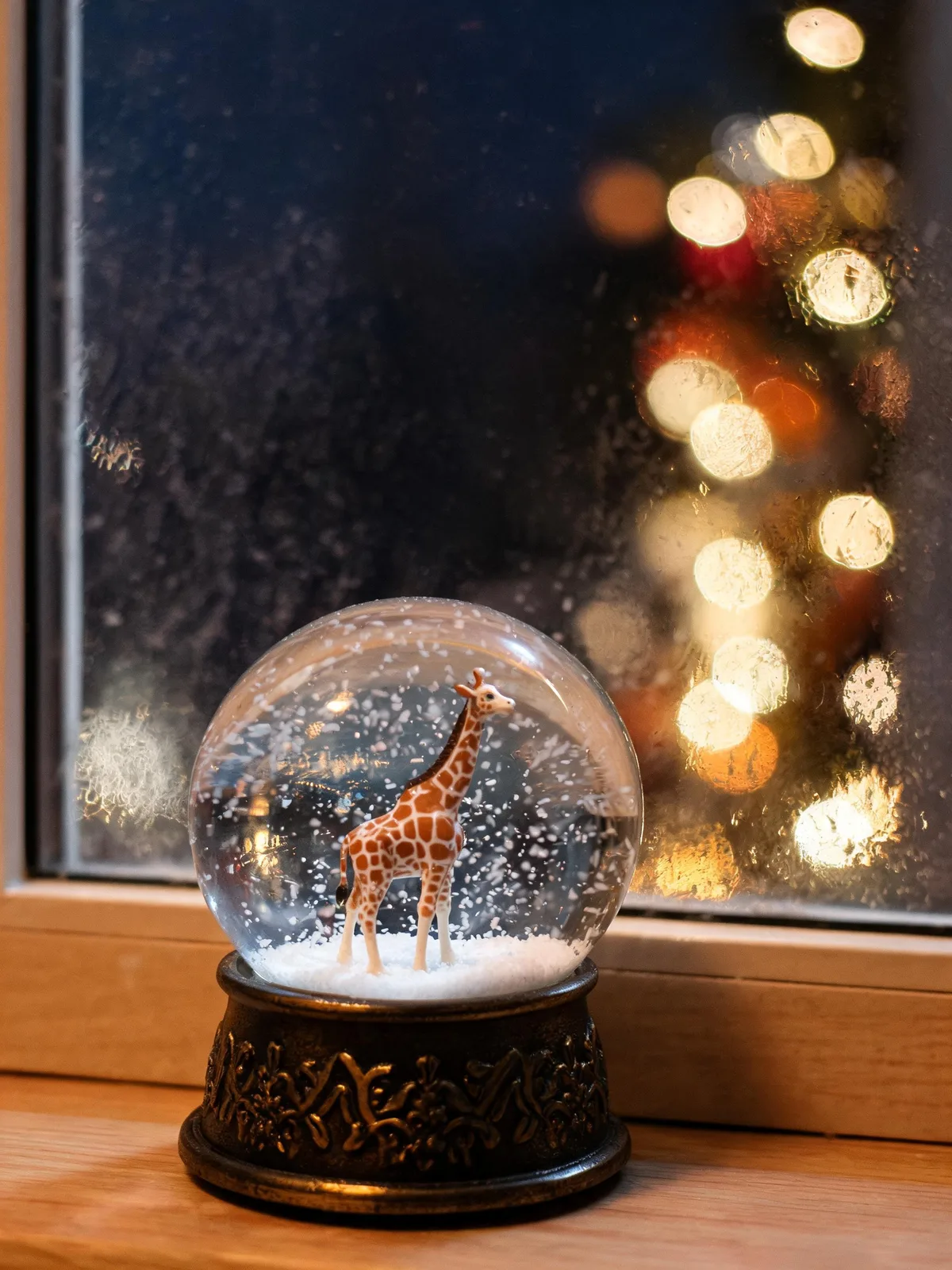
A tiny giraffe standing inside a glass snow globe on a windowsill, snow swirling, cosy Christmas lights bokeh outside, macro photograph
Tilt-shift is the clearest case of a camera word doing heavy lifting. Paired with "miniature city", it gives the pancake stack a toy-like scale, with the window behind dissolving into blur.
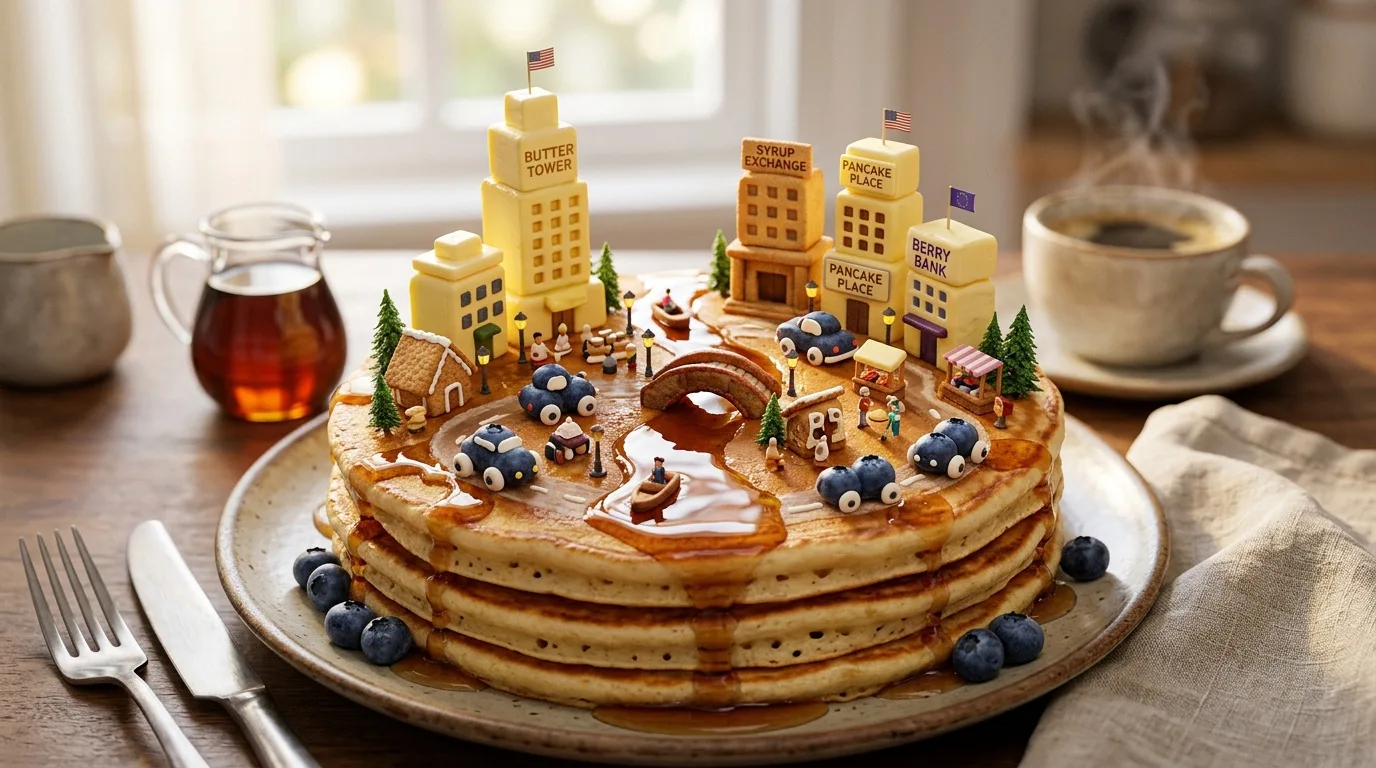
A miniature city built on a stack of fluffy pancakes, maple-syrup rivers, butter-pat skyscrapers, blueberry cars, tilt-shift photography, morning light
- Subject what the picture is of
- Setting where, and what surrounds it
- Detail materials, wardrobe, texture
- Camera lens, angle, framing, focus
- Light source, direction, time of day
Notice what the model added on its own: buildings labeled "Butter Tower", "Syrup Exchange" and "Berry Bank", "Pancake Place" twice, and little flags. A city implies signage, so the model supplied some. That is the general rule of prompting: whatever you don't specify, the model fills in with what is typical for the genre.
Style words: why genre beats "8k, masterpiece"
Quality keywords such as 8k, masterpiece, ultra-detailed, best quality are a habit from older, keyword-driven models. They are attached to millions of images of every kind, so they tell a current model almost nothing about which picture you want. A genre tells it a great deal. "Editorial food photography" implies styling, warm light and shallow focus. "Interior design photograph" implies a wide lens, straight verticals and a styled room. "1960s Kodachrome colours" implies saturated blues and reds and visible grain.
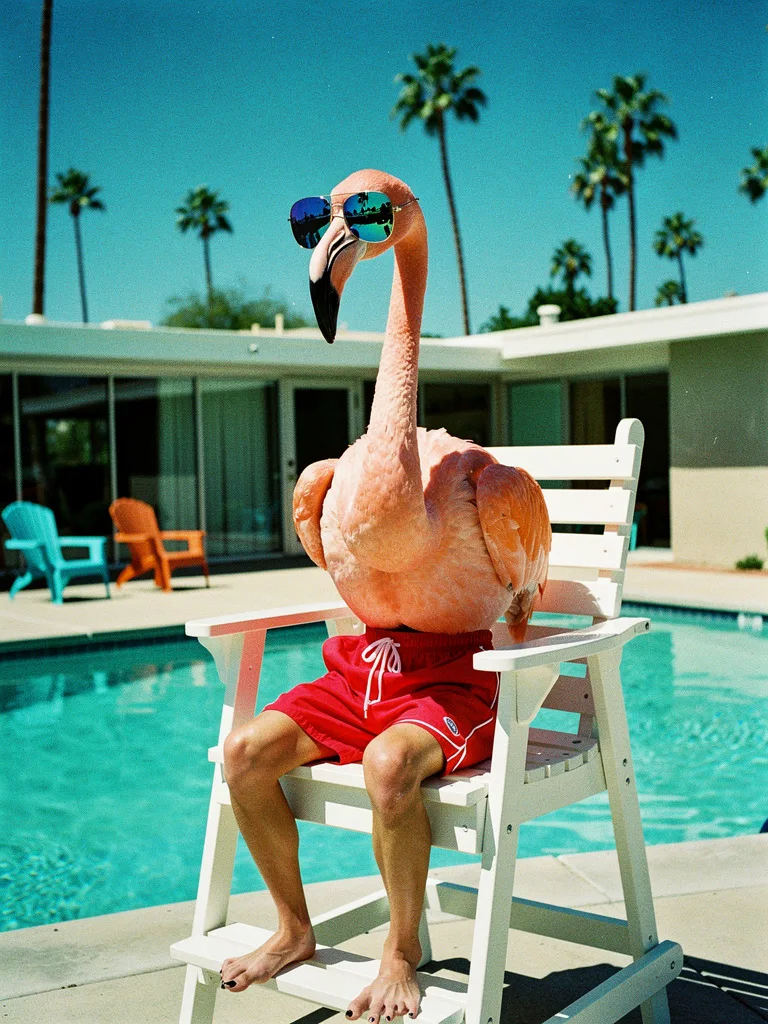
A flamingo wearing red lifeguard shorts and mirrored sunglasses, sitting in a lifeguard chair at a Palm Springs mid-century pool, 1960s Kodachrome colours, photorealistic
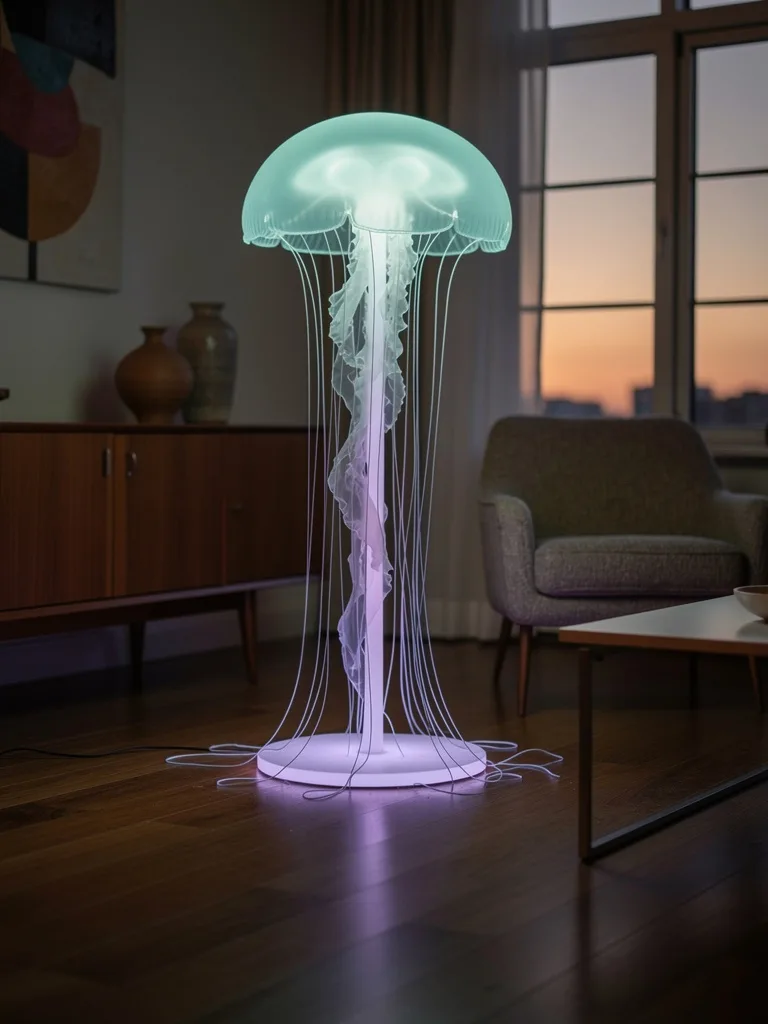
A living-room floor lamp whose shade is a glowing bioluminescent jellyfish, tentacles trailing to the floor, mid-century interior at dusk, interior design photograph
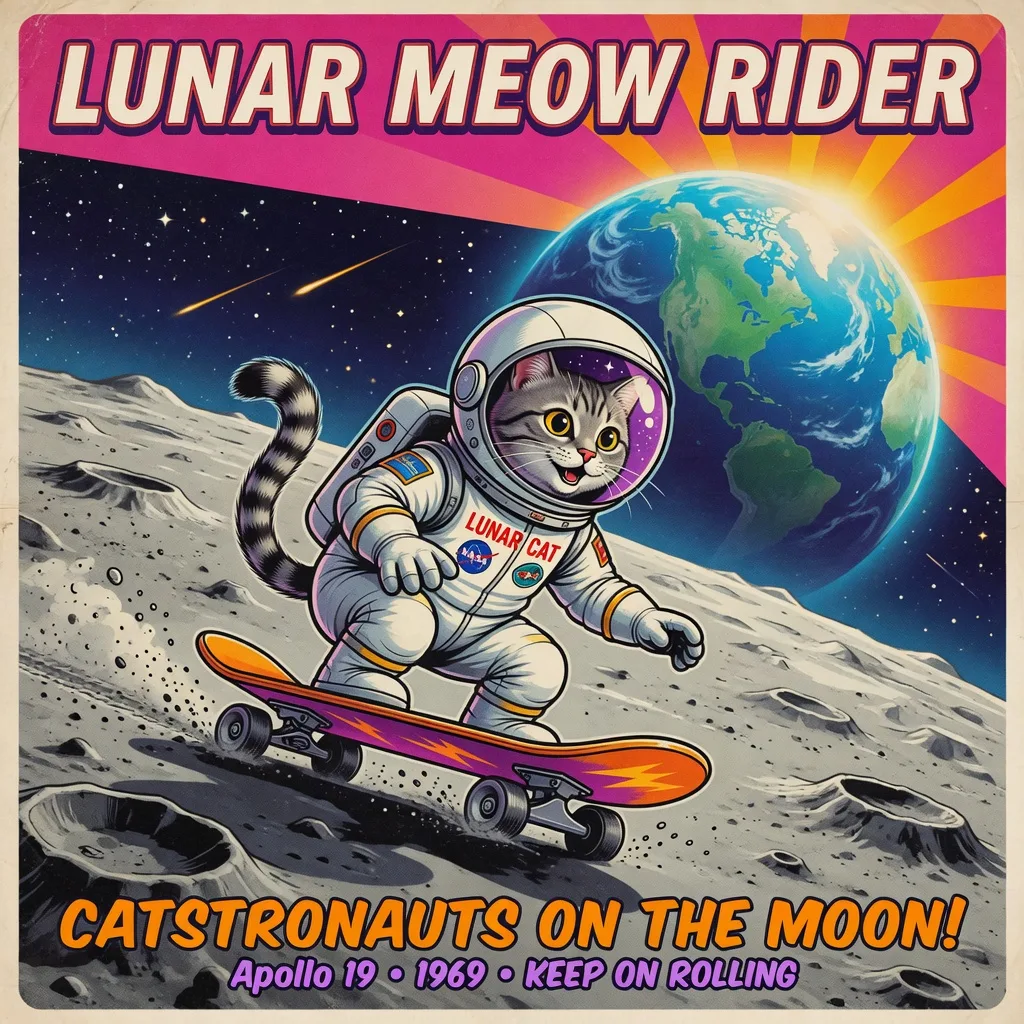
A cat in a tiny white spacesuit riding a skateboard across the lunar surface, Earth rising in the background, retro-futurist poster style, bold colours
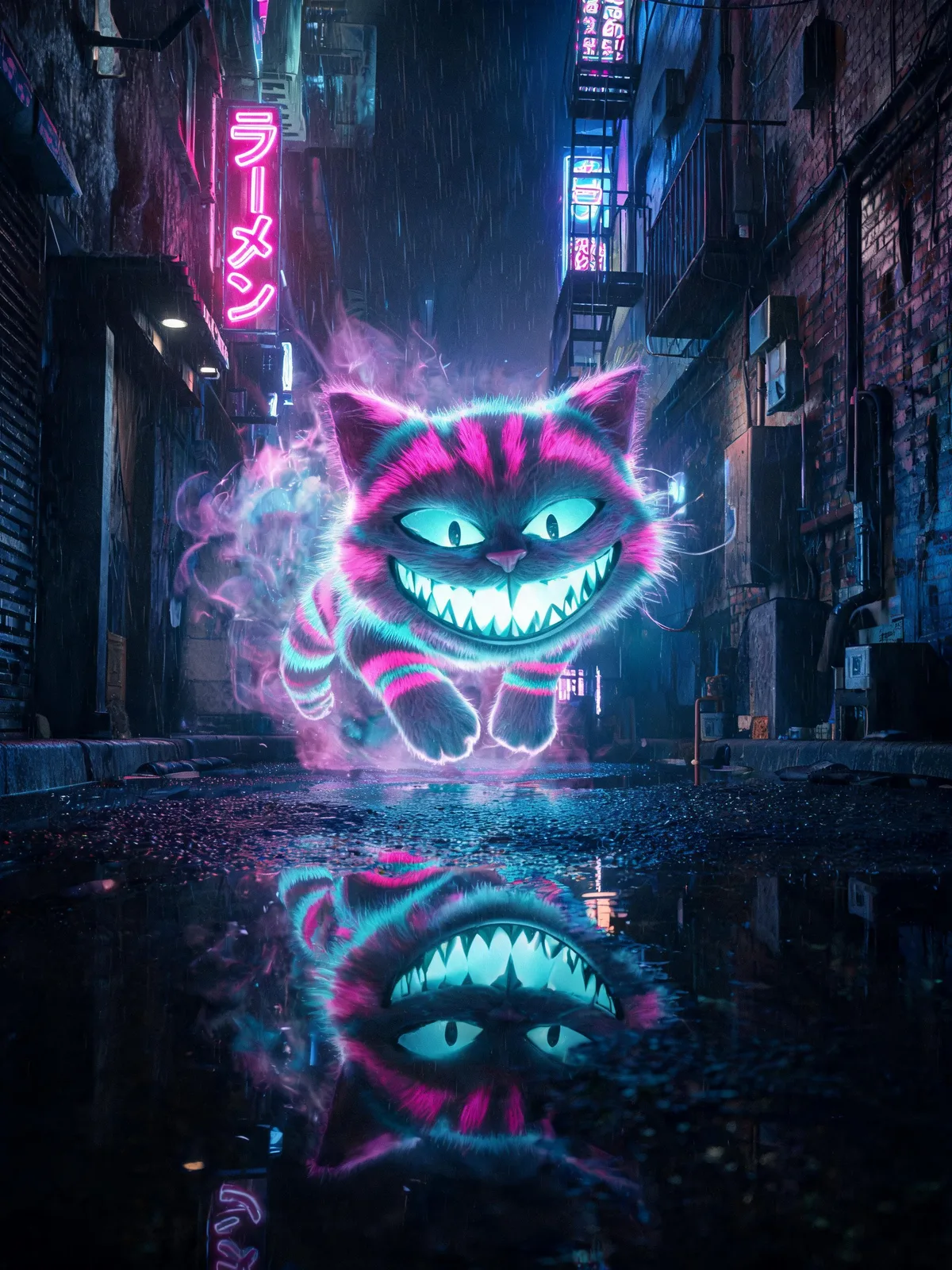
A grinning Cheshire cat materialising from neon mist in a rainy Tokyo alley, striped fur glowing magenta and teal, reflections in puddles, cinematic, photorealistic
Genre words bring a whole bundle with them, so check what came along. "Retro-futurist poster style" gave the astronaut cat a poster's furniture: an invented headline, a tagline and a patch that resembles a real space agency's logo. Generic realism words are weaker than they look. The Cheshire cat prompt ends in "photorealistic"; the rainy alley is photographic, the cat is a glowing cartoon. Our White Rabbit asked for "storybook realism" and came back looking like a frame from an animated feature.
| Family | Words to try |
|---|---|
| Photographic genres | editorial food photography, wildlife documentary photograph, interior design photograph, street photography, fashion editorial, product packshot |
| Film and era | 35mm film photograph, 1960s Kodachrome colours, 1990s disposable camera with flash, medium-format portrait |
| Illustration and print | gouache illustration, risograph print, ligne claire comic, 1970s travel poster, papercut collage |
| 3D and craft | isometric 3D render, soft clay render, claymation still, felt and wool miniature |
One style family per prompt is plenty. Mixing "35mm film" with "3D render" and "watercolor" asks the model to average three looks, and averages look like nothing in particular.
How to make AI images look real
Realism isn't one word. It is a stack of small cues that real photographs have and generated images often lack. The capybara below has most of them, and its prompt never says "realistic".
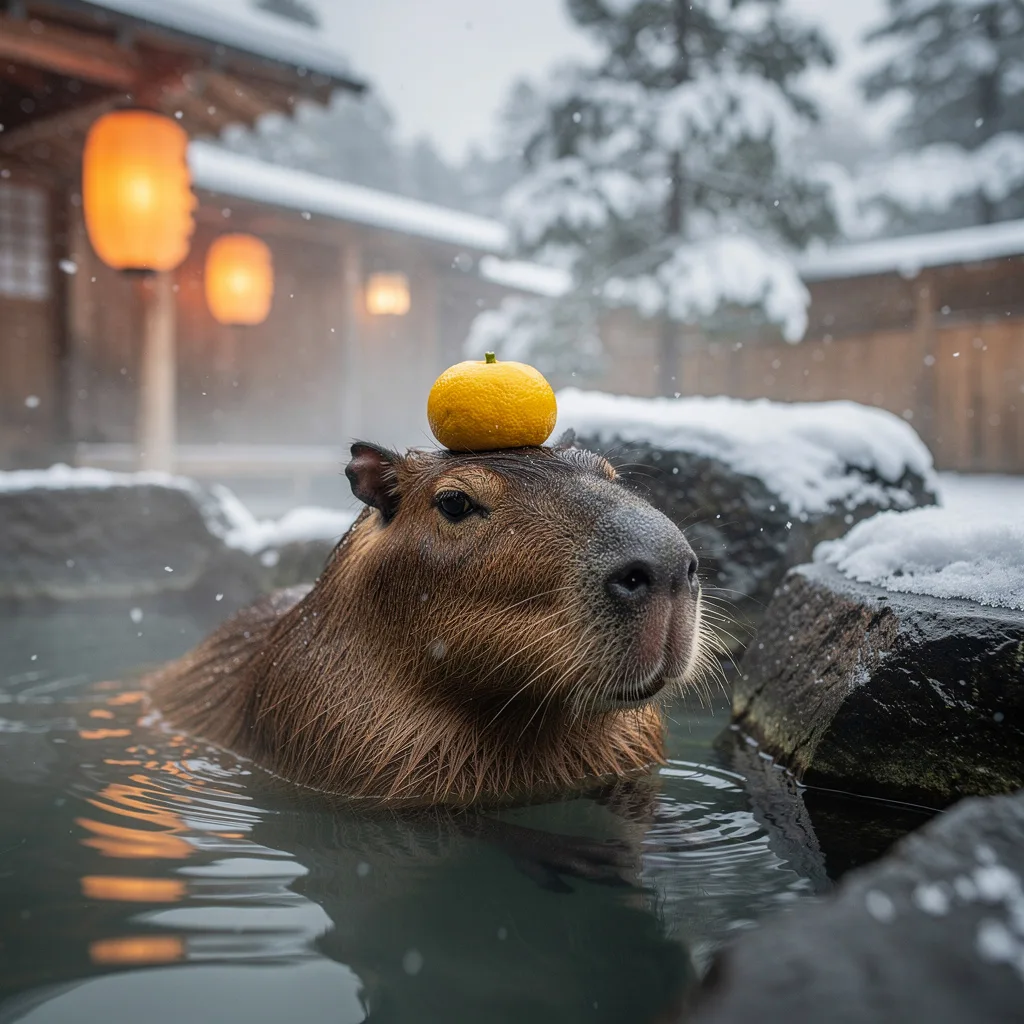
A capybara relaxing in a steaming Japanese onsen with a yuzu balanced on its head, snow falling, paper lanterns glowing, serene, National Geographic photograph
- Subject what the picture is of
- Action what is happening
- Detail materials, wardrobe, texture
- Setting where, and what surrounds it
- Light source, direction, time of day
- Style medium, genre, reference
These are the levers, roughly in order of impact:
- Name a kind of photograph, not a quality. "National Geographic photograph" or "candid 35mm street photograph" carries more realism than "ultra-realistic".
- Give the light a source. Lanterns, candles, a window, an overcast sky. Light with no source reads as a render.
- Add a camera. A lens, a distance and a depth of field that a real camera could produce.
- Ask for texture and small imperfections. Steam, wet fur, film grain, condensation, worn wood, skin pores, flyaway hair. Real scenes are slightly messy.
- Allow one improbable thing. The capybara gets a yuzu on its head; the snow, steam and water behave normally. When everything is magical, nothing looks photographed.
- Cut the gloss words. "Hyper-detailed, flawless, 8k" add little and can push skin and surfaces toward the over-smooth look you are trying to avoid.
- Check the giveaways at full size. Hands, text, reflections and repeating patterns.
That last step matters more than any keyword. In three of our renders a model solved "animal doing a human thing" by quietly attaching human parts: the retriever holds its fork in a human hand, the hummingbird conducts with one, and the flamingo lifeguard sits on human legs with painted toenails.
Reads as a photograph
- One clear light source, with shadows that agree with it
- A lens and focus a real camera could produce
- Texture and small imperfections
- One surprising element in an otherwise ordinary world
- A named genre of photograph
Gives it away
- Human hands or limbs on animals, extra fingers
- Signs, labels or brand names nobody asked for
- An even glow with no visible source
- Skin or surfaces with no texture at all
- Reflections that don't match the scene
For objects, the same levers apply with a different vocabulary of surfaces and studio light; the product photography guide covers them, and the fashion guide does the same for fabric and skin.
Describe what you want, not what you don't
"No text", "no people", "not blurry": negatives in the main prompt are unreliable, because they put the unwanted thing into the prompt. Black Forest Labs states that Flux 2 doesn't support negative prompts and recommends describing what you want instead. Where a model does offer a separate negative-prompt field, use it for short exclusions and keep the main prompt positive.
| Instead of | Write |
|---|---|
| no people | an empty street at dawn |
| no text on the label | a blank, unprinted label |
| not blurry | sharp focus throughout |
| no makeup | bare skin, natural brows, visible freckles |
| not cartoonish | candid 35mm film photograph |
| no clutter | a single object on a bare stone surface |
The pancake city is the case in point. If the shop signs had been a problem, the fix would not be "no text" but a description of what the surfaces are: "plain, unlabeled butter-block towers".
Prompt length, order and model dialects
Every image prompt in our showcase is between 19 and 43 words. Black Forest Labs' Flux 2 guide calls 30 to 80 words usually ideal and reserves longer prompts for complex scenes. Length isn't the goal, though. Each clause competes for attention, so if a detail wouldn't change the picture, cut it. Then order what remains by importance: what the picture is about first, details you could live without last.
Models also read the same words differently. Here is one prompt on four of them, with "85mm lens, shallow depth of field" at the end:
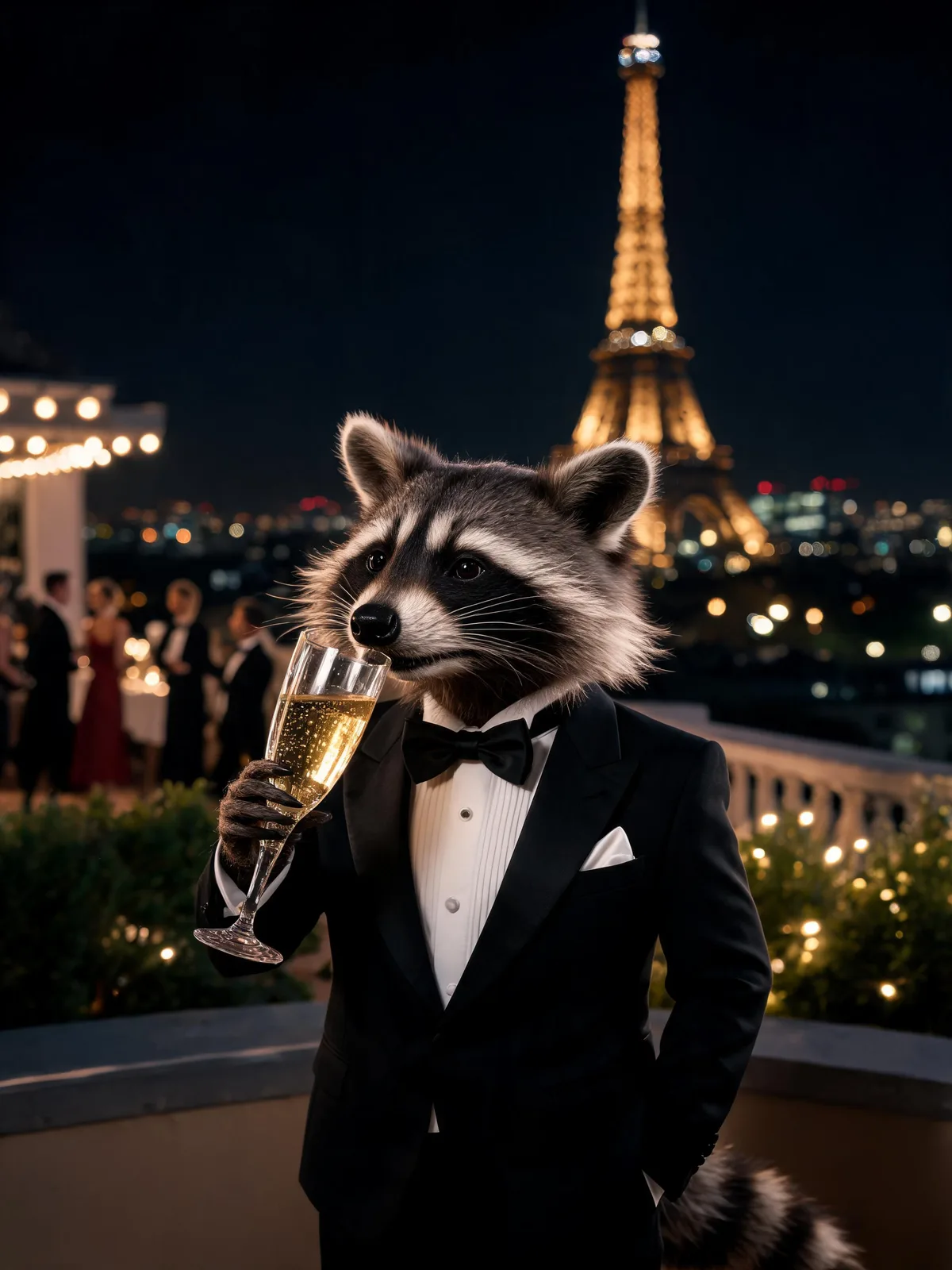
A raccoon in a perfectly tailored tuxedo sipping champagne at a rooftop gala in Paris at night, Eiffel Tower bokeh behind, editorial photograph, 85mm lens, shallow depth of field
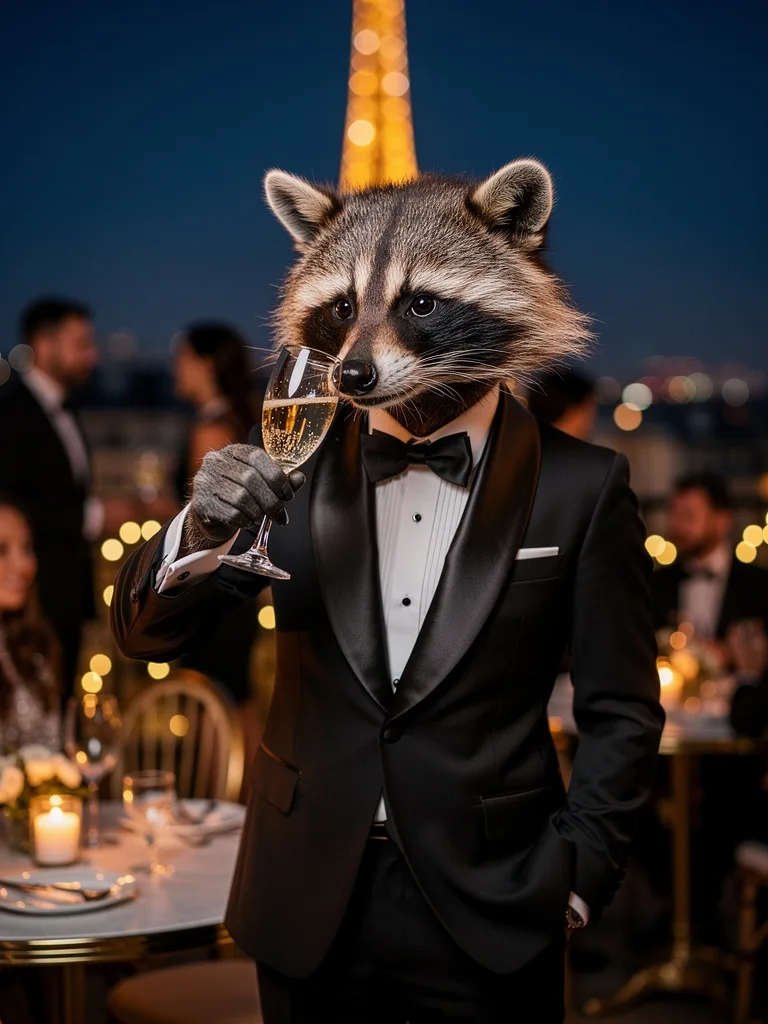
Tight medium shot, background melted into bokeh: the most literal reading of the lens words.
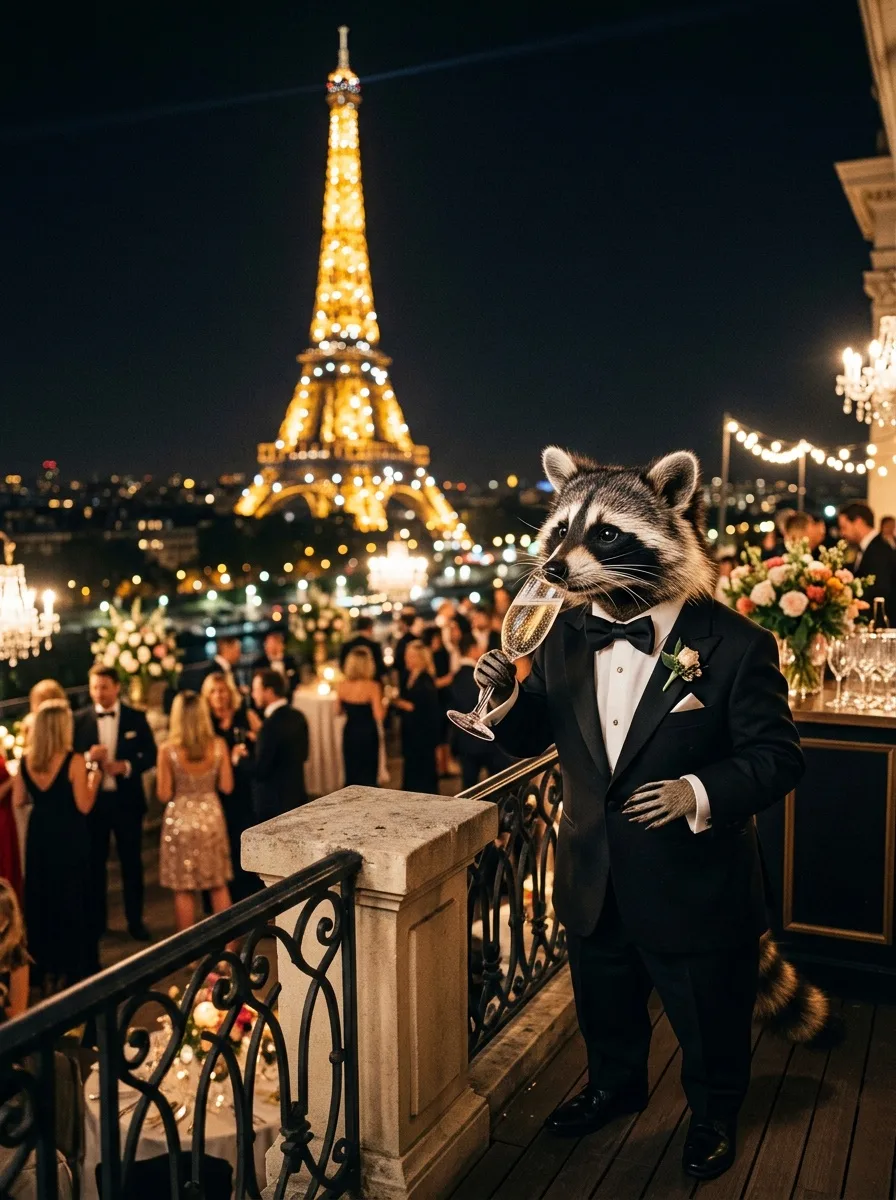
Pulled back to a wide, full-length party scene. More story, but not the framing an 85mm lens gives.
Medium shot with guests and string lights around it: a middle ground.
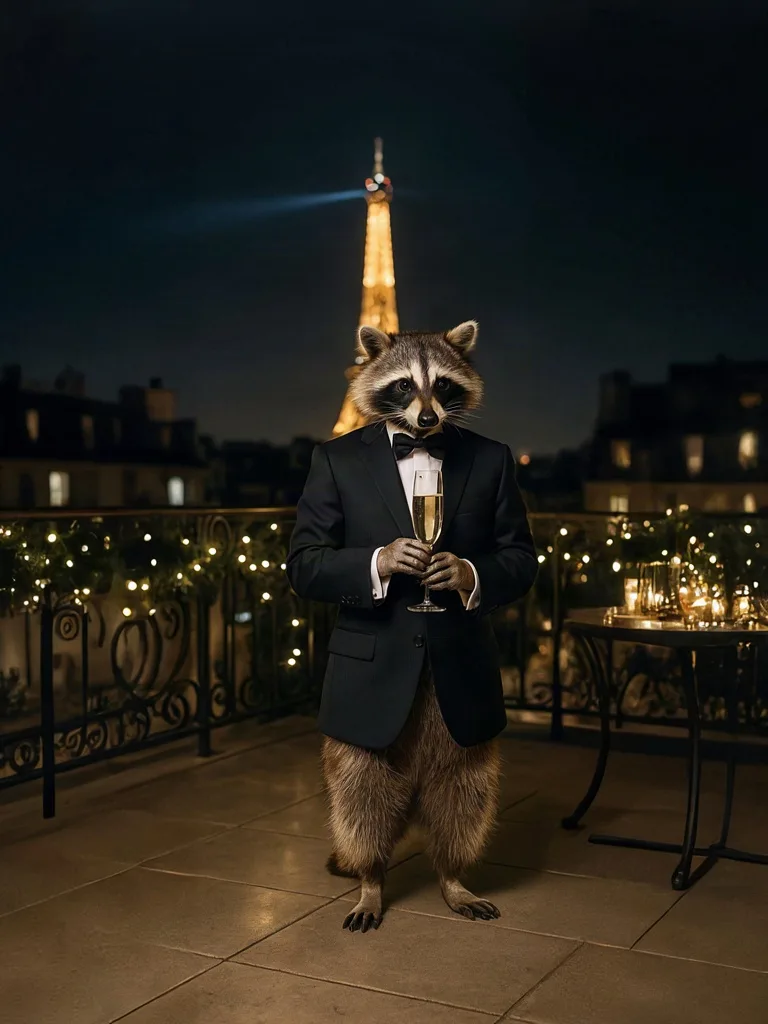
Full length and wide, and the tuxedo stops at the jacket: no trousers.
Position matters as well as wording. We reran the Nano Banana 2 prompt with the camera clause moved to the front and made explicit: "Tight waist-up portrait, 85mm lens, shallow depth of field:" followed by the rest of the prompt.
A raccoon in a perfectly tailored tuxedo sipping champagne at a rooftop gala in Paris at night, Eiffel Tower bokeh behind, editorial photograph, 85mm lens, shallow depth of field
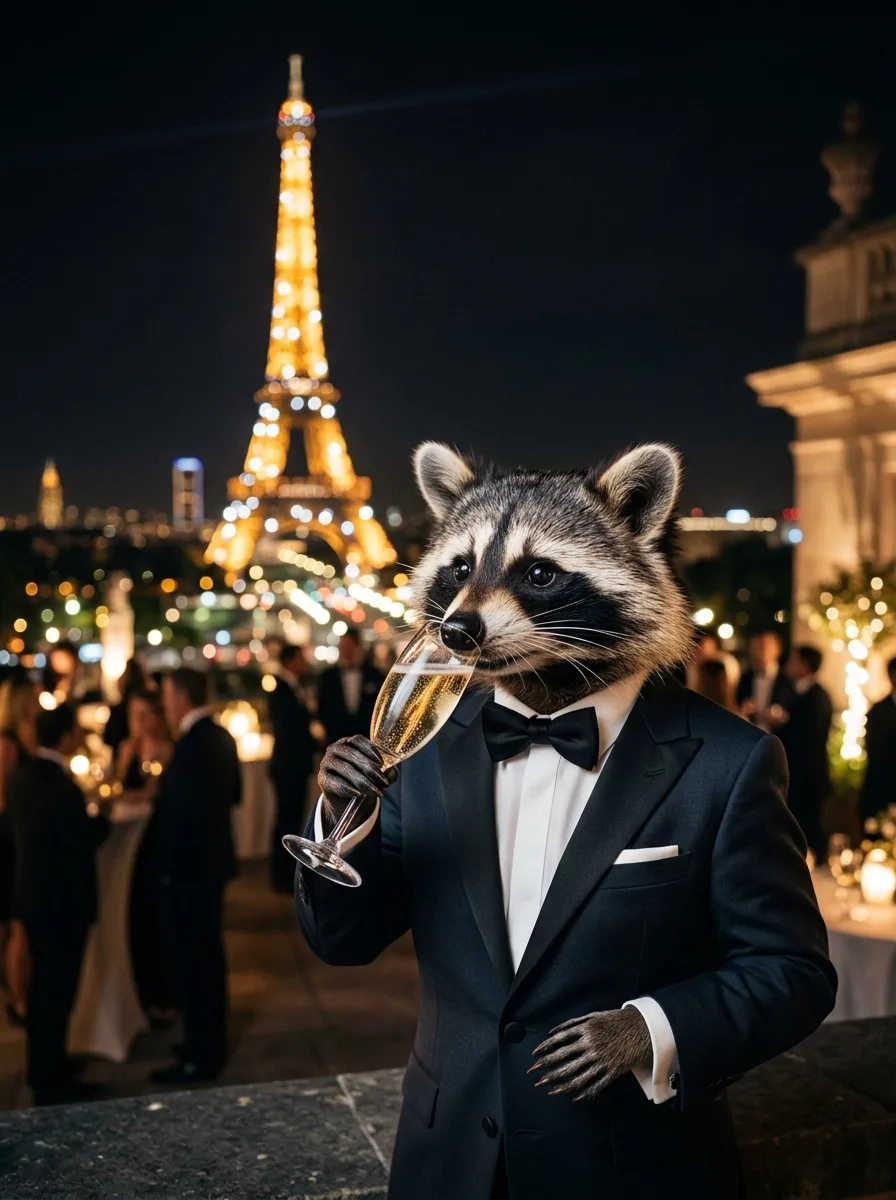
Tight waist-up portrait, 85mm lens, shallow depth of field: a raccoon in a perfectly tailored tuxedo sipping champagne at a rooftop gala in Paris at night, Eiffel Tower bokeh behind, editorial photograph
The framing moved a long way. The raccoon went from a full-length figure standing at the edge of the party to the main subject, cut off at the hips, with the crowd pushed back into soft blur. It is still not the tight waist-up portrait the prompt asked for, though: the head sits in the middle of the frame and the Eiffel Tower fills most of the top half. Two things changed at once here, the position of the camera words and the added "tight waist-up portrait", and this is one render each, so treat it as a strong hint rather than proof. The practical rule holds either way: if framing matters, name the shot size explicitly and put it near the front.
Roughly, today's image models fall into a few dialects:
- Descriptive prose (Flux 2, Seedream, Nano Banana): write the scene as one flowing paragraph, the way you would brief a photographer.
- Edit instructions (Nano Banana and other reference or edit models): say what to keep and what to change relative to the input image.
- Text-first (Ideogram): quote the exact words and describe their placement and lettering.
- Keyword lists: comma-separated tags and weights suited older models. Current models generally do better with sentences.
PromptLab's Magic Prompt does this translation for you: it rewrites a prompt for the model family you are targeting, for example turning a keyword list into flowing prose for Flux or into an edit instruction for Nano Banana. Our one-prompt, four-model comparison goes further into how each model interprets a brief.
How to get exact text in an AI image
Models write text whenever the scene implies it, and they don't check trademarks. We asked for "the teabag tag flying like a flag"; the tag came back printed with a real tea company's name. Striking image, unusable for anything commercial.
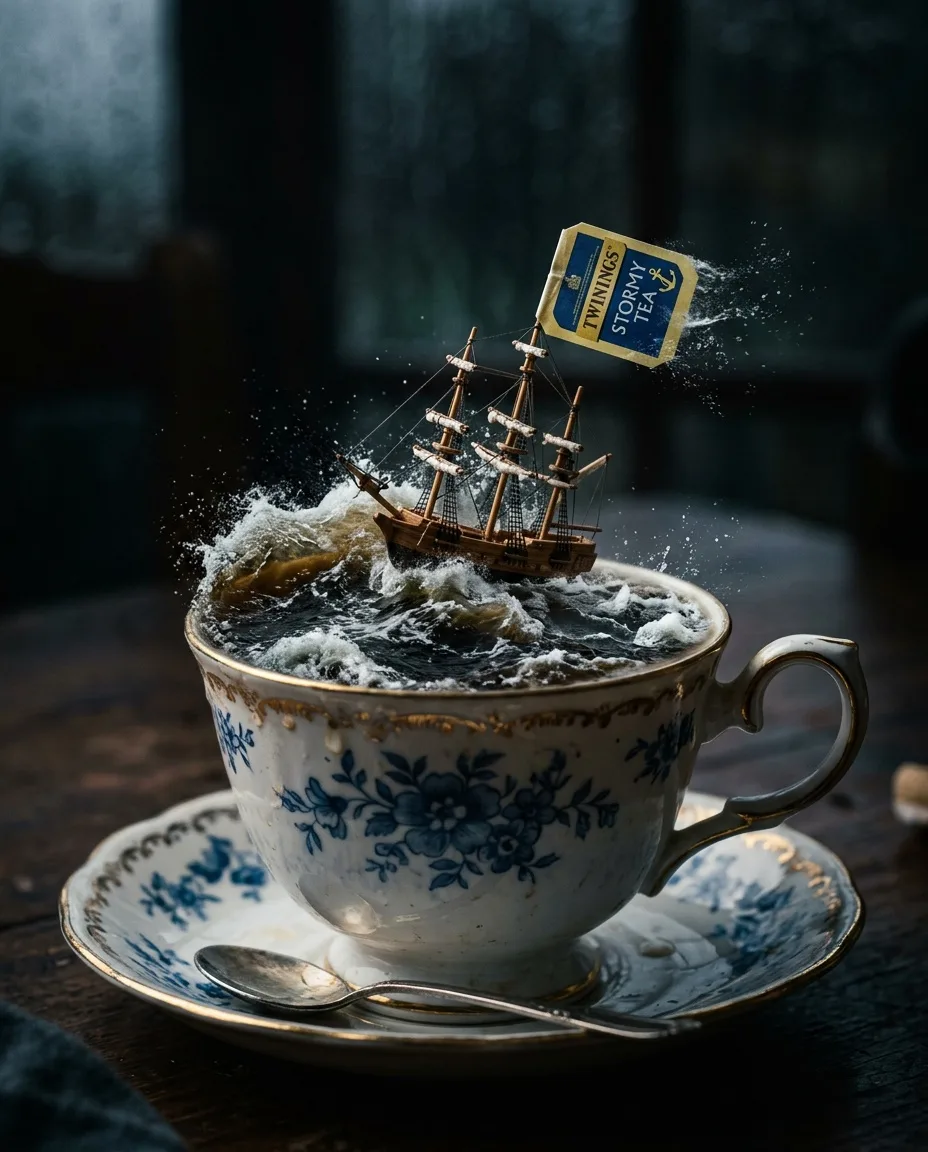
A porcelain teacup containing a miniature stormy ocean with a tiny sailing ship riding a wave of tea, the teabag tag flying like a flag, dramatic lighting, macro
When you do want words in the image, treat them as a spec:
- Quote the exact text. Ideogram's and Black Forest Labs' prompting guides both tell you to put the words in quotation marks.
- Mention it early. Ideogram's guide notes that text named near the start of the prompt renders better.
- Describe the lettering. Placement, font feel (bold condensed sans, hand-painted serif), color and size.
- Keep it short. A word, a headline, a short call to action. Set body copy in a design tool instead.
- Pick a text-strong model and proofread. Models built around typography, such as Ideogram, are the safer bet; check every letter at 100% either way.
A [object or surface] with the words "[EXACT TEXT]" in [lettering style], [placement], [color], [rest of the scene], [light], [genre]
Iterate one variable at a time, then template the winner
Start short
Subject, setting, light and genre. See what the model does with the minimum.
Change one thing per run
Swap the light, or the lens, or the genre. If you change two and the image improves, you won't know which change did it.
Keep the winners
Save the prompt, the model and the settings next to the image you liked. A good result you can't reproduce is a lucky accident.
Turn it into a template
Replace the parts that should change with [variables] and freeze everything else, especially the light, camera and style words.
Our six matrix renders came from one template on Flux 2 Pro. Only the animal, garment, vehicle and place changed; the ending stayed fixed, which is why the set shares its golden light, film grain and motion blur. It isn't perfect: the penguin came out looking more like a plush toy than the others.
A [animal] in [garment] riding [vehicle] through [location], cinematic golden hour, 35mm film photograph, slight motion blur, joyful
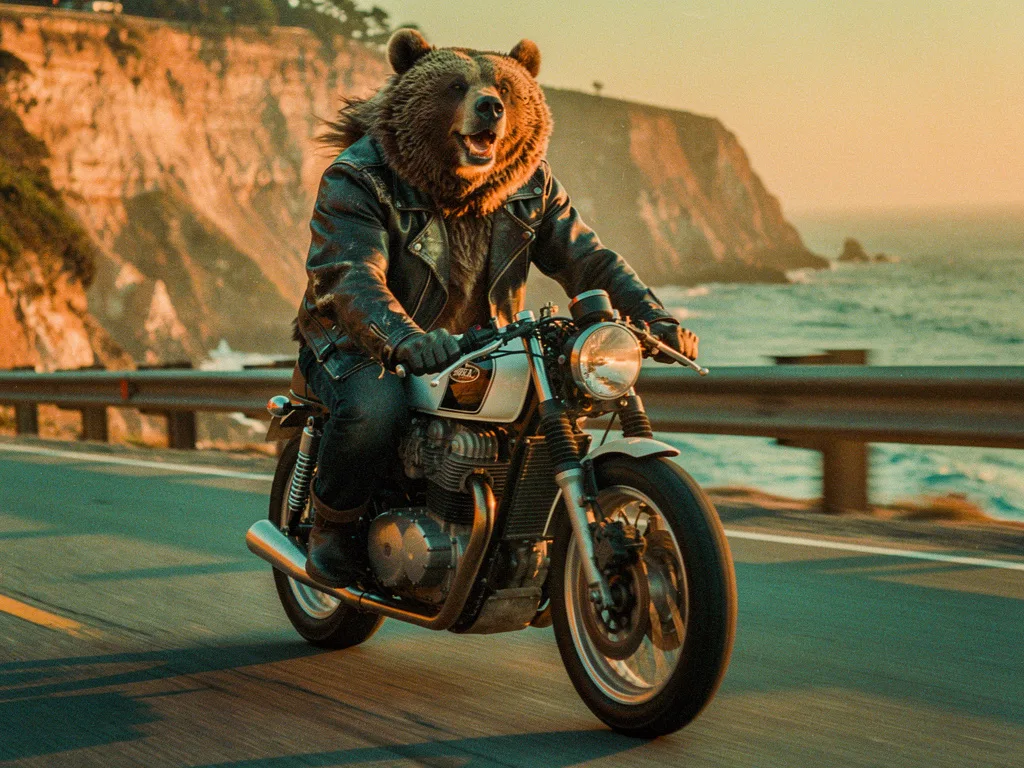
A grizzly bear in a leather jacket riding a vintage café racer motorcycle through the Pacific Coast Highway, cinematic golden hour, 35mm film photograph, slight motion blur, joyful
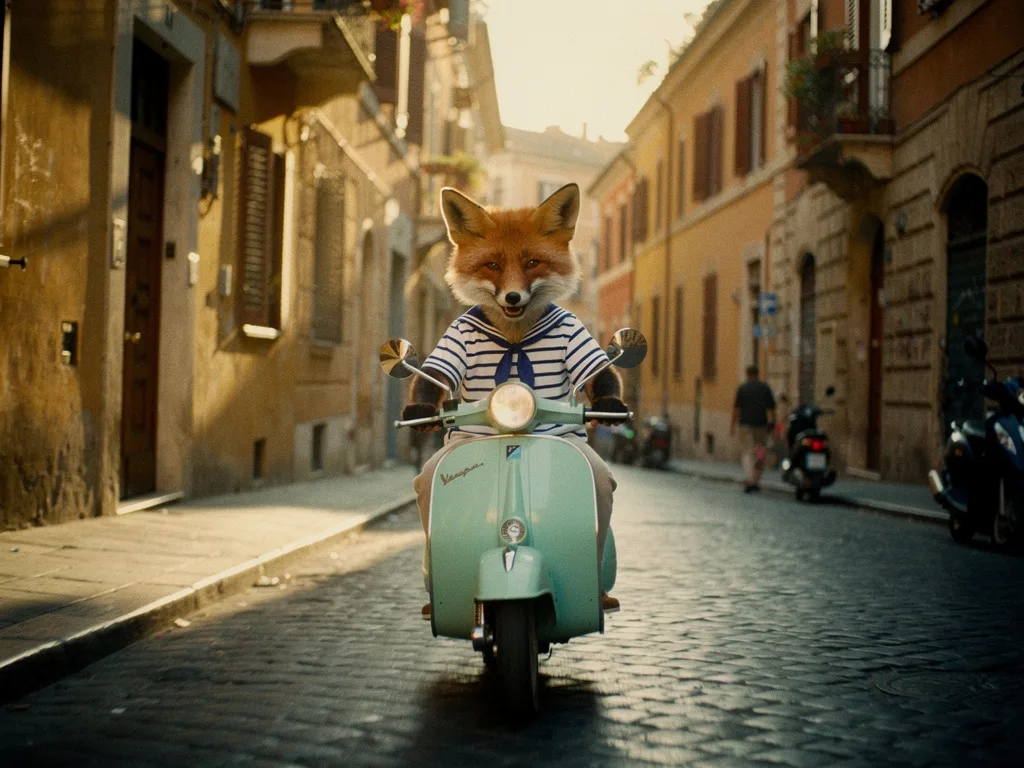
A red fox in a striped sailor shirt riding a mint-green Vespa through a cobbled street in Rome, cinematic golden hour, 35mm film photograph, slight motion blur, joyful
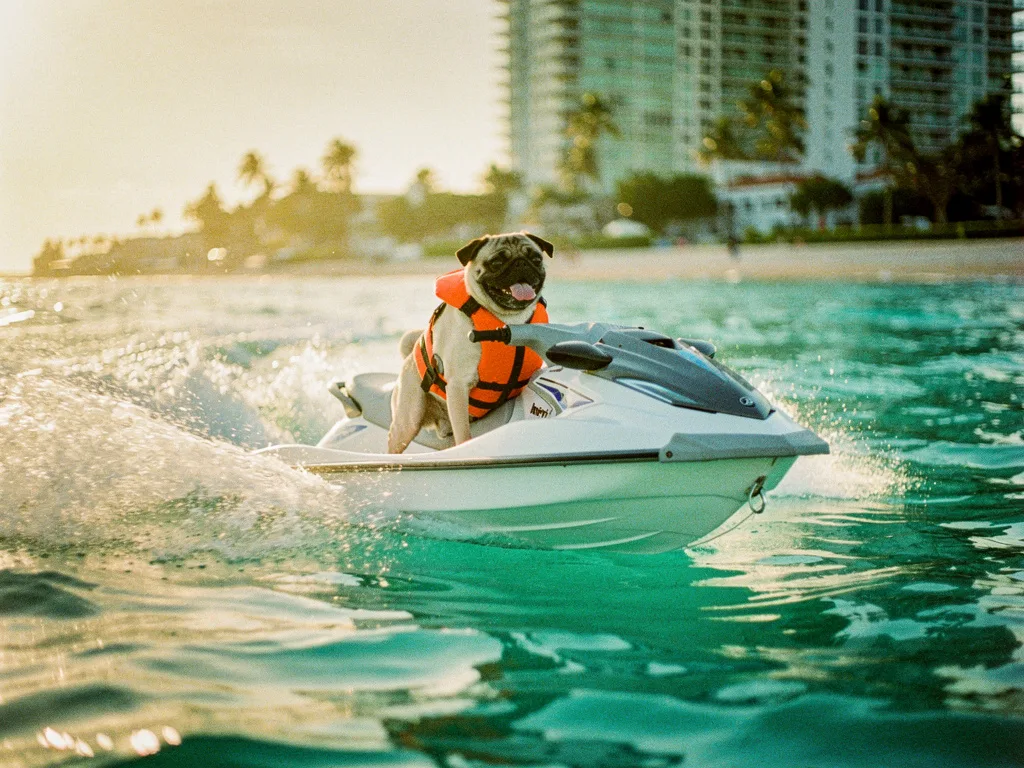
A pug in a life vest riding a jet ski through Miami's turquoise water, cinematic golden hour, 35mm film photograph, slight motion blur, joyful
In PromptLab this loop is built in. The prompt library keeps versioned templates that move from testing to approved to published. Consistency takes a template with variables, has a drafter propose values, and renders the whole matrix (up to 10 variants) in one run with pass/fail scoring. Benchmark runs the same prompt on up to four models side by side, and the models page shows what each run costs. Once a still is right, the image-to-video lesson covers how to prompt motion.
Questions people ask
What is the best structure for an AI image prompt?+
Subject first, then defining details, action, setting, light, camera, style and intended use. Models such as Flux 2 pay the most attention to the opening words, so the thing the picture is about should lead, and short style and camera notes can close the prompt.
How long should an image prompt be?+
Long enough to specify what matters and no longer. Our showcase prompts run 19 to 43 words, and Black Forest Labs calls 30 to 80 words usually ideal for Flux 2. Cut any clause that wouldn't visibly change the picture.
Do words like 8k and masterpiece improve AI images?+
Rarely with current models. They are attached to every kind of image, so they carry little information. Name a genre of photograph, a light source and a lens instead.
How do I make AI images look more realistic?+
Name a kind of photograph instead of saying 'realistic', give the light a visible source, add a lens and depth of field, ask for texture and small imperfections, and keep only one improbable element. Then check hands, text and reflections at full size.
Why does the AI add text I didn't ask for?+
Models fill gaps with what is typical for the scene, and shops, posters and packaging usually carry lettering. Describe surfaces positively ('a plain, unprinted tag'), and when you do want text, quote it exactly and proofread it.
Keep learning
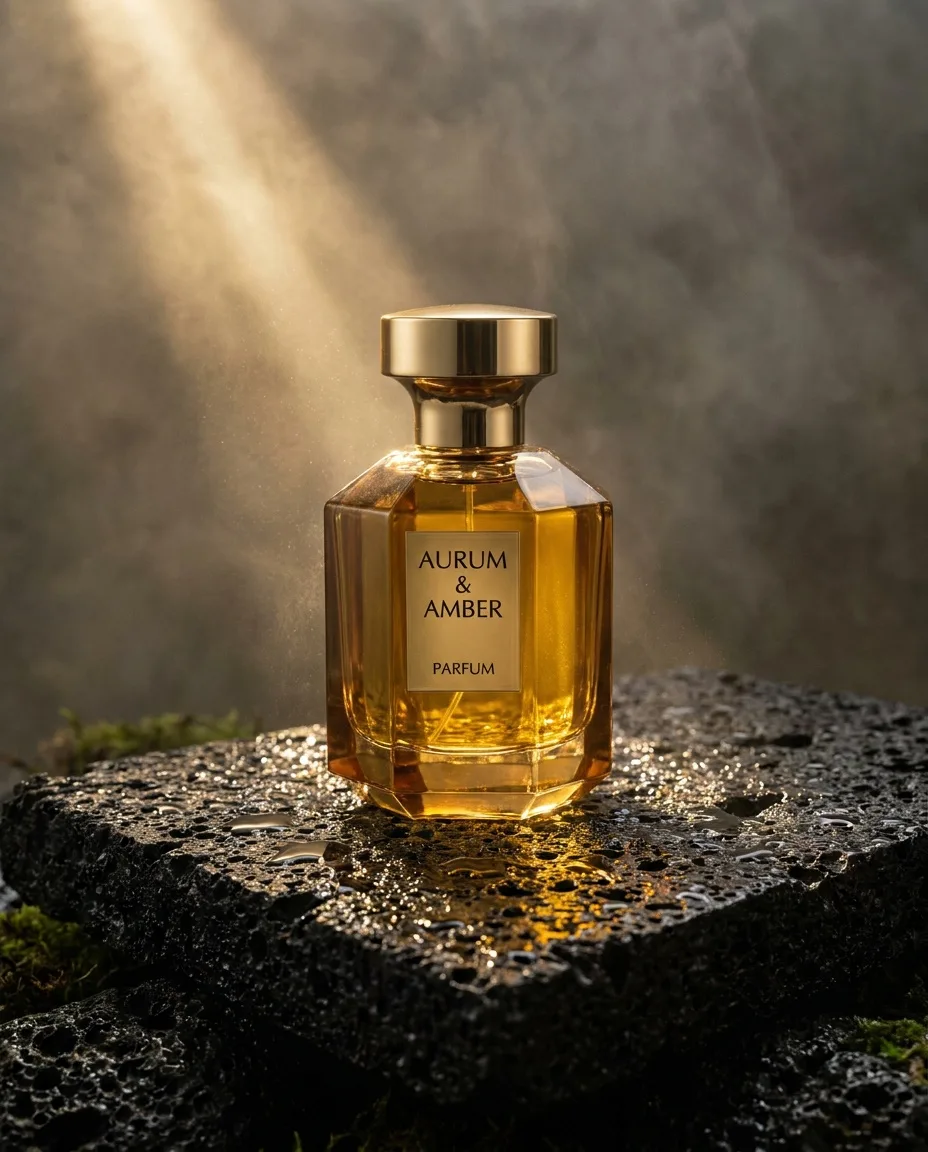
AI product photography: prompts, light and packshots that sell
A practical guide to AI product shots that look like a campaign rather than a stock photo: how to structure the prompt, pick a surface, light it like a photographer, and keep your real product accurate.
The best AI image generator, tested: one prompt on four models (October 2026)
Leaderboards tell you which model wins on average. This is a dated, first-hand test: one demanding prompt on four popular models, checked item by item, with real costs and render times, plus a method to run the same test on your own work.
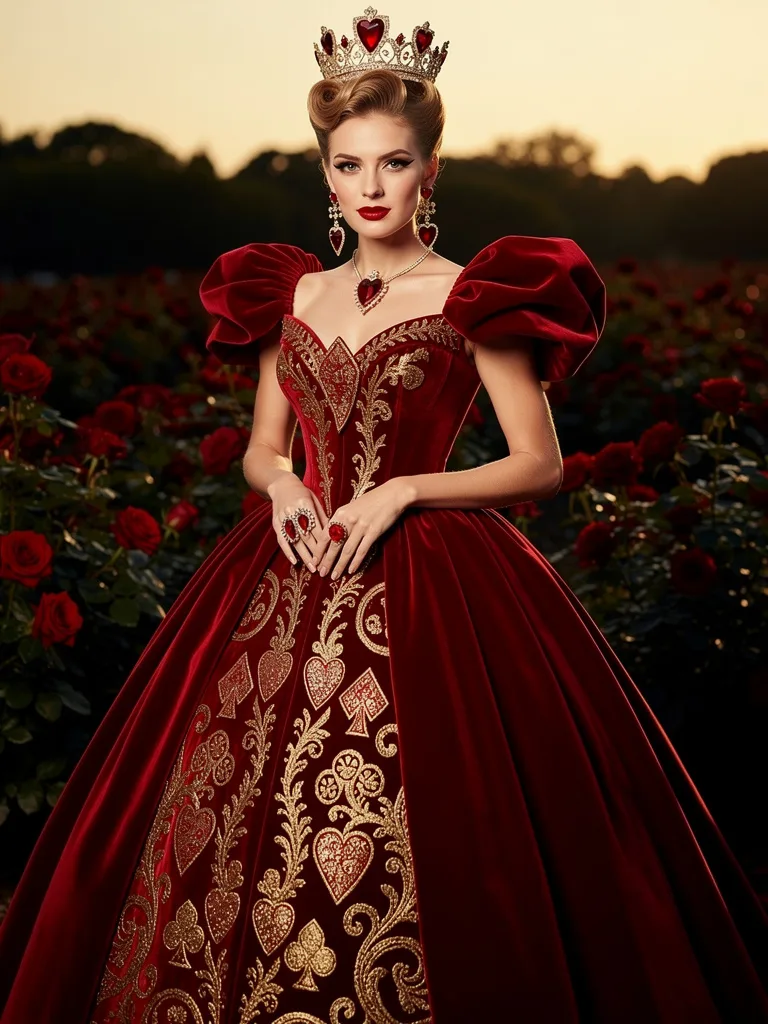
AI fashion photography: editorials, model photoshoots and lookbooks that hold up
How to art-direct AI fashion images for editorials, product pages and lookbooks: the wardrobe and lighting words that make clothes look real, how to keep one model and one garment consistent, and the consent rules that apply.
Run these prompts on every model, side by side.
PromptLab puts Flux, Nano Banana, Kling, Veo, Seedance and dozens more in one workspace. See the cost before you click, keep the prompts that win.